SHARED PAIR2c–2eAbout →

Shared Electron runtimes for Linux

Your apps.
One runtime.

Shared Pair separates compatible desktop applications from the versioned Electron runtime they have in common—and keeps the packages, tests, provenance, and security updates together.

Packages built, tested, signed, and publicly installable

Install

Repository live.
Signed and tested.

AvailabilityActiveUbuntu 26.04 · amd64

Add the Shared Pair signing key and repository, then install any published application.

1 · Add the repository, run in order

curl -fsSL https://apt.sharedpair.dev/key.gpg |
  sudo gpg --dearmor --yes -o /usr/share/keyrings/sharedpair.gpg
echo "deb [arch=amd64 signed-by=/usr/share/keyrings/sharedpair.gpg] https://apt.sharedpair.dev resolute main" |
  sudo tee /etc/apt/sources.list.d/sharedpair.list
sudo apt update

2 · Install the applications you want, for example

sudo apt install losslesscut

Any package name from the applications list works. Applications on the same runtime line share one Electron install.

Install every published application (36 packages)
sudo apt install \
  losslesscut \
  drawio-desktop \
  marktext \
  joplin \
  teams-for-linux \
  jupyterlab-desktop \
  netron \
  trilium-notes \
  penpot-desktop \
  effetune \
  element-desktop \
  poi \
  tuta-desktop \
  jbrowse-desktop \
  nerimity-desktop \
  opencomic \
  min-browser \
  leafview \
  ebtcalc \
  fluent-reader \
  github-desktop-linux \
  electorrent \
  weltenschaft \
  git-it \
  mattermost-desktop \
  blockbench \
  balena-etcher \
  exifcleaner \
  zulip-desktop \
  recode-converter \
  super-productivity \
  zettlr \
  mailspring \
  heroic \
  iptvnator \
  ueli
Fingerprint
CB4B 214C 7E7D 250E 1F06 D319 DC95 7822 C3CA 4045
Suite
resolute
Architecture
amd64

Verify the fingerprint independently before trusting repository metadata. The public repository and clean installations from both runtime lines were verified on 2026-09-01.

Applications

Published
applications.

Every application keeps its identity and private components while depending on the shared runtime it passed against. Open any row for the complete report.

Showing all 36 applications
LosslessCutLossless video and audio cutting
Electron 42.9.3
Tested
Package
3.69.0-1sharedpair1
Runtime
electron-runtime-42
Archive
70.6 MiB
Installed
274.9 MiB

What was verified

Starts through the shared runtime; its private FFmpeg remains with the app.

Split from its bundled runtime and tested alongside the Electron 42 application set.

Application-owned boundary

  • Application payload and private FFmpeg stay app-owned.
  • Depends on Electron 42 rather than carrying Chromium.
  • The earlier monolithic package remains the rollback path until publication.

Publication

Built, tested, and available from the signed repository.
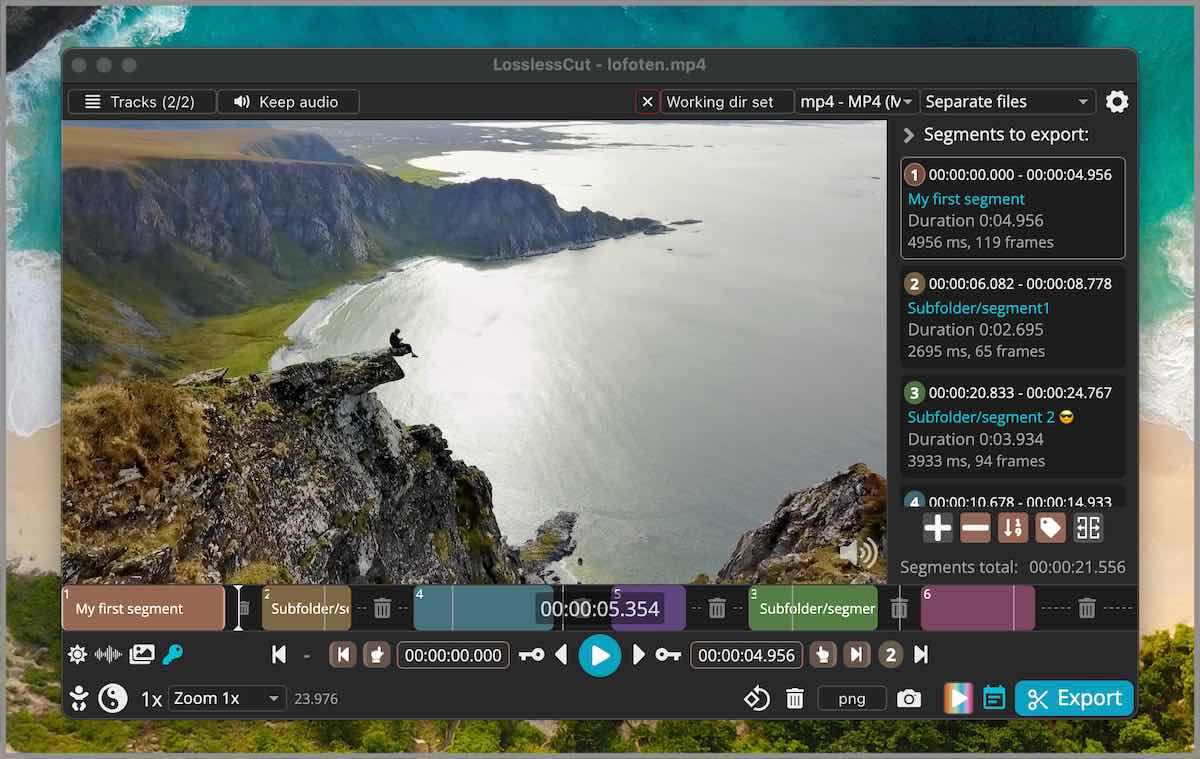
LosslessCut application interface with video preview, segment controls, and timeline.
Official upstream interface reference · Source ↗
draw.io DesktopOffline diagram editor
Electron 42.9.3
Tested
Package
31.3.1-1sharedpair1
Runtime
electron-runtime-42
Archive
31.4 MiB
Installed
139.3 MiB

What was verified

draw.io and LosslessCut co-install on Electron 42; CLI diagram export works.

Packaged without Electron; clean-container CLI export passed.

Application-owned boundary

  • Uses the shared sandbox owned by the runtime.
  • Keeps application resources separate from Electron files.
  • CLI export is tested, not merely GUI startup.

Publication

Built, tested, and available from the signed repository.
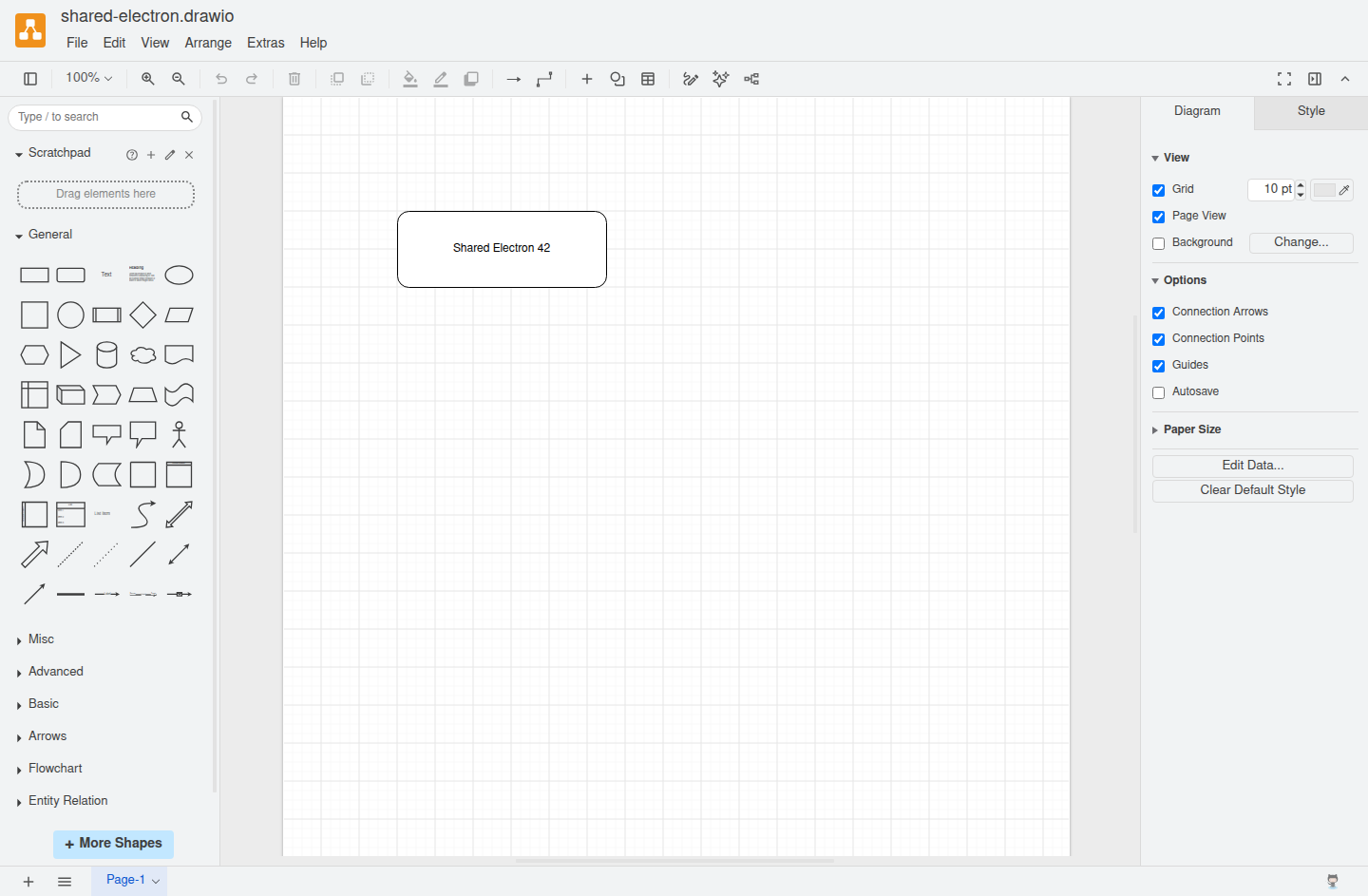
draw.io Desktop editor showing its menus, shape palette, diagram canvas, and style panel with a Shared Electron 42 sample document open.
draw.io Desktop 31.3.1-1sharedpair1 · electron-runtime-42 42.9.3 · Ubuntu 26.04 clean-container capture
MarkTextVisual Markdown editor
Electron 42.9.3
Tested
Package
0.19.1-1sharedpair1
Runtime
electron-runtime-42
Archive
16.3 MiB
Installed
93.4 MiB

What was verified

A fresh-container test opens and renders a real Markdown document on Electron 42.

Packaged without Electron; its packaged-mode adaptation preserves electron-log and its ABI 146 native modules.

Application-owned boundary

  • Native modules remain in the application package.
  • Dependency bounds require Electron 42.9.3.
  • The test requires a rendered editor window and rejects main-process JavaScript errors.

Publication

Built, tested, and available from the signed repository.
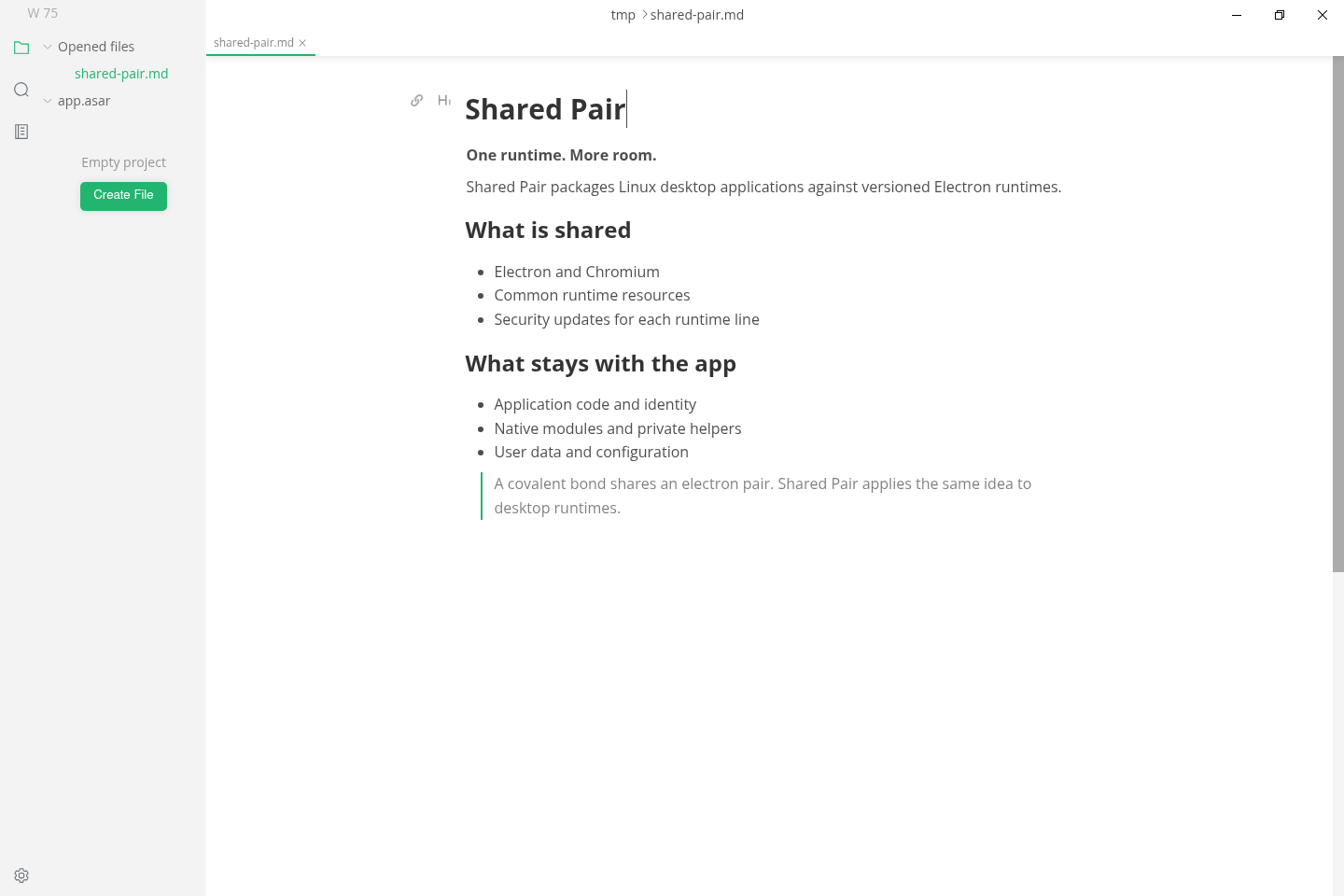
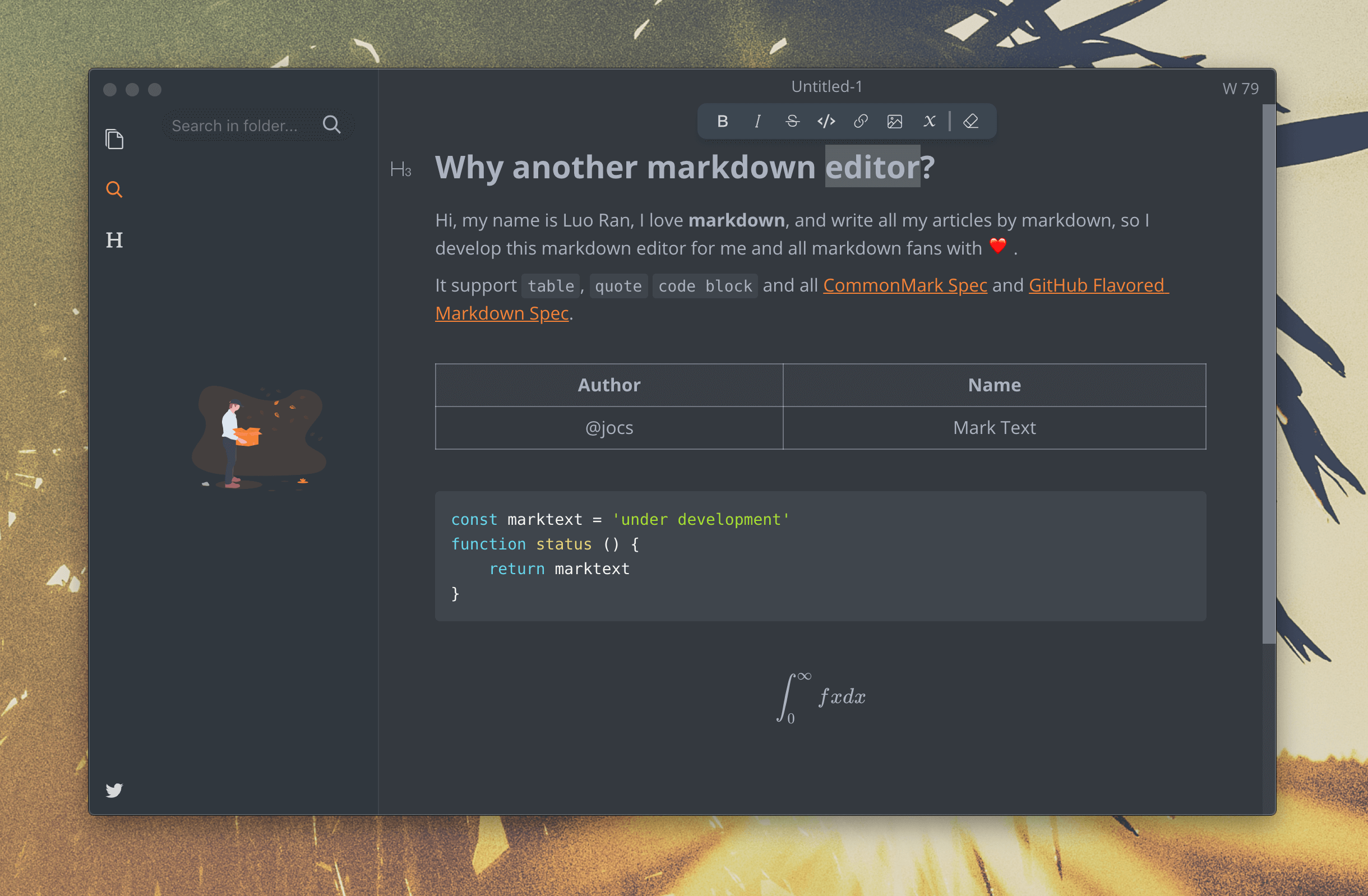
MarkText Markdown editor interface.
Official upstream interface reference · Source ↗
MarkText rendering a Shared Pair Markdown document with headings, emphasis, lists, and a block quotation.
MarkText 0.19.1-1sharedpair1 · electron-runtime-42 42.9.3 · Ubuntu 26.04 clean-container capture
JoplinNotes and knowledge management
Electron 42.9.3
Tested
Package
3.7.14-1sharedpair1
Runtime
electron-runtime-42
Archive
57 MiB
Installed
307.9 MiB

What was verified

Fresh-container profile creation, persistence, and reopen passed.

The 3.7 prerelease package persists and reopens its SQLite profile.

Application-owned boundary

  • This package follows Joplin’s 3.7 prerelease channel.
  • SQLite state survives a full close and reopen.
  • The app depends on Electron 42.9.3.

Publication

Built, tested, and available from the signed repository.
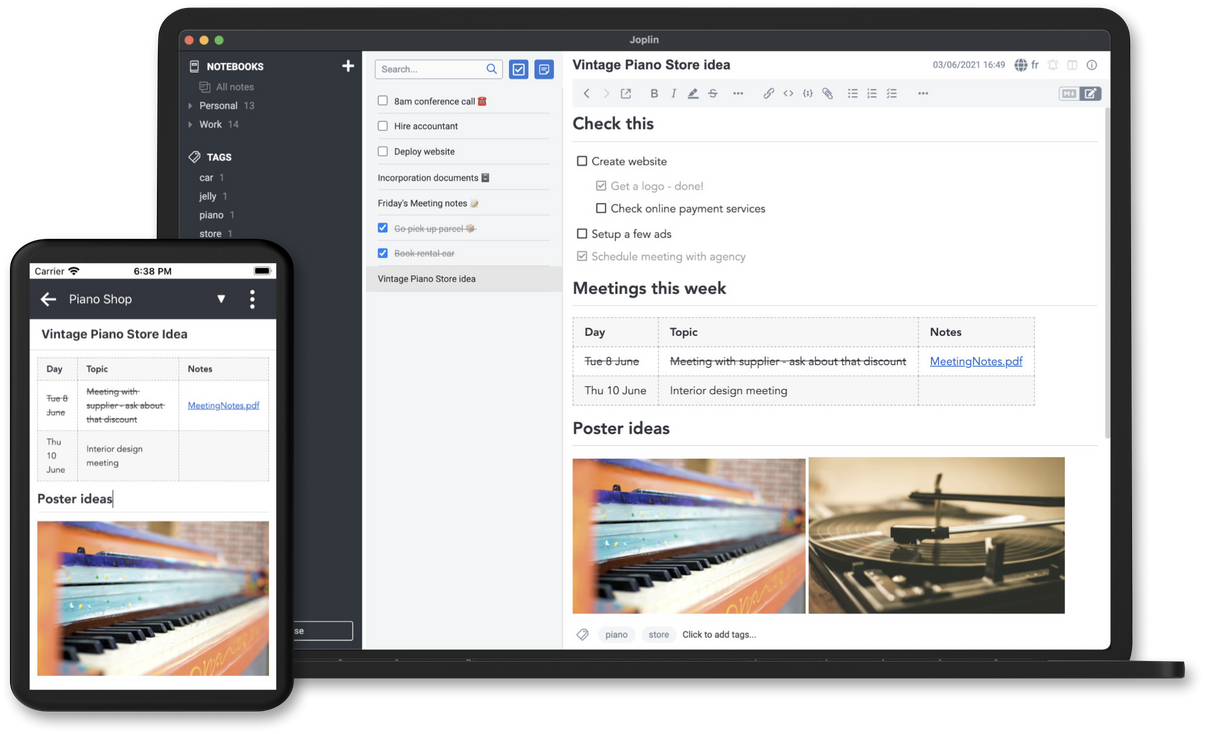
Joplin desktop note-taking interface shown across desktop and mobile layouts.
Official upstream interface reference · Source ↗
Teams for LinuxUnofficial Microsoft Teams wrapper
Electron 42.9.3
Tested
Package
2.18.1-1sharedpair1
Runtime
electron-runtime-42
Archive
14.6 MiB
Installed
30.8 MiB

What was verified

Fresh-container initialization and profile reopen passed.

Initializes and reopens its profile through the shared runtime.

Application-owned boundary

  • Unofficial and not affiliated with Microsoft.
  • The wrapper no longer carries its own Electron copy.
  • Persistent application state is exercised by the test.

Publication

Built, tested, and available from the signed repository.
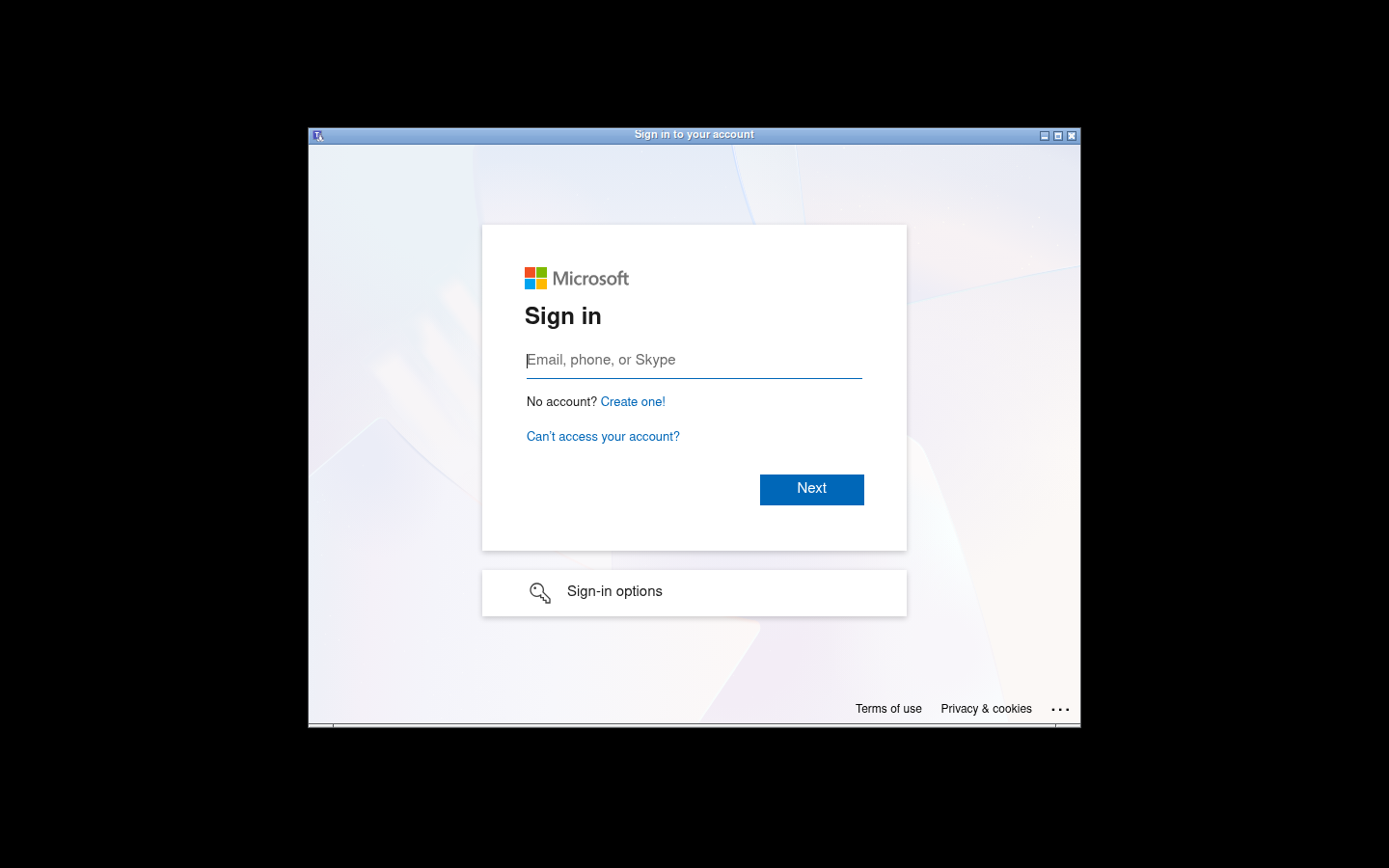
Teams for Linux 2.18.1 running with a fresh profile under Electron 42.9.3.
Teams for Linux 2.18.1-1sharedpair1 · electron-runtime-42 42.9.3 · Ubuntu 26.04 clean-container capture
JupyterLab DesktopDesktop notebooks and data tools
Electron 42.9.3
Tested
Package
4.6.3-1sharedpair1
Runtime
electron-runtime-42
Archive
311.3 MiB
Installed
327 MiB

What was verified

Jupyter server startup and desktop-profile persistence passed.

Runs its private Jupyter environment and persists its desktop profile.

Application-owned boundary

  • The offline Python/Jupyter environment remains app-private.
  • Only the generic Electron runtime is shared.
  • Both server and desktop behavior are tested.

Publication

Built, tested, and available from the signed repository.
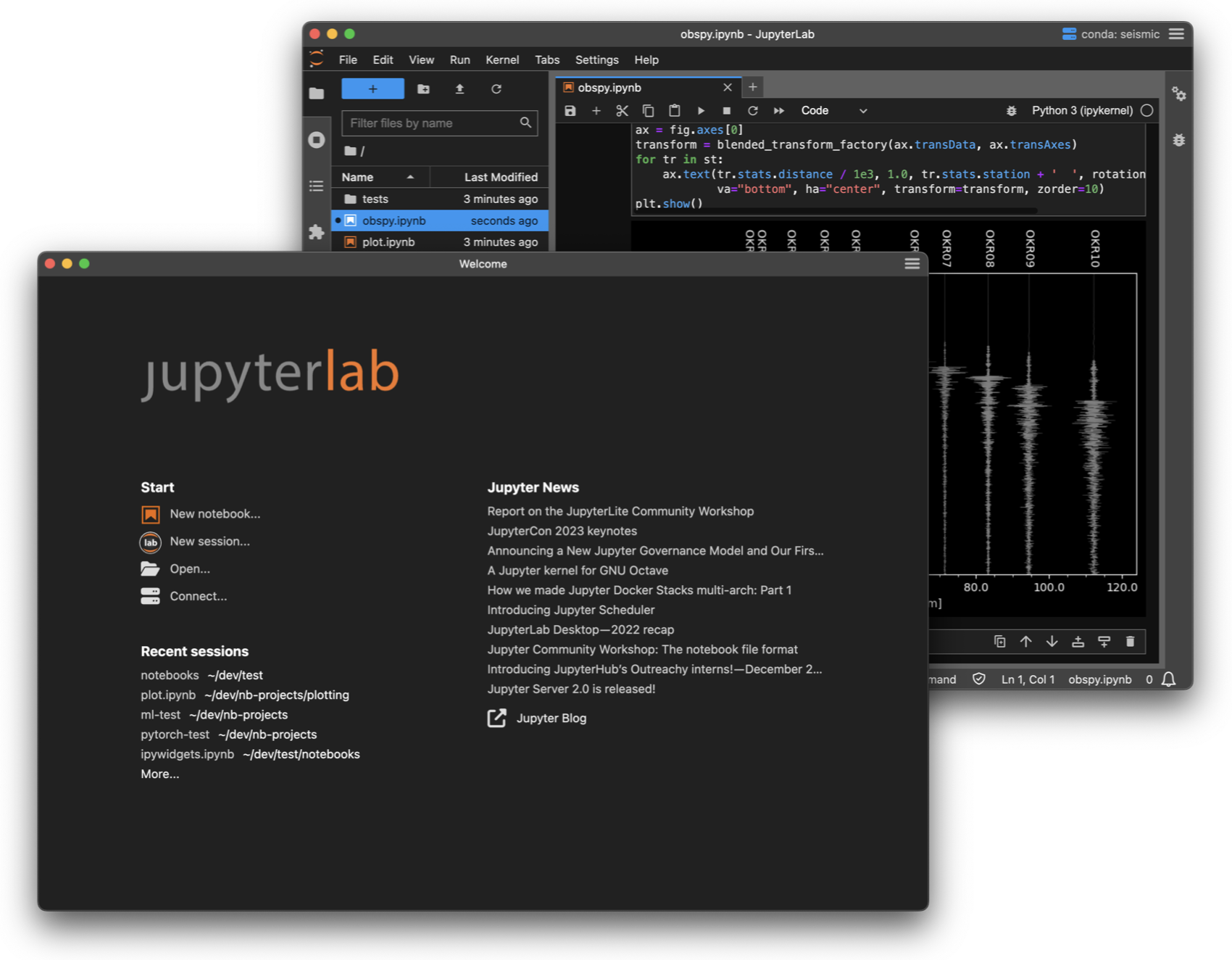
JupyterLab Desktop welcome page and session launcher.
Official upstream interface reference · Source ↗
NetronNeural-network model viewer
Electron 44.0.0
Tested
Package
9.2.4-1sharedpair1
Runtime
electron-runtime-44
Archive
2.5 MiB
Installed
27.3 MiB

What was verified

An unprivileged user opened a model on Electron 44 in a fresh container.

Packaged as a plain app payload without Electron, Chromium, or its upstream self-updater.

Application-owned boundary

  • Exact runtime bounds require Electron 44 and reject Electron 45.
  • The upstream self-updater is removed in favor of package updates.
  • Model opening—not just process startup—is verified.

Publication

Built, tested, and available from the signed repository.
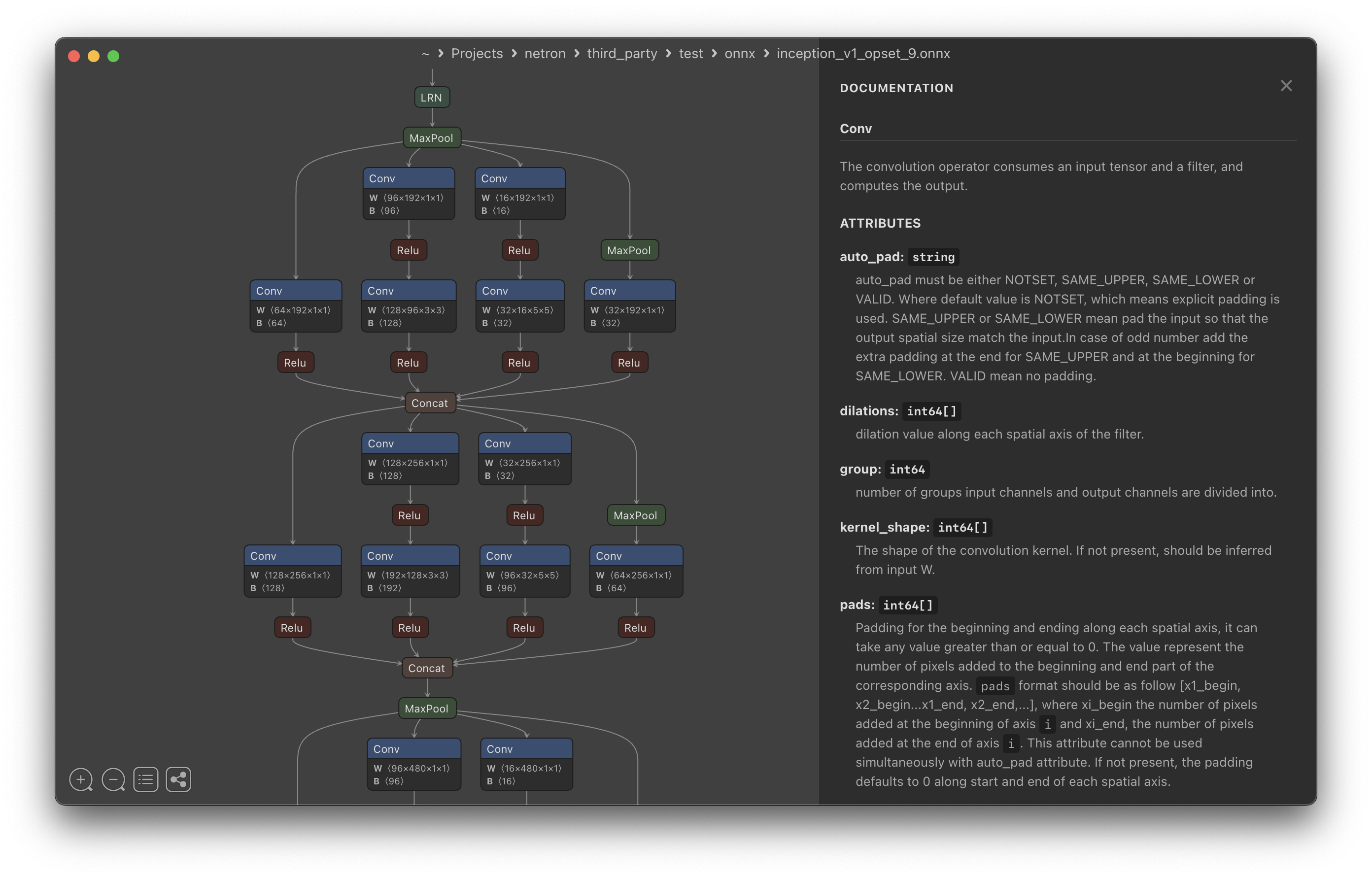
Netron displaying a neural-network model graph.
Official upstream interface reference · Source ↗
Trilium NotesHierarchical notes and personal knowledge bases
Electron 44.0.0
Tested
Package
0.105.0~git20260831.d2df448d-1sharedpair1
Runtime
electron-runtime-44
Archive
56.7 MiB
Installed
159.5 MiB

What was verified

A fresh unprivileged profile initialized a valid SQLite database and reopened successfully on Electron 44.

The pinned development snapshot is packaged as an application-only payload with its private SQLite module and no bundled Electron or Chromium.

Application-owned boundary

  • This is an immutable candidate snapshot, not a stable upstream release.
  • The application retains its N-API better-sqlite3 module.
  • Exact dependency bounds require Electron 44 and reject Electron 45.
  • APT is the only package update path.

Publication

Built, tested, and available from the signed repository.
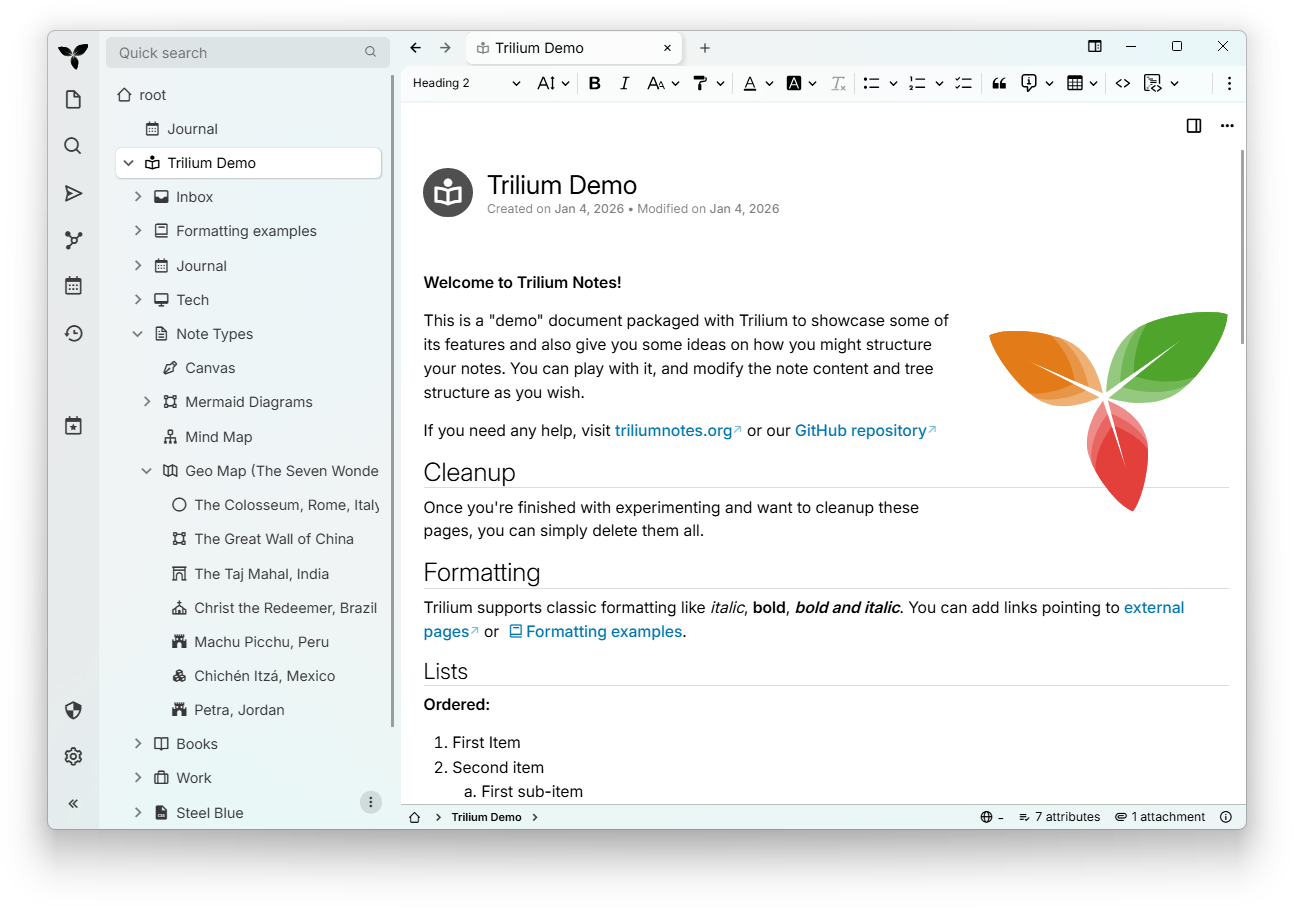
Trilium Notes interface with a hierarchical note tree, rich-text note, and navigation controls.
Official upstream interface reference · Source ↗
Trilium Notes running with its demo knowledge base, showing the note hierarchy, Journal calendar, navigation, and side panel.
Trilium Notes 0.105.0~git20260831.d2df448d-1sharedpair1 · electron-runtime-44 44.0.0 · Ubuntu 26.04 clean-container capture
Penpot DesktopUnofficial desktop client for hosted or self-hosted Penpot design workspaces
Electron 44.0.0
Tested
Package
0.24.0-1sharedpair1
Runtime
electron-runtime-44
Archive
2.7 MiB
Installed
28.5 MiB

What was verified

A fresh Ubuntu 26.04 container verified package bounds and started the client unprivileged on Electron 44.

Built from the immutable v0.24.0 source tag without Electron, Chromium, native modules, or an active self-updater.

Application-owned boundary

  • This is an unofficial client and is not endorsed by the Penpot project.
  • The default hosted experience needs network access; self-hosted instances remain separately managed.
  • The optional Docker-based local-instance workflow is not exercised by the headless startup test.
  • APT is the only application update path.

Publication

Built, tested, and available from the signed repository.
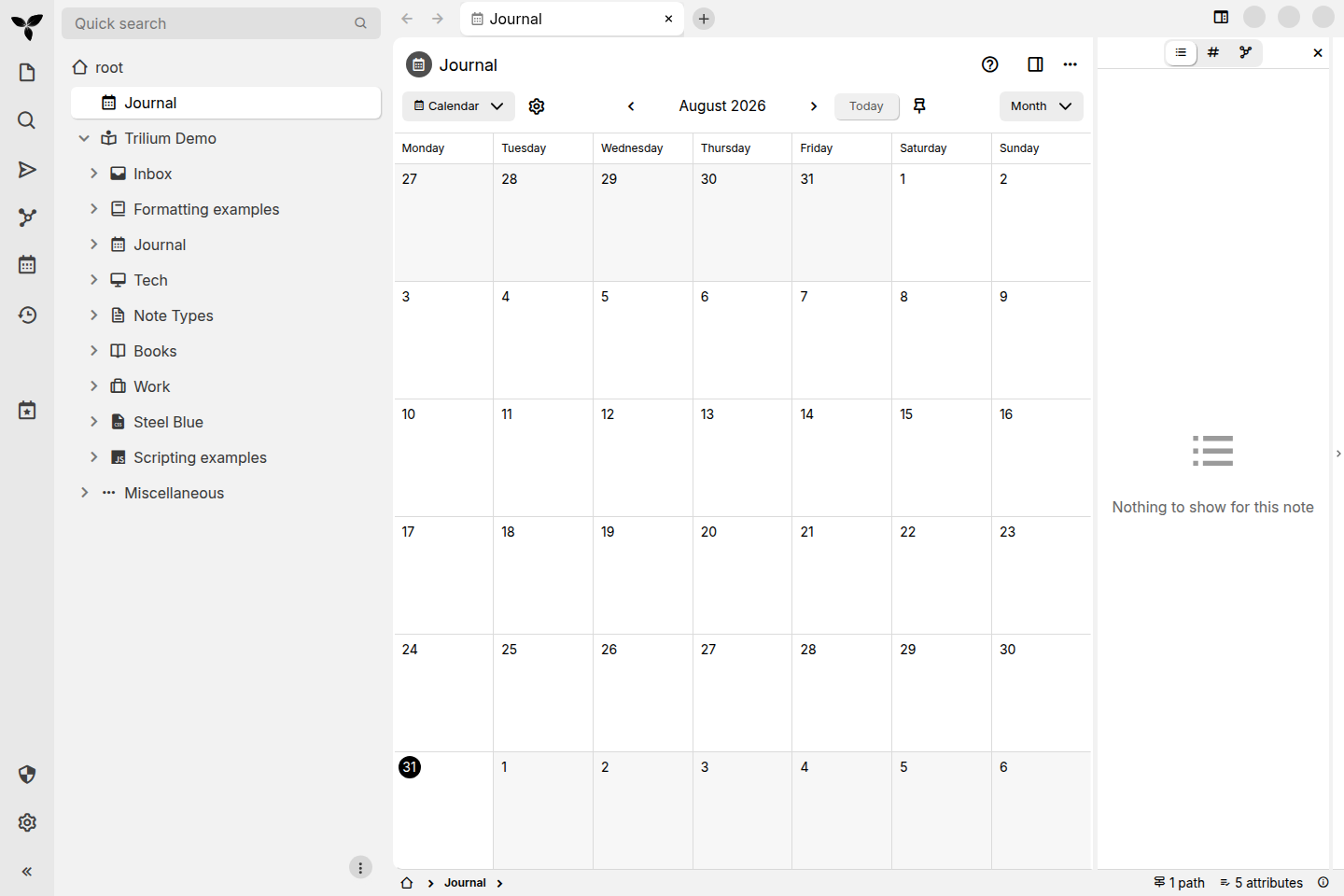
Penpot design canvas as packaged for the Flatpak store listing, showing the vector editing interface with layers panel and toolbars.
Official upstream interface reference · Source ↗
EffeTuneReal-time audio effects and DSP processing
Electron 44.0.0
Tested
Package
2.7.0~git20260831.bedc6c66-1sharedpair1
Runtime
electron-runtime-44
Archive
8.5 MiB
Installed
28.9 MiB

What was verified

A fresh Ubuntu 26.04 container verified the native sidecar and launched the application unprivileged on Electron 44.

Built from an immutable source snapshot without Electron or Chromium; the optional OpenHome helper is built from checksum-pinned source.

Application-owned boundary

  • This is a pinned candidate because upstream’s own version history still labels 2.7.0 TBD.
  • The OpenHome sidecar passed its source-build test suite and dynamically uses Ubuntu’s libnl packages.
  • Headless startup does not validate physical audio hardware, WebAssembly DSP output, or network discovery.
  • APT is the only application update path.

Publication

Built, tested, and available from the signed repository.
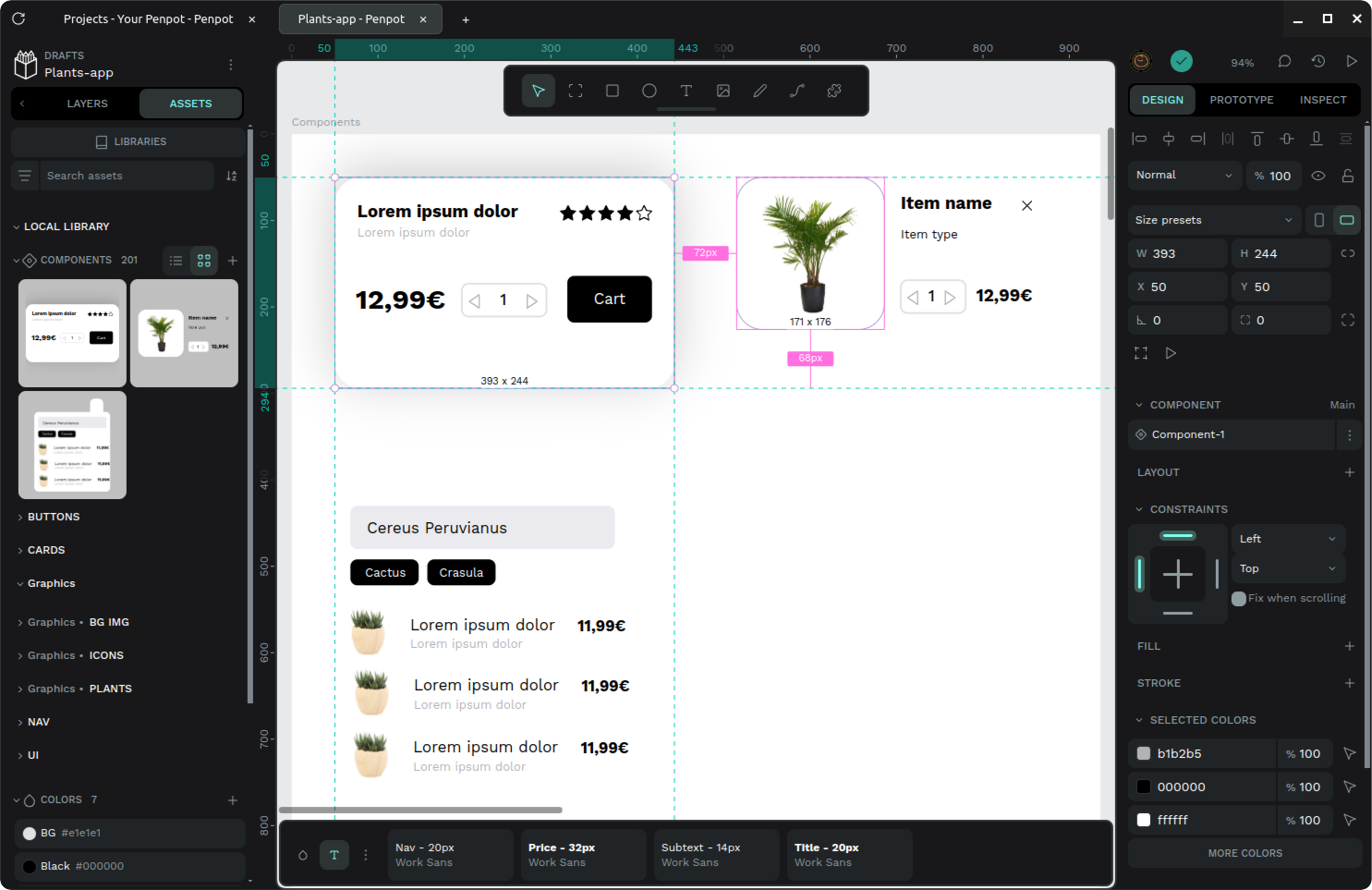
EffeTune's effect pipeline interface showing chained real-time audio effect modules with their controls.
Official upstream interface reference · Source ↗
Element DesktopMatrix messaging and collaboration client
Electron 44.0.0
Tested
Package
1.12.26~git20260831.4dacb8b4-1sharedpair1
Runtime
electron-runtime-44
Archive
30.2 MiB
Installed
184.7 MiB

What was verified

A fresh Ubuntu 26.04 container rendered a visible Element window as an unprivileged user on Electron 44.

Built from one immutable web-and-desktop monorepo snapshot as an application-only payload without Electron or Chromium.

Application-owned boundary

  • This is a pinned development snapshot, not a stable upstream release.
  • Optional matrix-seshat local encrypted-room indexing is intentionally omitted from this candidate.
  • The test verifies startup and profile creation without requiring a Matrix account.
  • The launcher disables upstream update activity; APT is the update authority.

Publication

Built, tested, and available from the signed repository.
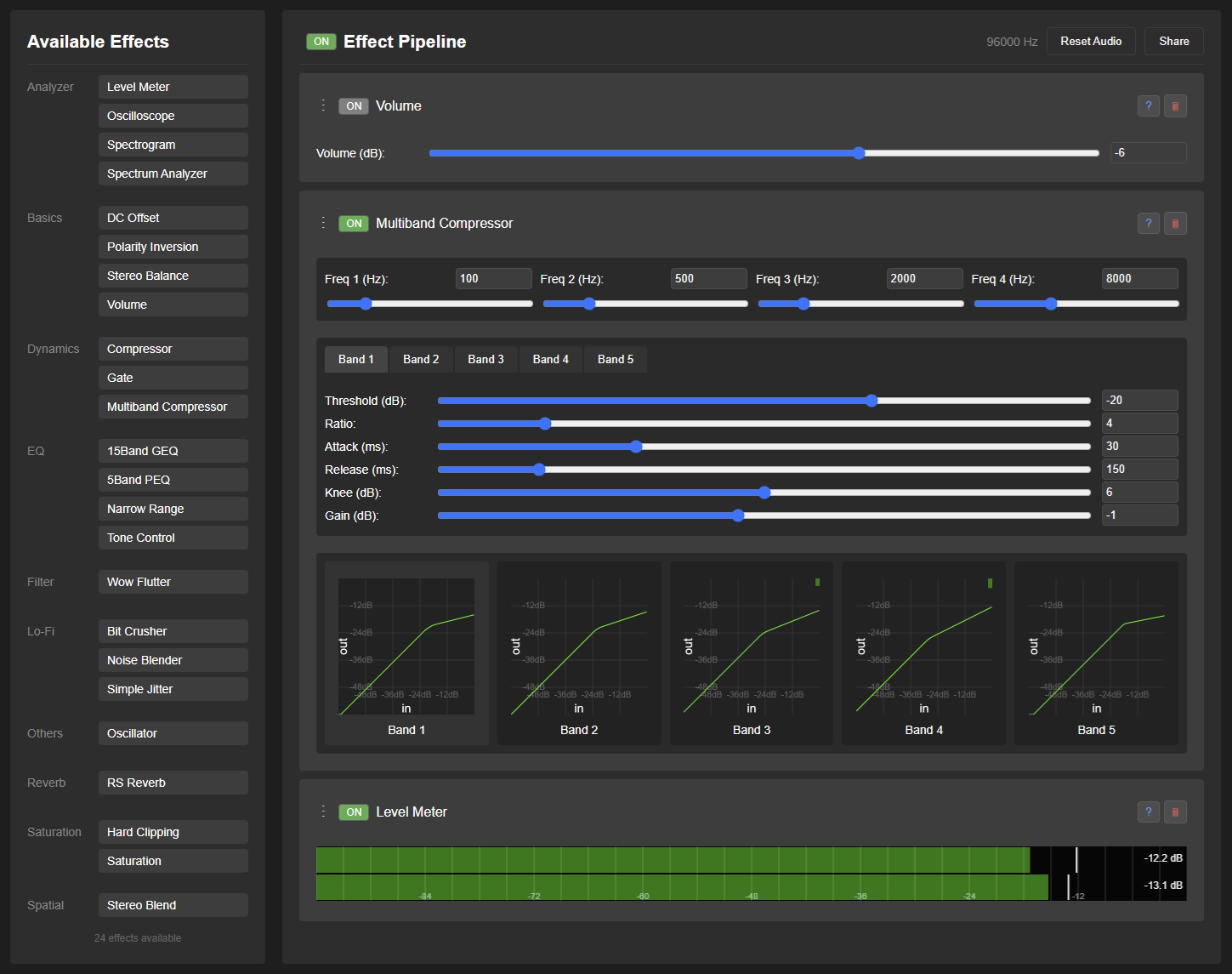
Element desktop app rendering its welcome/login view, captured by the project's own Playwright launch test.
Official upstream interface reference · Source ↗
poiBrowser and tool viewer for the Kantai Collection web game
Electron 44.0.0
Tested
Package
12.0.1~candidate1-1sharedpair1
Runtime
electron-runtime-44
Archive
23.9 MiB
Installed
285.2 MiB

What was verified

A fresh Ubuntu 26.04 container checked dependency bounds, sandbox mode, file ownership, and updater-feed removal, then started poi unprivileged on Electron 44 and required configuration state to be created.

Built from the checksum-pinned v12.0.1 tag archive; the production graph is pure JavaScript with no .node module, and both electron-updater feed assignments are removed.

Application-owned boundary

  • This is a pinned candidate snapshot; it is not presented as a stable upstream release.
  • Upstream excludes the poi icon and SVG artwork from its MIT grant; the copyright file records that restriction.
  • The application uses webviews with Node integration exactly as upstream designed it.
  • Game availability, authentication, and plugin installation are outside the startup test.

Publication

Built, tested, and available from the signed repository.
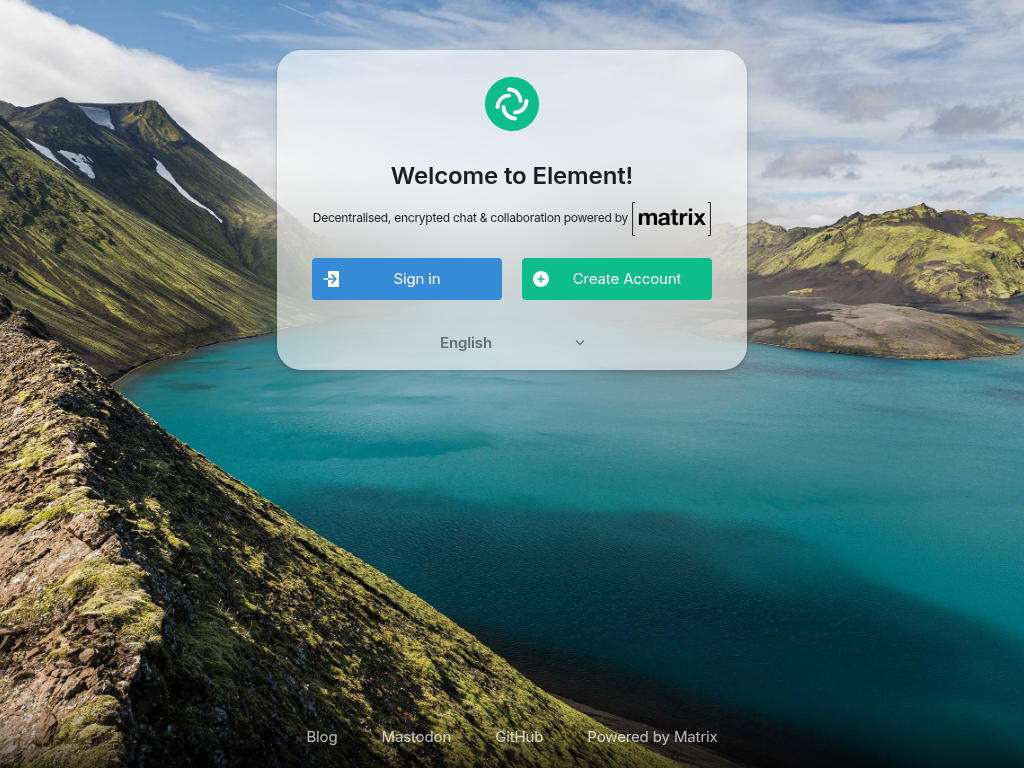
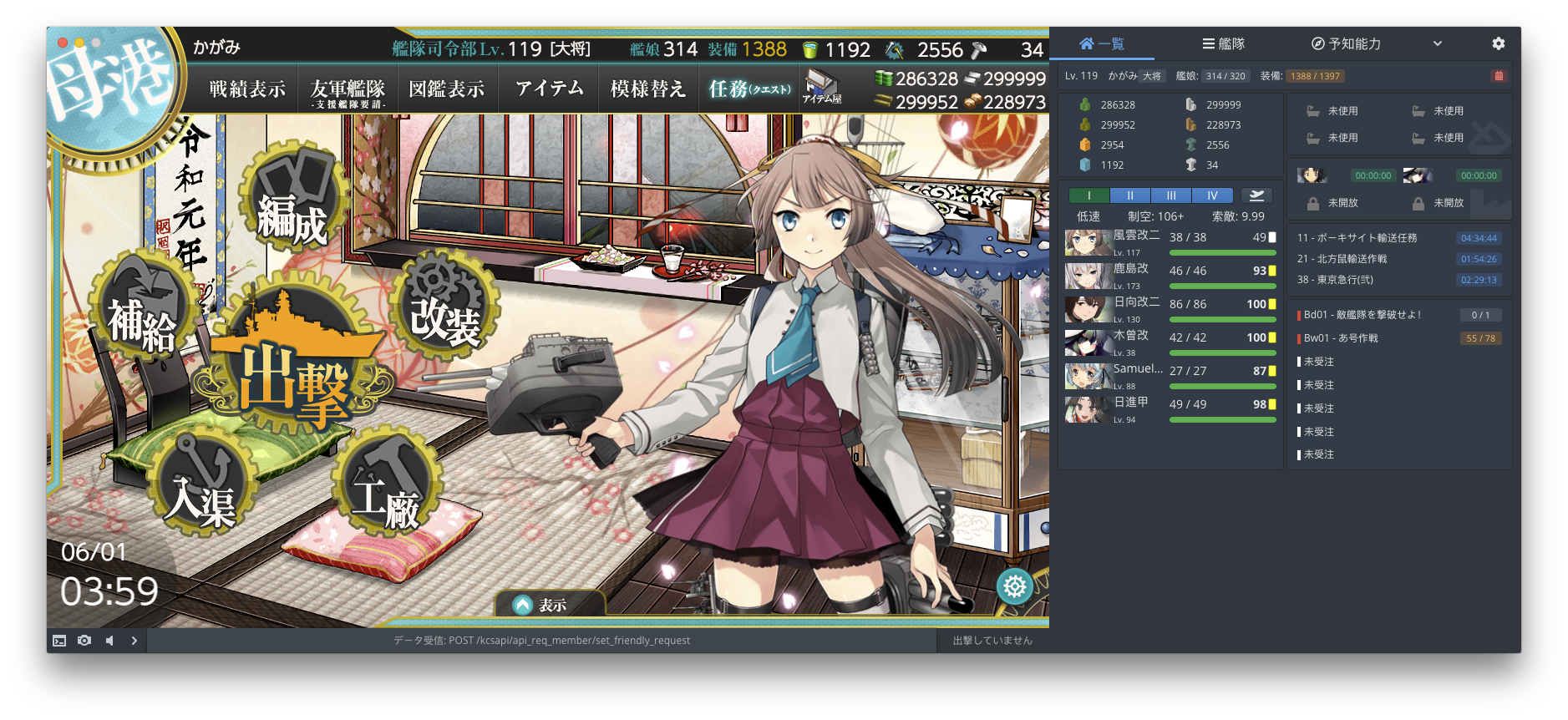
Poi's main window showing the KanColle browser game overlay/toolbox interface (fleet and ship management panels).
Official upstream interface reference · Source ↗
Tuta DesktopEncrypted mail and calendar desktop client
Electron 44.0.0
Tested
Package
357.260827.0~git20260827.3cf1e5b6-1sharedpair1
Runtime
electron-runtime-44
Archive
20.4 MiB
Installed
120 MiB

What was verified

A fresh Ubuntu 26.04 container verified dependency bounds, file ownership, both x86-64 native modules, and absence of update metadata, then started Tuta unprivileged on Electron 44 and required per-user configuration to be created.

Built from the pinned commit archive plus three independently checksummed gitlink sources, retaining the source-built SQLCipher and Rust mail-importer N-API modules and no updater metadata.

Application-owned boundary

  • Upstream’s tag name says 357.260824.2 while the tagged tree says 357.260827.0; the package uses the tree’s honest version.
  • The two native modules use N-API, so they stay application-private while Electron is shared.
  • Login, mailbox decryption, mail import, and calendar sync are not exercised by the startup test.
  • Upstream’s custom-desktop-release mode ships no update feed; APT is the only update path.

Publication

Built, tested, and available from the signed repository.
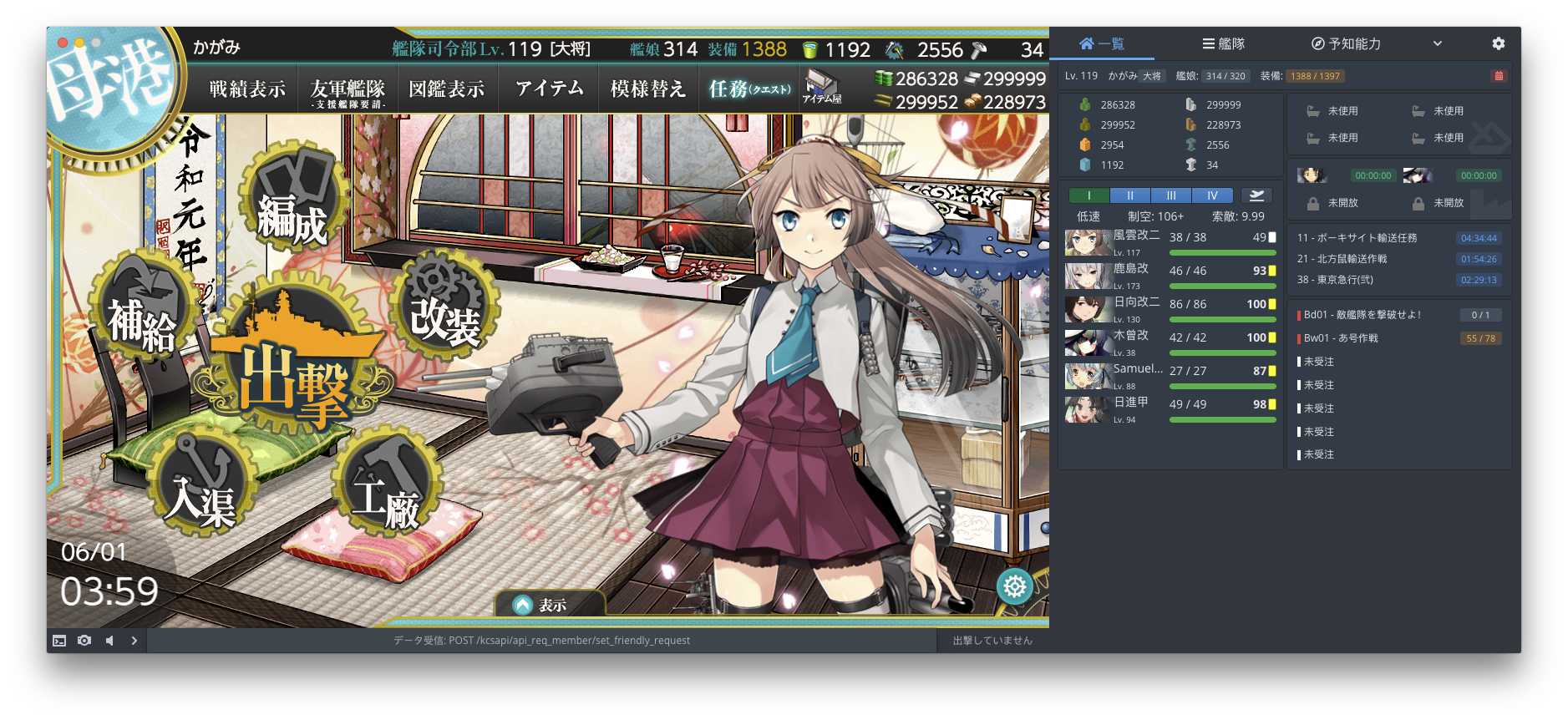
Tuta Mail's mobile app interface (Play Store listing screenshot) showing the mailbox/inbox view — the repository has no desktop-client screenshot.
Official upstream interface reference · Source ↗
JBrowse DesktopGenome browser for local and remote annotation tracks
Electron 44.0.0
Tested
Package
5.0.0~beta.1+git20260831.6444f72b-1sharedpair1
Runtime
electron-runtime-44
Archive
10.5 MiB
Installed
58.9 MiB

What was verified

A fresh Ubuntu 26.04 container checked dependency bounds and ownership exclusions, then launched the start screen unprivileged on Electron 44 and required a live renderer and a created user-data directory.

Built from the checksum-pinned 5.0.0-beta.1 development commit with a frozen pnpm lockfile; the installed payload is architecture-neutral JavaScript with no .node or private shared library.

Application-owned boundary

  • This is a development snapshot of the 5.0.0-beta.1 line, not a stable upstream release.
  • Both the background and Help-menu update paths are patched to no-ops and the launcher enforces the suppression flag.
  • The launcher sets an APT-package marker because app.isPackaged is false under a shared runtime.
  • The official Node 24 toolchain is used as a build tool only and creates no runtime dependency.

Publication

Built, tested, and available from the signed repository.
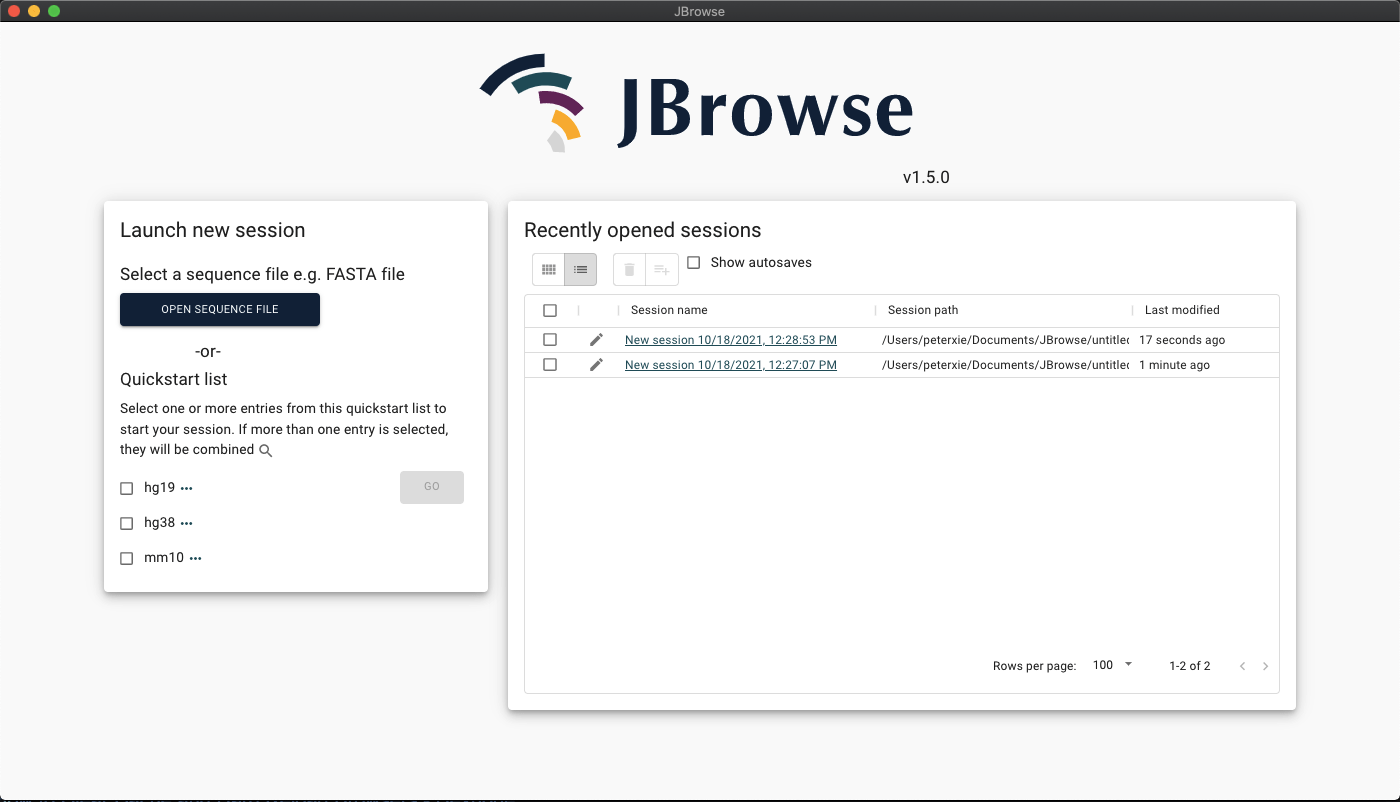
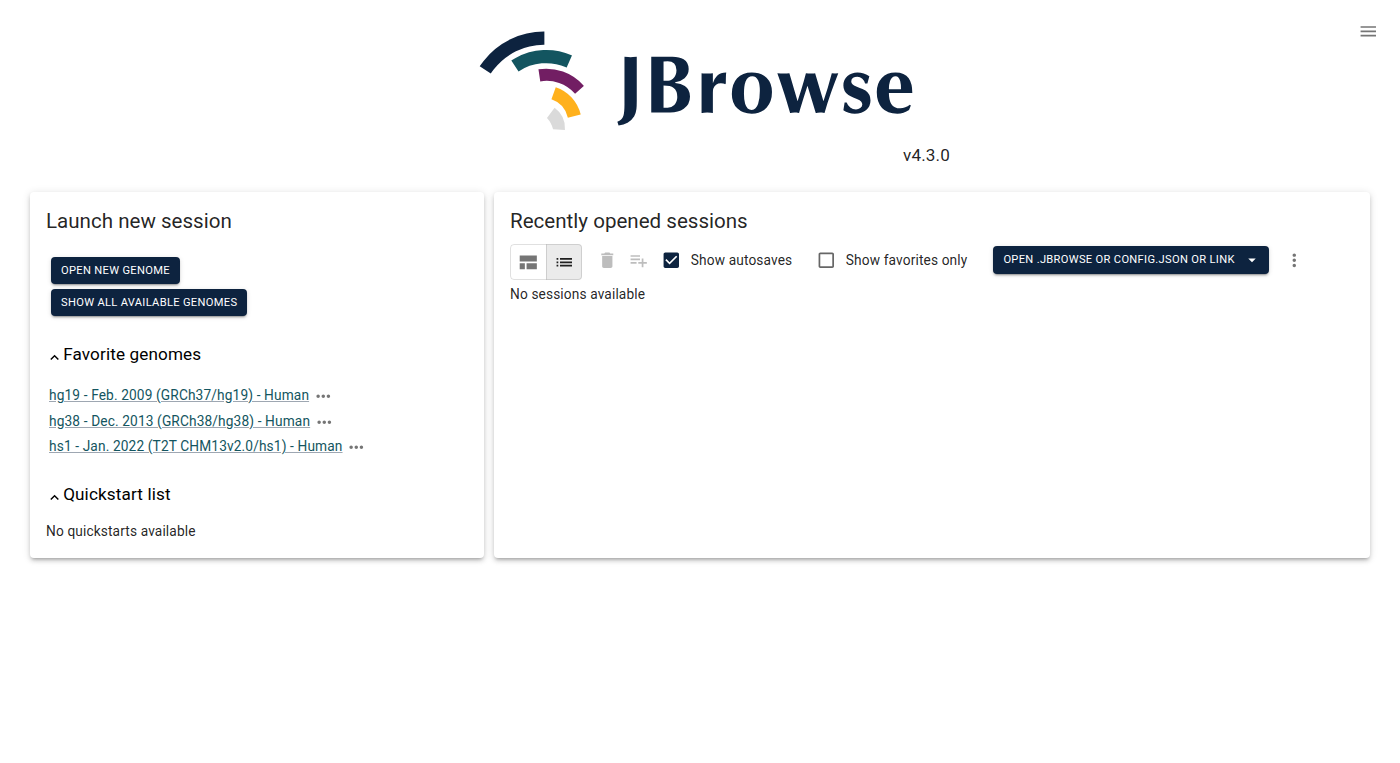
The JBrowse Desktop start screen showing "Launch new session" and "Recently opened sessions" panels with favorite genomes and quickstart list.
Official upstream interface reference · Source ↗
Nerimity DesktopDesktop client for the Nerimity chat service
Electron 44.0.0
Tested
Package
2.3.2-1sharedpair1
Runtime
electron-runtime-44
Archive
7.4 MiB
Installed
44.1 MiB

What was verified

A fresh Ubuntu 26.04 container verified dependency bounds, native-module presence, and updater removal, then started Nerimity unprivileged on Electron 44 and required a live Electron process and created configuration.

Repacked from the checksum-verified official v2.3.2 Debian artifact; the upstream Electron executable and every Chromium file are discarded and the packaged updater window is patched out.

Application-owned boundary

  • uiohook-napi and the active-window modules use N-API, so they remain application-private.
  • X11 libraries needed by the global-hook binary are explicit package dependencies.
  • The Windows-only loopback audio capture addon is removed; that path is unsupported on Linux.
  • The exact tag ships no LICENSE file, so the copyright record supplies the declared ISC grant and documents the gap.

Publication

Built, tested, and available from the signed repository.
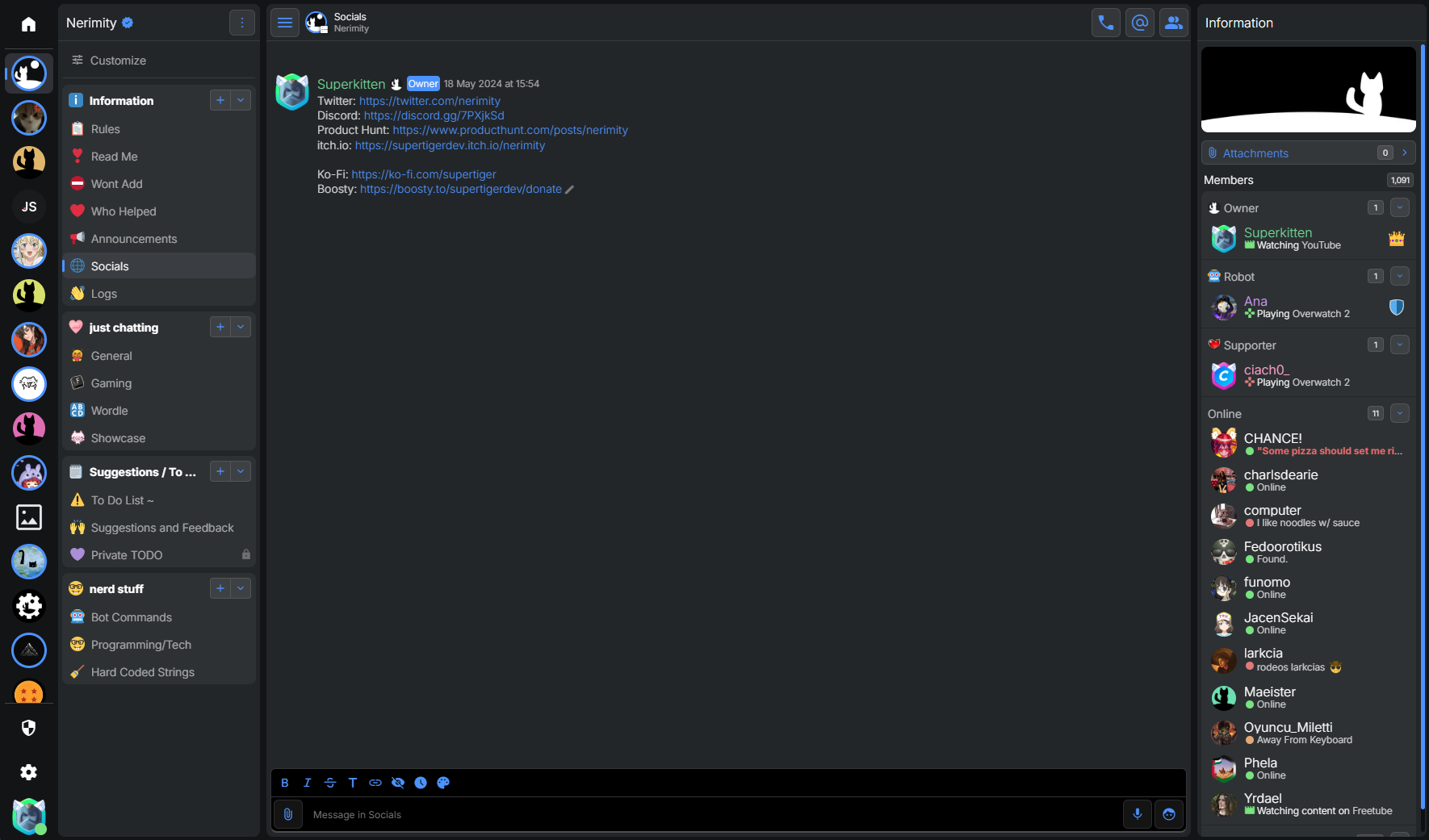
Nerimity chat client showing a server view with channel list, message thread, and member sidebar, from the official Nerimity web client README.
Official upstream interface reference · Source ↗
OpenComicComic and manga reader for archives and PDFs
Electron 44.0.0
Tested
Package
1.6.6~git20260831.275d5c40-1sharedpair1
Runtime
electron-runtime-44
Archive
121.6 MiB
Installed
477.6 MiB

What was verified

A fresh Ubuntu 26.04 container verified ownership boundaries, native-module presence, and disabled update polling, then started OpenComic unprivileged on Electron 44 and required configuration state to be created.

Built from the checksum-pinned commit archive with lockfile-fixed npm inputs; sharp, node-zstd, libvips, and the 7-Zip helpers are retained byte-for-byte as application files.

Application-owned boundary

  • The commit is later than upstream tag v1.6.5, so the package uses a snapshot version rather than claiming a release.
  • The native helpers use N-API rather than Electron’s V8 ABI; only the Linux amd64 glibc selection is retained.
  • A patch disables the startup release poll and defaults release checking to false.
  • Optional AI image helpers, archive, EPUB, and network-server workflows are outside the startup test.

Publication

Built, tested, and available from the signed repository.
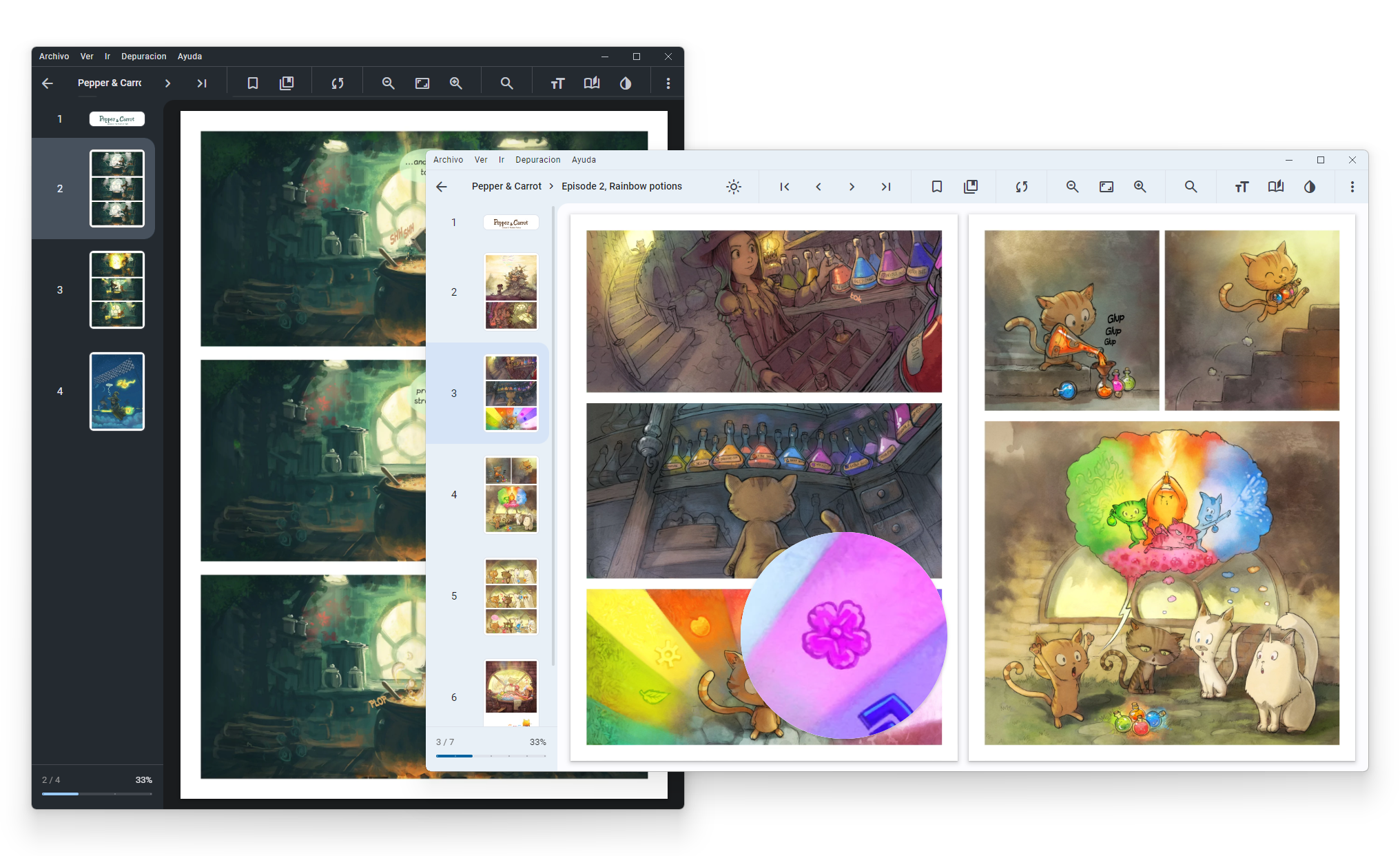
OpenComic's comic reader showing two overlapping app windows open to "Pepper & Carrot" comic pages with page thumbnails in a side panel.
Official upstream interface reference · Source ↗
MinMinimal, privacy-focused web browser
Electron 43.4.1
Tested
Package
1.35.7-1sharedpair1
Runtime
electron-runtime-43
Archive
5.6 MiB
Installed
25 MiB

What was verified

A fresh Ubuntu 26.04 container verified ownership and dependency bounds, then started Min unprivileged on Electron 43 and required per-user configuration with no missing-module, native-ABI, or uncaught-exception diagnostics.

Repacked from the checksum-verified official Debian artifact into a 5.6 MiB application package, against roughly 310 MiB extracted upstream; no private Electron, sandbox, crash handler, .node module, or shared object survives.

Application-owned boundary

  • Min configures no self-updater and sets its crash reporter to uploadToServer: false; APT owns updates.
  • The shipped payload retains 58 licence and notice files, including Mozilla-derived components.
  • Web compatibility, media codecs, and password-manager integration are outside the startup test.
  • The source tree publishes no npm lockfile, so the official artifact is checksum-verified rather than rebuilt.

Publication

Built, tested, and available from the signed repository.
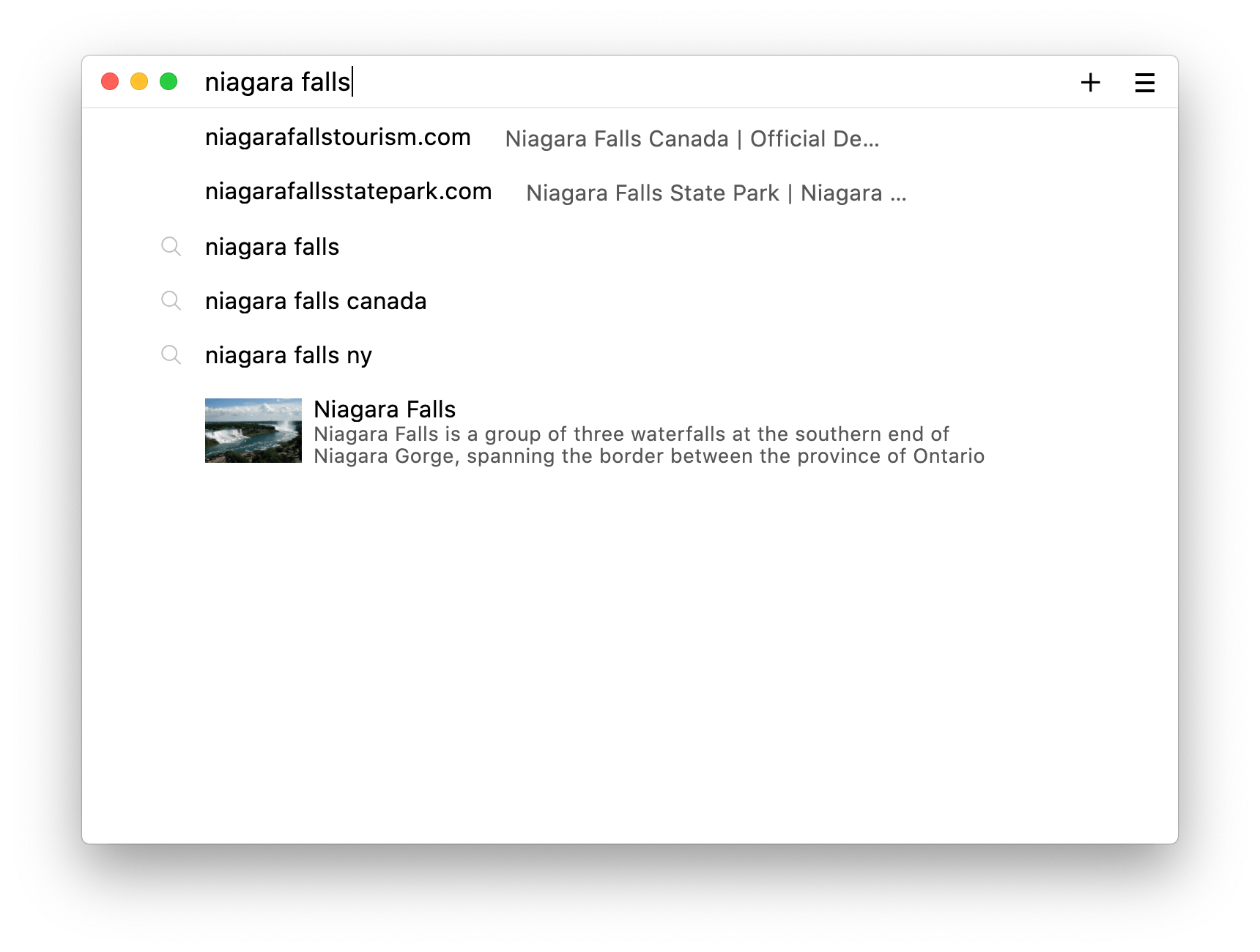
Min browser's address/search bar showing inline DuckDuckGo instant-answer results, from the official screenshots section of the README.
Official upstream interface reference · Source ↗
LeafViewMinimal image viewer with pan and zoom
Electron 44.0.0
Tested
Package
4.4.2-1sharedpair1
Runtime
electron-runtime-44
Archive
1.6 MiB
Installed
15.9 MiB

What was verified

A fresh Ubuntu 26.04 container generated a known 2×2 PNG and opened it through LeafView as an unprivileged user on Electron 44, requiring a live renderer and rejecting updater, native-ABI, and uncaught-exception diagnostics.

Repacked from the official v4.4.2 Debian artifact at its attested SHA-256; the ASAR contains no .node addon, and app-update.yml plus the startup update check are removed.

Application-owned boundary

  • Images are decoded by Chromium and Leaflet; the package ships no private decoder library.
  • The desktop entry associates BMP, GIF, PNG, JPEG, WebP, SVG, and ICO and passes files through %U.
  • The test covers deterministic PNG startup, not animation, colour management, or printing.
  • APT is the only update path.

Publication

Built, tested, and available from the signed repository.
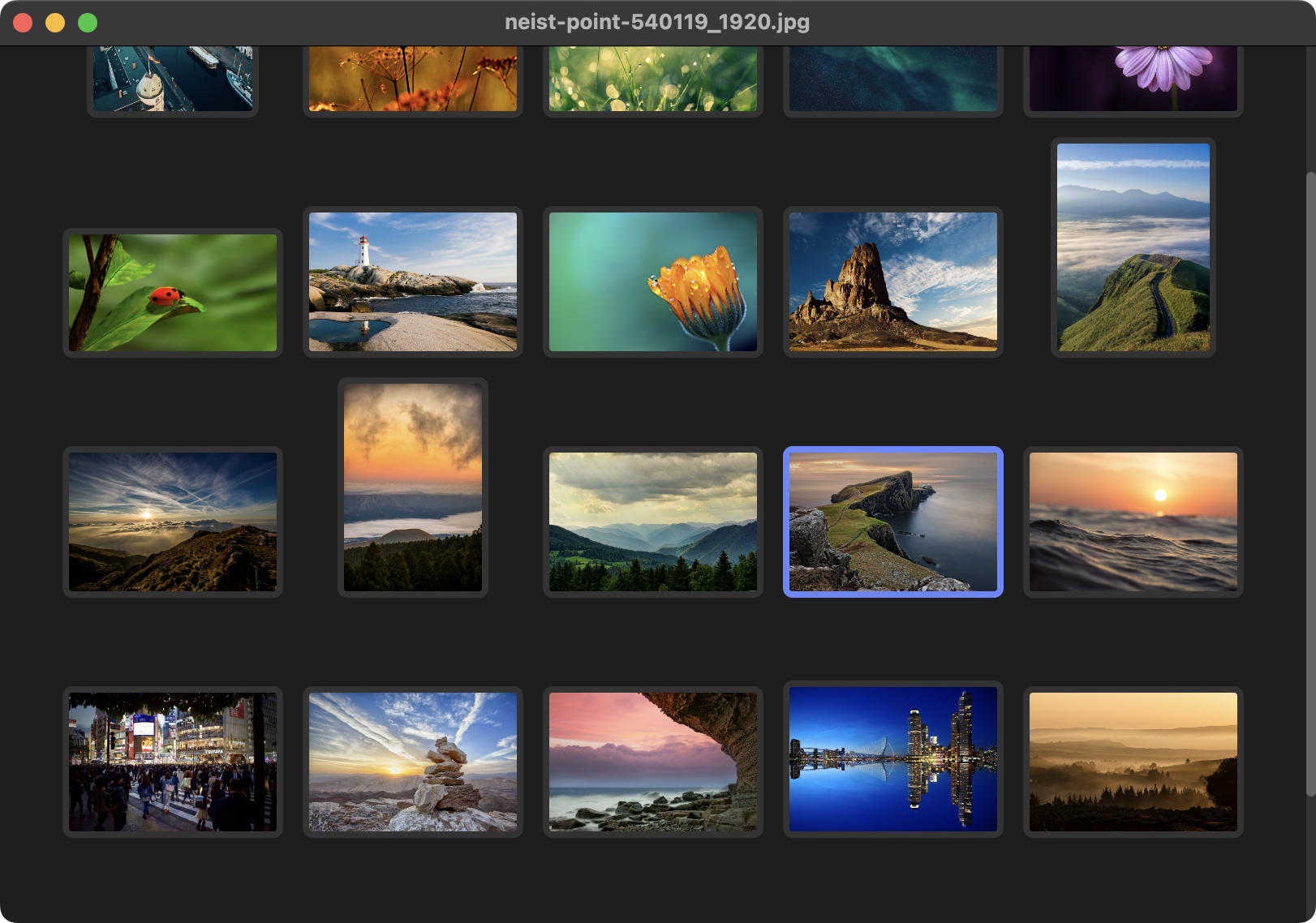
Screenshot of LeafView's image viewer window showing a photo with pan/zoom controls.
Official upstream interface reference · Source ↗
EBTCalcProgrammable reverse Polish notation calculator
Electron 44.0.0
Tested
Package
1.0.27+git20260830.fb5fd842-1sharedpair1
Runtime
electron-runtime-44
Archive
3.9 MiB
Installed
38.6 MiB

What was verified

A fresh Ubuntu 26.04 container drove the real rendered calculator through Chromium’s debugging protocol and verified sqrt(3² + 4²) = 5 on Electron 44.

Built from a checksum-pinned commit archive; the production payload carries no .node addon or shared library, and the npm Electron peer stub is removed.

Application-owned boundary

  • The active repository has no tag or release, so the package pins a commit and uses a snapshot version.
  • A single test-tree file is retained deliberately because production serialization code imports it.
  • There is no electron-updater; the optional upstream version check only presents download information.
  • Arbitrary-precision arithmetic, custom JavaScript buttons, and graphing beyond the fixed workflow are untested.

Publication

Built, tested, and available from the signed repository.
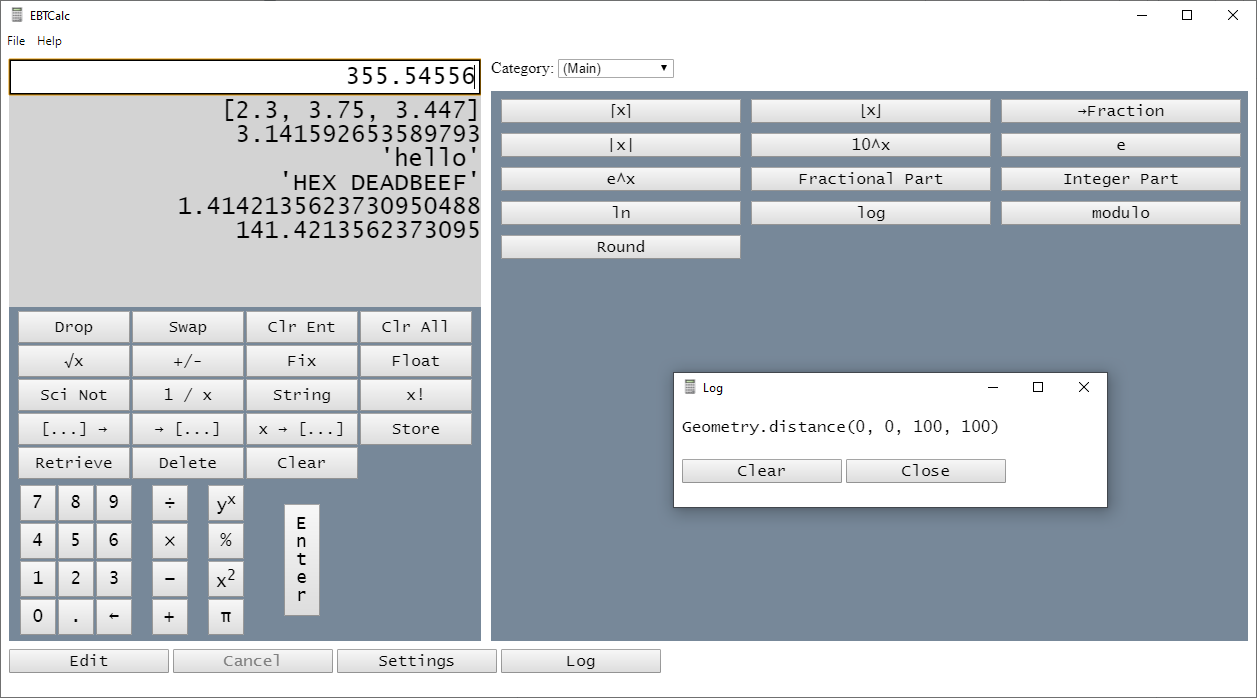
EBTCalc main window showing the calculator interface with expense/budget calculation fields.
Official upstream interface reference · Source ↗
Fluent ReaderLocal-first RSS, Atom, and JSON Feed reader
Electron 44.0.0
Tested
Package
1.2.2-1sharedpair1
Runtime
electron-runtime-44
Archive
2.7 MiB
Installed
15.9 MiB

What was verified

A fresh Ubuntu 26.04 container imported an OPML subscription from a loopback-only RSS fixture, read the rendered article back, and re-exported OPML with the fixture name and URL intact on Electron 44.

Built from the checksum-pinned v1.2.2 tag archive; the webpack output contains no .node addon, shared library, Chromium resource, or updater metadata.

Application-owned boundary

  • Feeds and articles are stored through Lovefield in Chromium’s IndexedDB, not a native SQLite binding.
  • Test hooks bypass only the native file chooser; the real file, parser, Redux, and database paths run.
  • No account is required for local feeds; Fever, Feedbin, Miniflux, and Nextcloud News integrations are optional and untested.
  • The source contains no self-installing updater, so APT owns installed files.

Publication

Built, tested, and available from the signed repository.
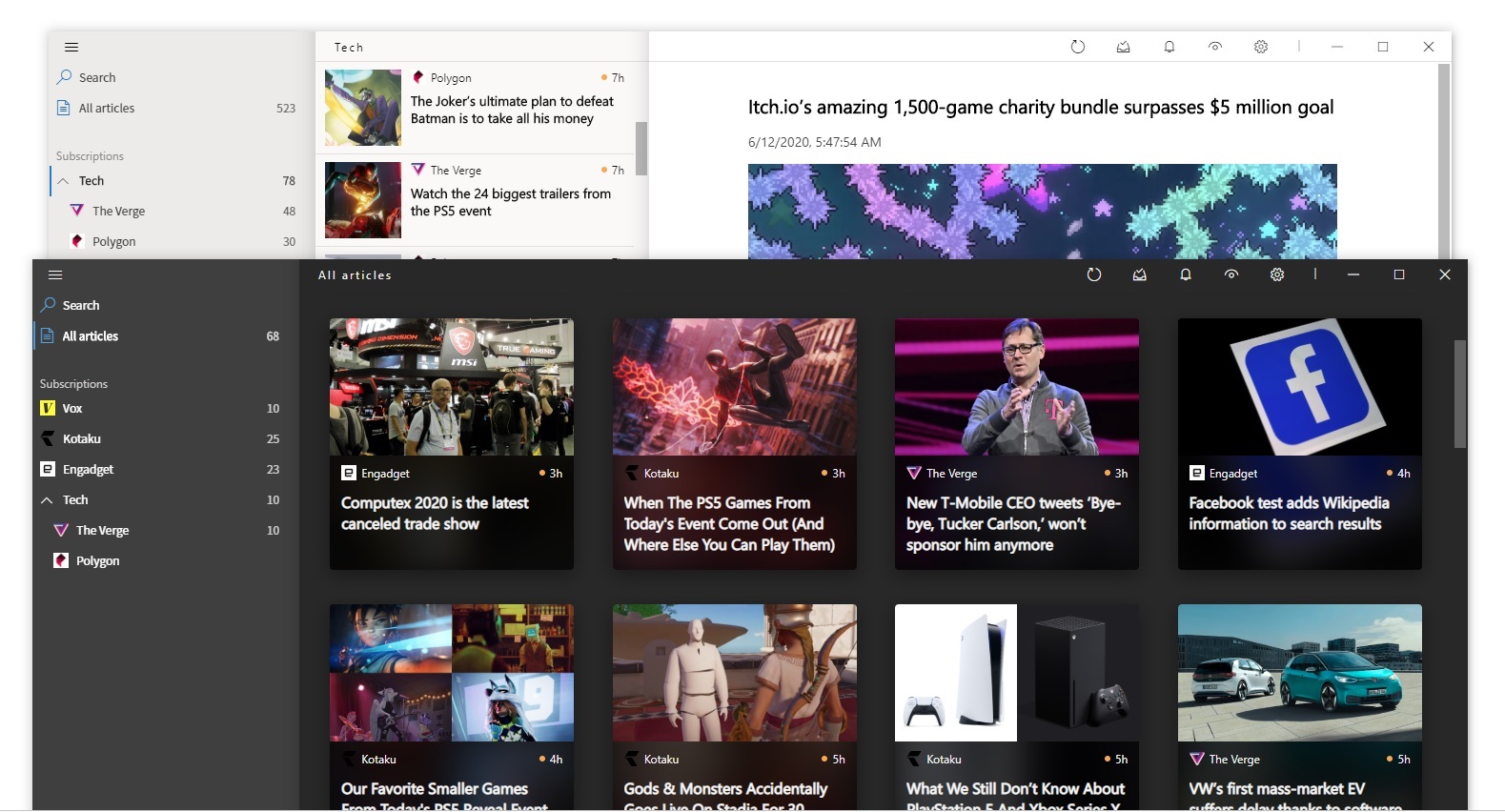
Fluent Reader desktop RSS reader showing the three-pane layout with feed list, article list, and reading pane in its Fluent Design-inspired UI.
Official upstream interface reference · Source ↗
GitHub Desktop (community Linux build)Graphical Git client for local and hosted repositories
Electron 44.0.0
Tested
Package
3.4.13~linux1-1sharedpair1
Runtime
electron-runtime-44
Archive
52.7 MiB
Installed
177.5 MiB

What was verified

A fresh Ubuntu 26.04 container created a real local repository with one commit and one uncommitted line, completed the account-free welcome and identity screens, added the repository, and verified its name, changed file, and added content rendered on Electron 44.

Repacked from the shiftkey/desktop 3.4.13-linux1 Debian artifact at its published SHA-256; the bundled Electron 32 tree is discarded while Git 2.45.3, Git LFS, and Git Credential Manager 2.6.1 are retained as application tools.

Application-owned boundary

  • This is the community Linux fork, not GitHub’s own Windows or macOS release, and no affiliation is claimed.
  • The MIT grant excludes GitHub trademark rights, so a neutral icon replaces upstream logo artwork.
  • keytar-forked, fs-admin-forked, and desktop-notifications use N-API rather than an Electron-major ABI.
  • Clone, publish, pull-request, and issue workflows need a service account and are outside the account-free test.

Publication

Built, tested, and available from the signed repository.
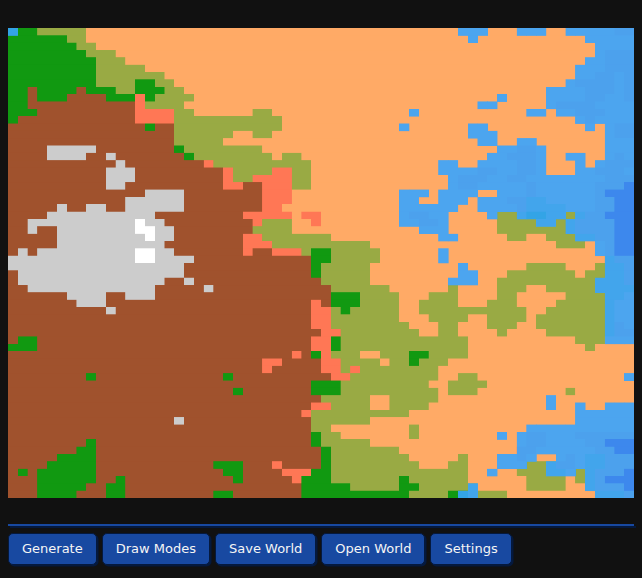
GitHub Desktop application window showing a diff of changes being viewed and committed with two attributed co-authors.
Official upstream interface reference · Source ↗
ElectorrentRemote control interface for torrent daemons
Electron 42.9.3
Tested
Package
2.16.0-1sharedpair1
Runtime
electron-runtime-42
Archive
9.8 MiB
Installed
48.1 MiB

What was verified

A fresh Ubuntu 26.04 container started Electorrent with upstream’s own in-process mock client, completed the connection form without credentials, inserted a synthetic transfer through the real preload/IPC boundary, and required exactly one matching row in the torrent table on Electron 42.

Repacked from the official v2.16.0 Debian asset at its publisher-supplied SHA-256; the private Electron and Chromium tree is discarded and the updater entry point is replaced with a local up-to-date response.

Application-owned boundary

  • Electorrent is a client, not a torrent engine; it needs a separately operated qBittorrent, Transmission, Deluge, rTorrent, uTorrent, or aria2 service.
  • Upstream’s Linux updater would download and launch a replacement AppImage; that path is removed.
  • No tracker, swarm, external account, or remote torrent service is used by the test.
  • The retained 55 MiB ASAR contains no .node addon or application-owned shared library.

Publication

Built, tested, and available from the signed repository.
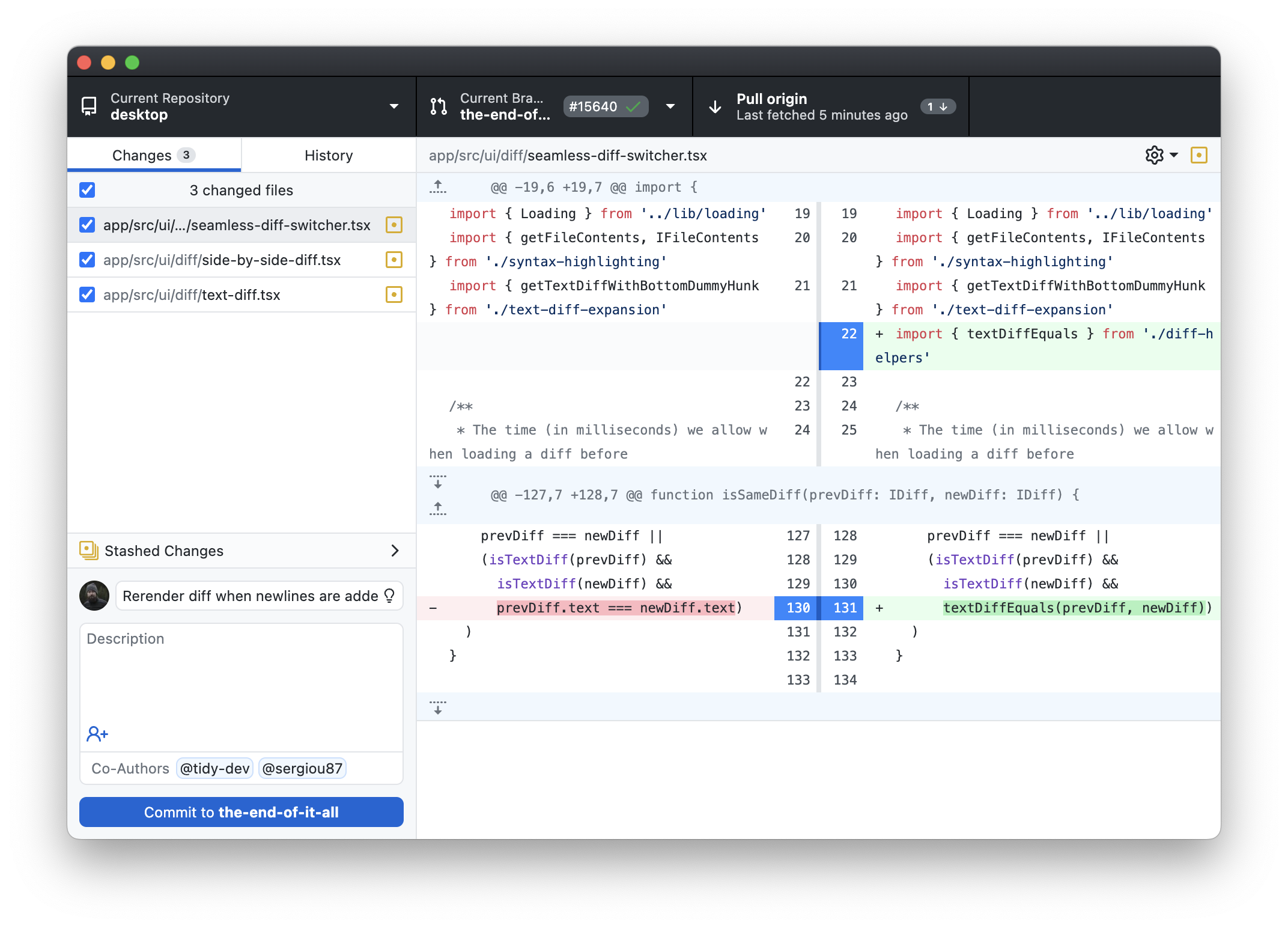
Electorrent torrent client main window (Windows build) showing the torrent list and details panel.
Official upstream interface reference · Source ↗
WeltenschaftOffline procedural terrain and world generator
Electron 44.0.0
Tested
Package
0.4.3+git20260421.49264527-1sharedpair1
Runtime
electron-runtime-44
Archive
0.8 MiB
Installed
2.2 MiB

What was verified

A fresh Ubuntu 26.04 container fixed the seed at 0.4242, generated a 64×64 world through the real renderer, switched draw modes, asserted a non-empty canvas, and validated the exported world object’s seed and both maps on Electron 44.

Built from a checksum-pinned commit archive with a locked three-module production graph; a patch moves mutable preferences from the read-only install tree into Electron’s per-user data directory.

Application-owned boundary

  • Upstream has no stable 0.4.3 release, so the package pins the branch commit and uses a snapshot version.
  • The same run proves settings land under the test user’s XDG hierarchy and not in /usr/lib.
  • Both halves of the preferences patch are asserted at build time after an earlier partial application went undetected.
  • There is no updater, crash reporter, account, or required service.

Publication

Built, tested, and available from the signed repository.
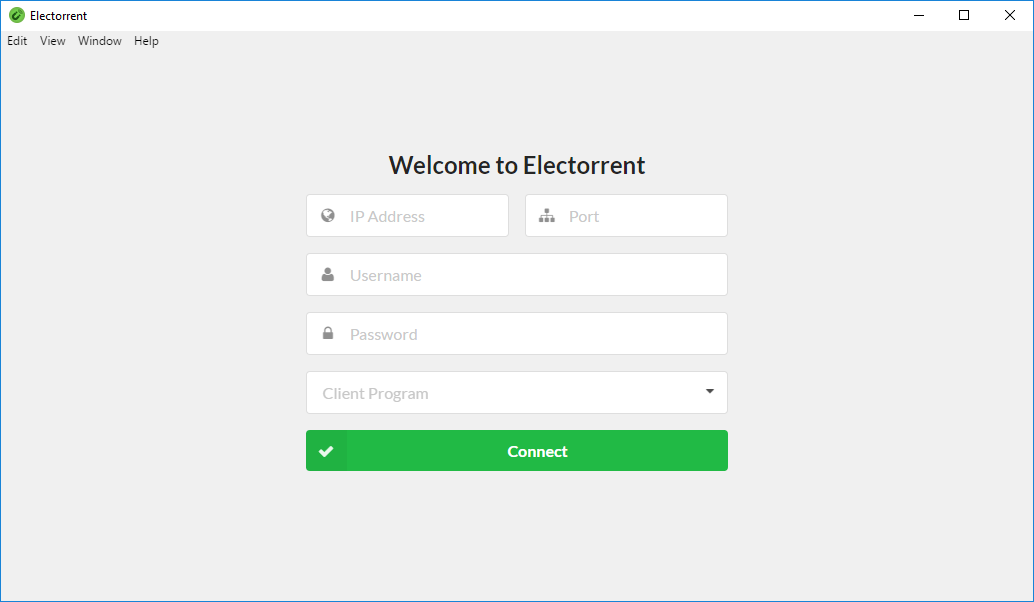
Screenshot of Weltenschaft's terrain generator UI showing a rendered biome-colored world map alongside generation controls.
Official upstream interface reference · Source ↗
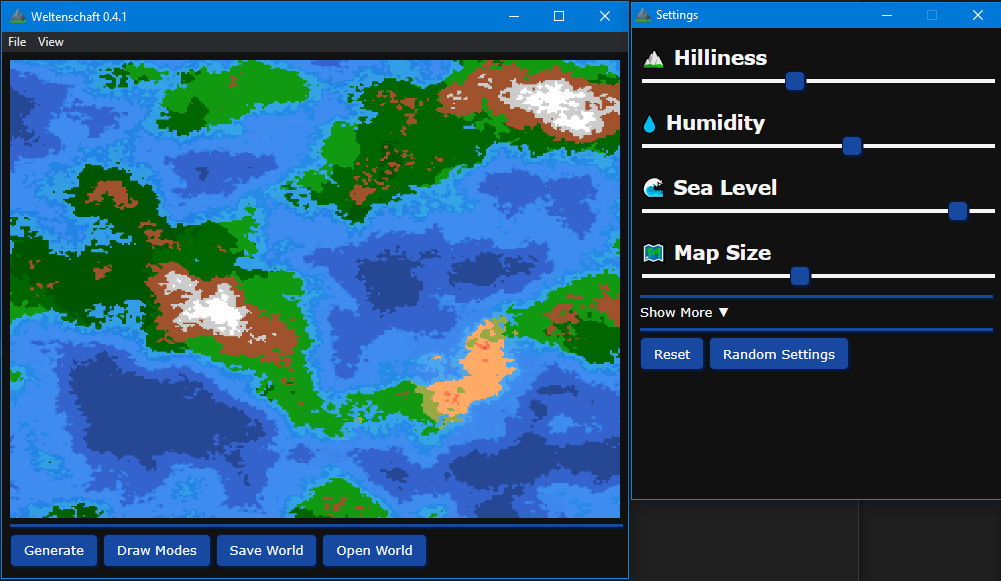
Weltenschaft showing a generated terrain map — brown highlands with grey snow peaks on the left, green and olive biomes through the middle, wide orange desert, and blue water to the right — above a row of Generate, Draw Modes, Save World, Open World, and Settings buttons.
A fixed-seed 64×64 world generated and rendered by the packaged Weltenschaft build on shared Electron 44.
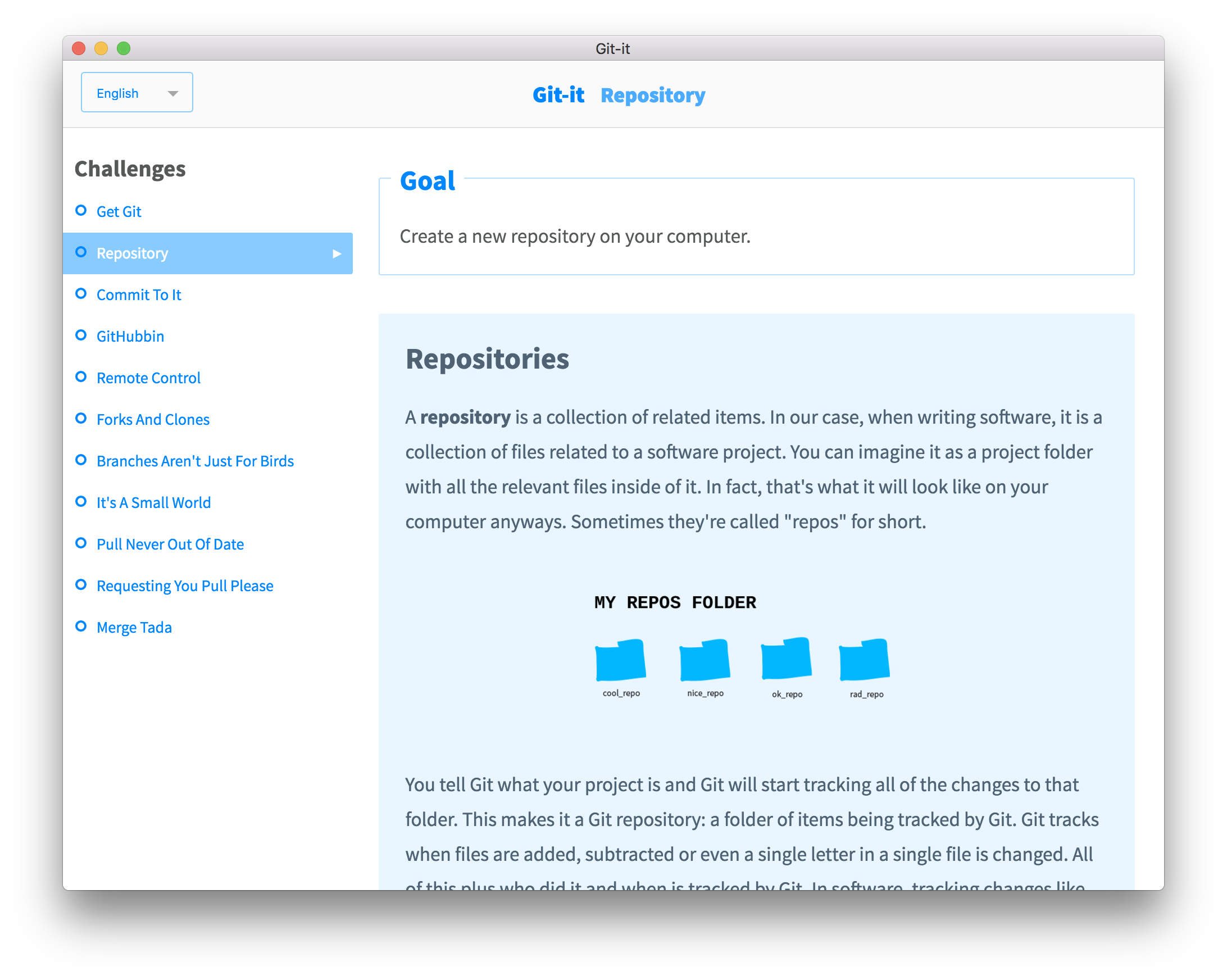
Git-itInteractive Git and GitHub tutorial
Electron 44.0.0
Tested
Package
6.0.1-1sharedpair1
Runtime
electron-runtime-44
Archive
2.2 MiB
Installed
7.6 MiB

What was verified

A fresh Ubuntu 26.04 container performed the learner’s side of the first three challenges for real, then drove the rendered UI and required all eight verification checks to pass with no credentials and no GitHub account on Electron 44.

Built from the checksum-pinned v6.0.1 release tarball of the maintained Git-it-App continuation; the tree carries no .node addon and no updater of any kind, and the .deb rebuilds to an identical SHA-256.

Application-owned boundary

  • Five of the eleven challenges are entirely local; the test asserts their verifiers contain no HTTP client or URL.
  • Git is not vendored — the package depends on the distribution’s git, which the challenge verifiers shell out to.
  • Two challenges depend on reporobot.jlord.us, which returned HTTP 500 on 2026-09-02; that is an upstream tutorial property.
  • A packaging adaptation anchors the translation bundles to the installed tree; the test proves it by switching the UI to German.

Publication

Built, tested, and available from the signed repository.
Screenshot of the Git-it Electron app showing its lesson list and instructions panel for learning Git/GitHub.
Official upstream interface reference · Source ↗
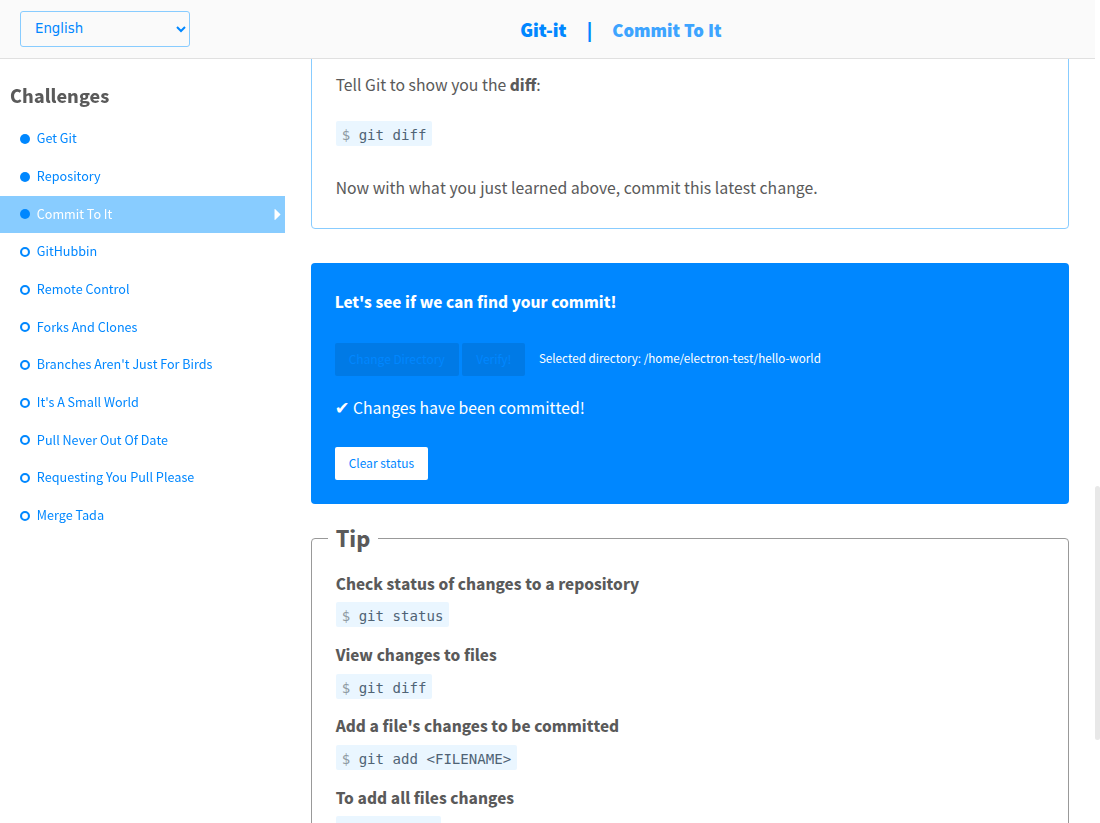
Git-it on the Commit To It challenge. The left sidebar lists the eleven challenges with Get Git, Repository, and Commit To It marked complete by filled dots and Commit To It highlighted. The main pane shows a blue verification panel headed "Let's see if we can find your commit!" with a Change Directory and Verify button, the selected directory /home/electron-test/hello-world, a green-ticked result reading "Changes have been committed!", and a Clear status button, above a Tip box listing git status, git diff, and git add commands.
The packaged Git-it build verifying the Commit to it challenge against a throwaway local repository on shared Electron 44, with no credentials and no GitHub account.
Mattermost DesktopOfficial desktop client for Mattermost collaboration servers
Electron 43.4.1
Tested
Package
6.3.0-1sharedpair1
Runtime
electron-runtime-43
Archive
4 MiB
Installed
13 MiB

What was verified

A fresh Ubuntu 26.04 container asserted an empty first-run server list and upstream defaults, changed four real preferences through the app’s own configuration path, verified they reached config.json on disk, restarted, and confirmed every value survived on Electron 43.

Repacked unpatched from the official v6.3.0 Debian asset at its verified SHA-256; the private Electron and Chromium tree is discarded and exactly one native object — the Node-API Koffi addon — ships.

Application-owned boundary

  • Electron 44 was probed first and rejected on concrete behaviour: it removes app.isUnityRunning, which this release calls on Linux.
  • Five Linux ELF objects belonging to darwin- and win32-only modules are dropped, but their JavaScript wrappers are kept because Electron serves an unpacked module’s whole directory.
  • enableSentry and enableMetrics are upstream defaults and are documented rather than silently patched out; the test demonstrates the user control.
  • Server connection, messaging, and notification delivery are deliberately not exercised.

Publication

Built, tested, and available from the signed repository.
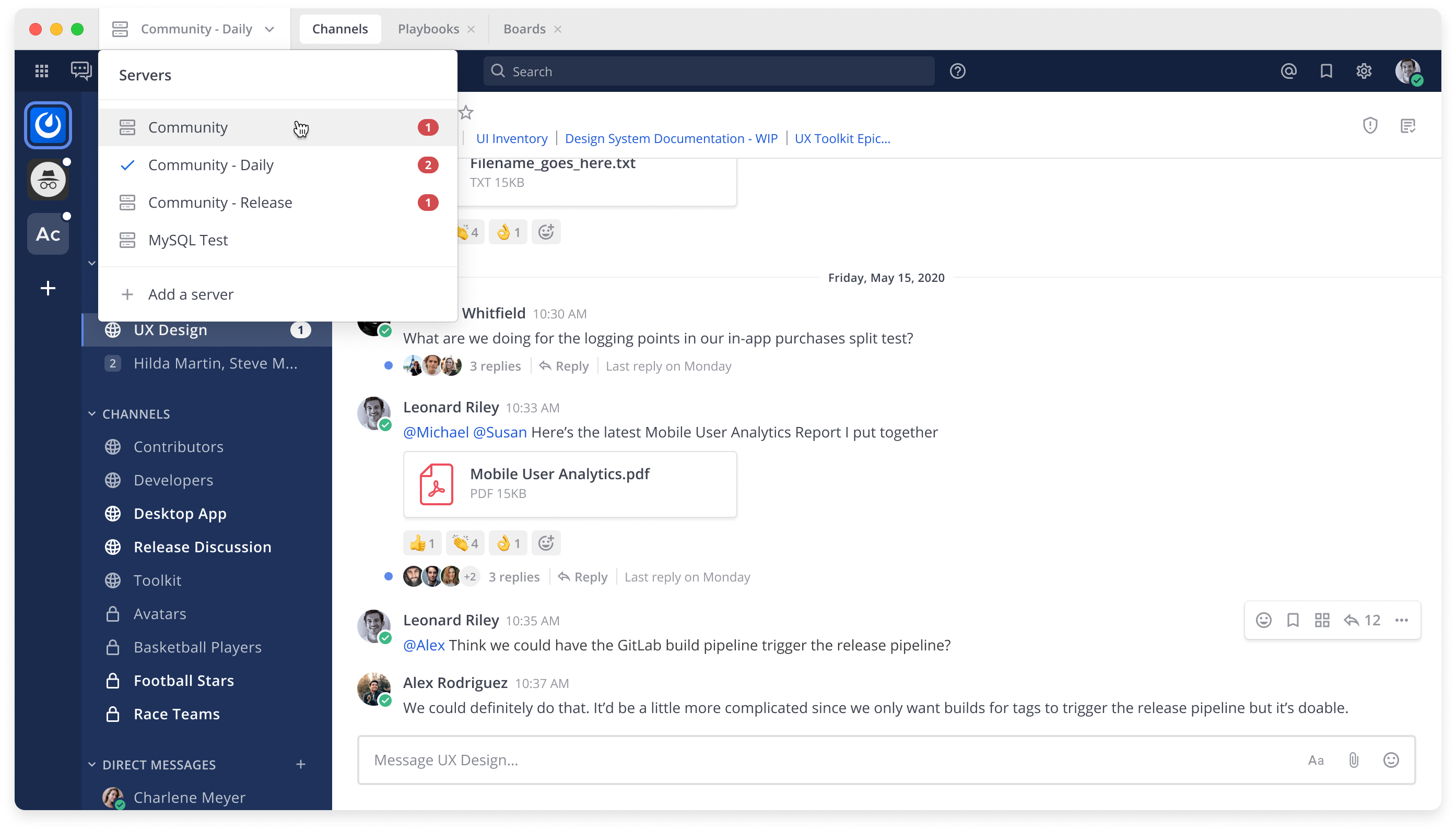
Screenshot of the Mattermost Desktop client showing the channel sidebar and a message thread, embedded directly in the repo's README.
Official upstream interface reference · Source ↗
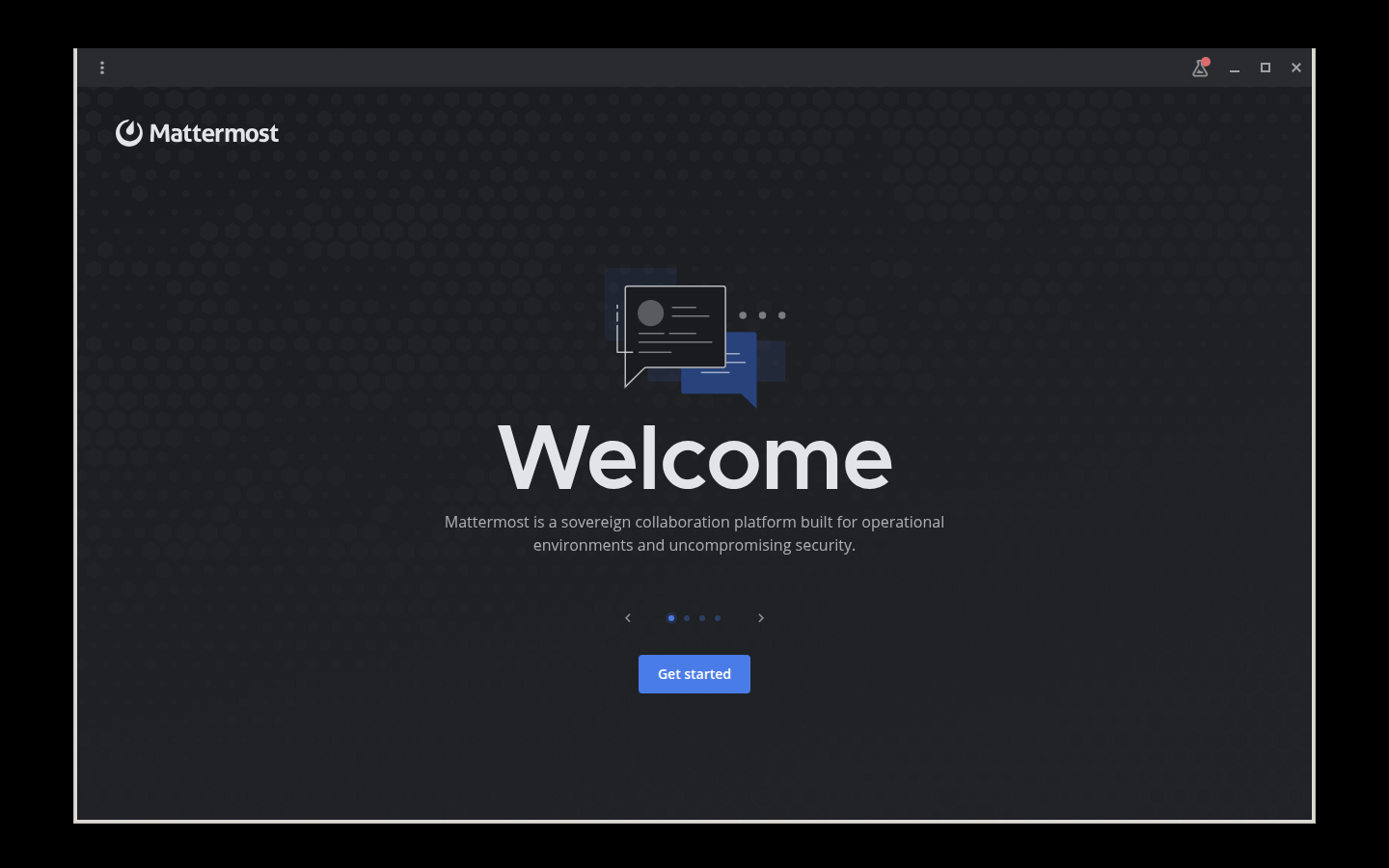
Mattermost Desktop's welcome screen in a dark window, showing the Mattermost wordmark, a Welcome heading, an introductory line about the platform, a four-step carousel indicator, and a blue Get started button.
The packaged Mattermost Desktop build on shared Electron 43, showing its account-free first-run welcome screen in the dark theme enabled during the configuration test.
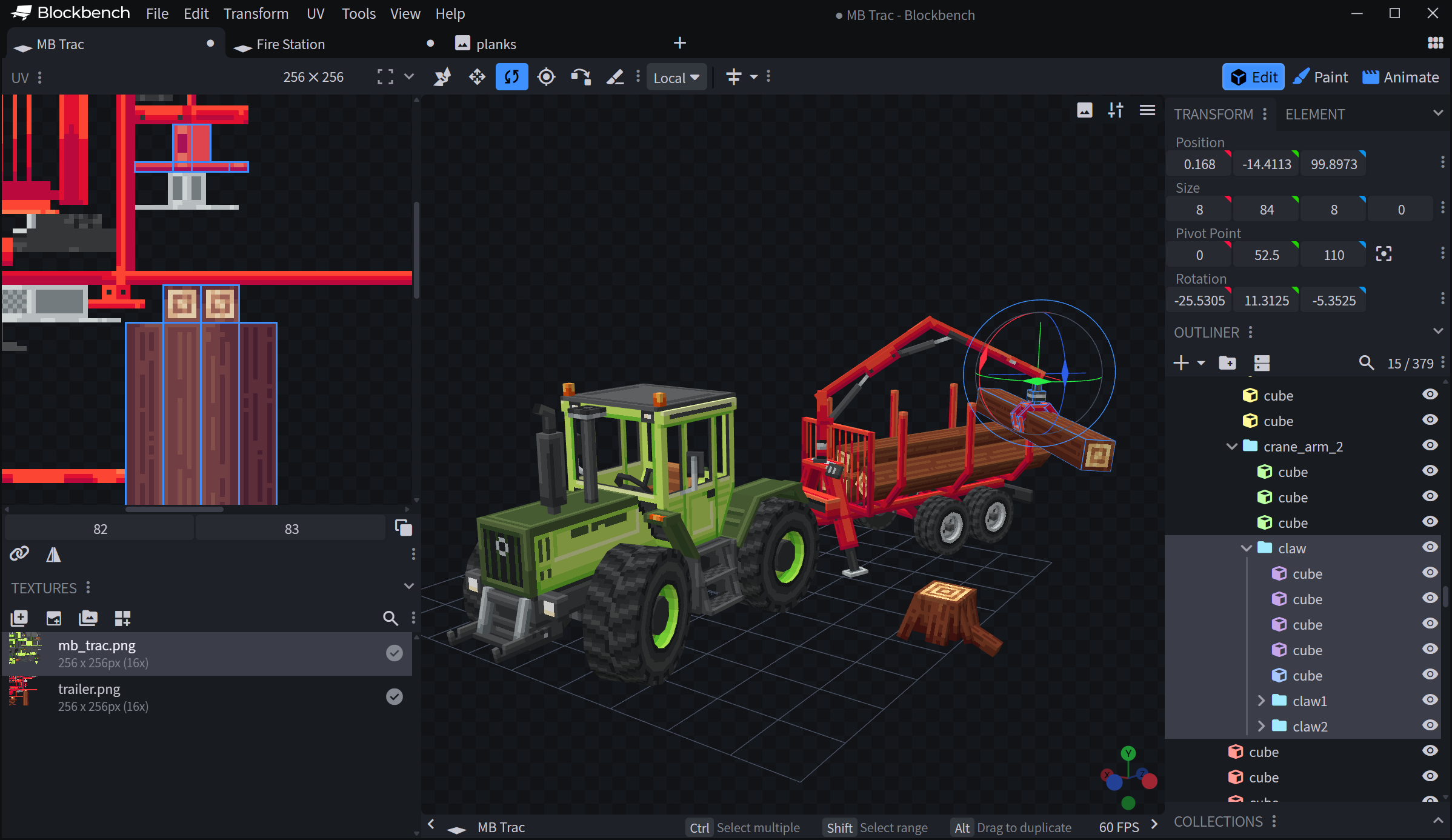
BlockbenchLow-poly 3D model editor and animation tool
Electron 44.0.0
Tested
Package
5.1.6-1sharedpair1
Runtime
electron-runtime-44
Archive
6.6 MiB
Installed
29.3 MiB

What was verified

A fresh Ubuntu 26.04 container blackholed every Blockbench service host, built a two-cube project through the real toolbar actions, exported OBJ deterministically with 16 vertices, 12 faces, and 2 objects, and round-tripped the saved .bbmodel back through the app’s own parser on Electron 44.

Rebuilt from the checksum-pinned v5.1.6 source rather than upstream’s Electron-bearing artifacts, producing a 6.9 MB package with a 30 MB footprint against a 100 MB upstream .deb; the tree holds no .node addon, shared object, or WebAssembly payload.

Application-owned boundary

  • The electron-updater import and update block are patched out, and the build asserts no autoUpdater reference survives.
  • The optional electron-color-picker helper is guarded rather than shipped — upstream uninstalls it before its own Linux builds.
  • Third-party notices are harvested mechanically from esbuild’s metafile; the build fails if fewer than 30 packages are found.
  • Upstream’s plugin store and anonymised install counters remain available and are documented rather than patched out.

Publication

Built, tested, and available from the signed repository.
Screenshot of Blockbench's model editor showing the 3D viewport, outliner, and texture/UV panels.
Official upstream interface reference · Source ↗
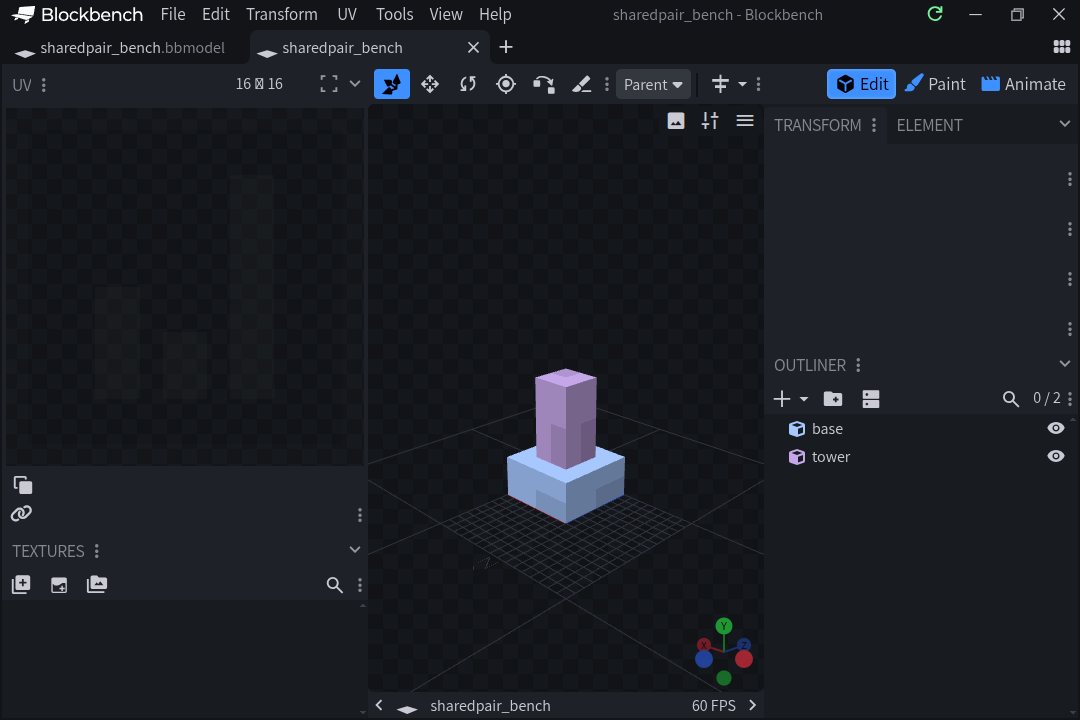
Blockbench's dark interface: a wide 8×4×8 base cube with a narrower 4×8×4 tower stacked on top of it, centred on the grid of the 3D viewport with the axis gizmo in the corner; the outliner on the right lists the two elements, base and tower; the UV and texture panels sit on the left and two project tabs run across the top.
A two-cube model exported and then parsed back by the packaged Blockbench build on shared Electron 44.
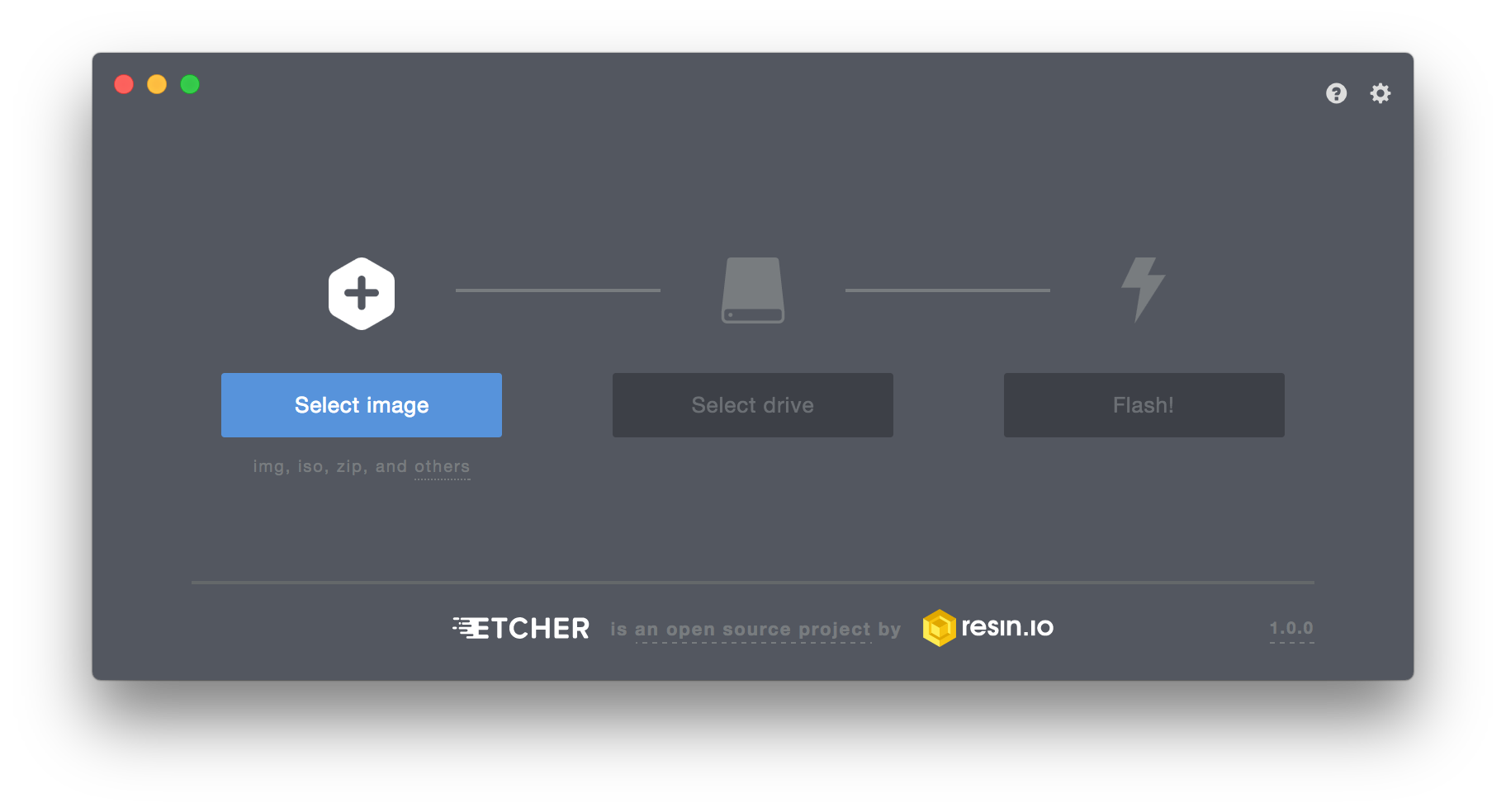
balenaEtcherWrites and verifies OS images to USB and SD storage
Electron 44.0.0
Tested
Package
2.1.6-1sharedpair1
Runtime
electron-runtime-44
Archive
33.5 MiB
Installed
125.1 MiB

What was verified

A disposable QEMU/KVM virtual machine with a throwaway file-backed USB disk ran the real packaged GUI end to end: it flashed and verified through the pkexec-elevated sidecar, reported Flash Completed!, and an independent host-side SHA-256 comparison matched on two clean runs.

Repacked from the official v2.1.6 Debian artifact at its verified SHA-256; the private Electron and Chromium payload is removed while the upstream etcher-util Node 20 sidecar and two N-API renderer addons are retained unrewritten.

Application-owned boundary

  • The boot disk was present but correctly marked a system drive and never selectable as a target.
  • A container-only test was rejected as insufficient: the SDK write path needs a genuine block device, and Docker shares the host device namespace.
  • VM testing surfaced two real packaging gaps — the polkit dependency had to become pkexec | policykit-1, and the Docker test needed librsvg2-common.
  • The embedded electron-updater is inert for a Debian install; APT owns updates.

Publication

Built, tested, and available from the signed repository.
Screenshot of an early balenaEtcher (then resin-io/etcher) release showing the drive-selection and flash-progress UI.
Official upstream interface reference · Source ↗
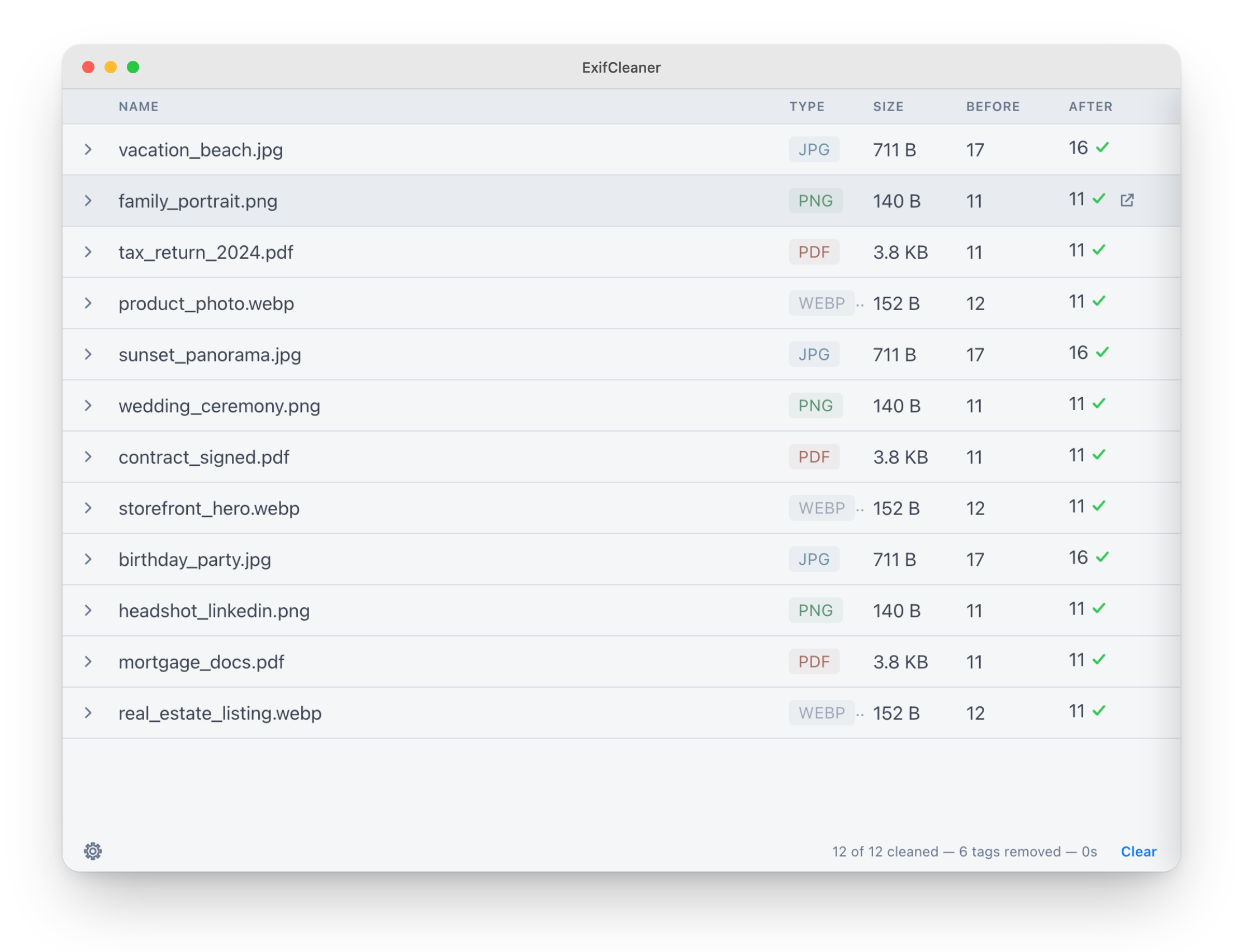
ExifCleanerRemoves metadata from images, media, and PDF documents
Electron 43.4.1
Tested
Package
4.2.1-1sharedpair1
Runtime
electron-runtime-43
Archive
13.9 MiB
Installed
68 MiB

What was verified

A fresh Ubuntu 26.04 container wrote an Artist tag to a PNG with the bundled ExifTool, read it back, stripped all metadata, confirmed the tag was gone, then started ExifCleaner unprivileged on Electron 43 with no missing-module or native-ABI diagnostics.

Application-only package retaining the bundled ExifTool distribution; no private Electron executable and no app-update.yml remain, and the launcher execs the shared runtime against app.asar.

Application-owned boundary

  • Metadata handling is performed by the bundled ExifTool at /usr/lib/exifcleaner/nix/bin/exiftool.
  • Dependency bounds require electron-runtime-43 (>= 43.4.1) and (<< 44).
  • The package depends on the distribution’s perl for ExifTool.
  • APT is the only application update path.

Publication

Built, tested, and available from the signed repository.
ExifCleaner's interface showing a batch of images, videos, and PDFs queued for metadata cleaning.
Official upstream interface reference · Source ↗
Zulip DesktopDesktop client for Zulip team chat organizations
Electron 42.9.3
Tested
Package
5.12.4-1sharedpair1
Runtime
electron-runtime-42
Archive
1.7 MiB
Installed
10.1 MiB

What was verified

A fresh Ubuntu 26.04 container queried Chromium’s debugging target to prove the bundled first-run organization picker loaded, verified the writable profile hierarchy and canonical icon, and confirmed continued process health on Electron 42.

Repacked from the official v5.12.4 Debian asset at its matching GitHub digest; only app.asar, desktop integration, and the upstream icon are retained, and the electron-builder app-update.yml is excluded.

Application-owned boundary

  • The archive carries no unpacked native Node addon.
  • The account-free boundary is the local organization picker; chat requires a Zulip server account.
  • Upstream initializes Sentry error reporting, so this package does not claim to be telemetry-free.
  • Upstream’s first-run logger emits harmless rejected-read diagnostics while creating absent log files; the test records rather than hides them.

Publication

Built, tested, and available from the signed repository.
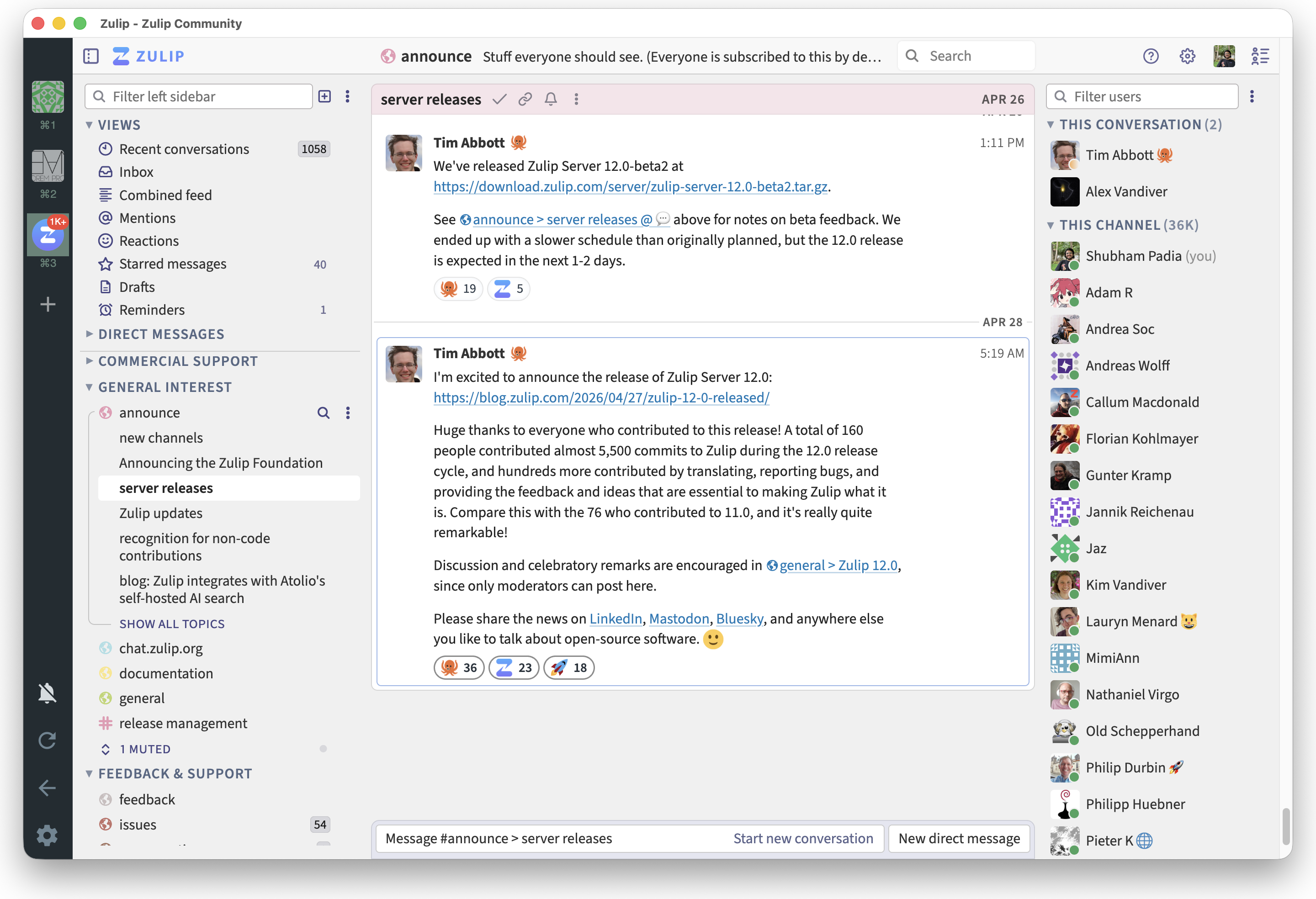
Zulip Desktop's light-theme interface showing the chat/streams layout of the client.
Official upstream interface reference · Source ↗
Recode ConverterBatch video and audio transcoding front end
Electron 42.9.3
Tested
Package
2.1.1-1sharedpair1
Runtime
electron-runtime-42
Archive
3.6 MiB
Installed
67.7 MiB

What was verified

A fresh Ubuntu 26.04 container followed the application’s resolved FFmpeg symlinks to create a one-second video, copy its video stream, transcode PCM audio to FLAC, preserve deterministic metadata, inspect both codecs, and compare a frame-level digest on Electron 42.

Extracted from the checksum-pinned v2.1.1 AppImage; the 68 MiB FFmpeg and 79 MiB FFprobe payloads are replaced with symlinks to Ubuntu’s ffmpeg package, leaving no ELF executable or shared library in the application tree.

Application-owned boundary

  • The package preserves upstream’s installer-module path contract while owning no duplicate codec binaries.
  • There is no electron-updater; a renderer component may show a link-only availability dialog.
  • Aptabase telemetry is initialized by upstream, so this package is not presented as telemetry-free.
  • Dependency bounds require electron-runtime-42 (>= 42.9.3) and (<< 43).

Publication

Built, tested, and available from the signed repository.
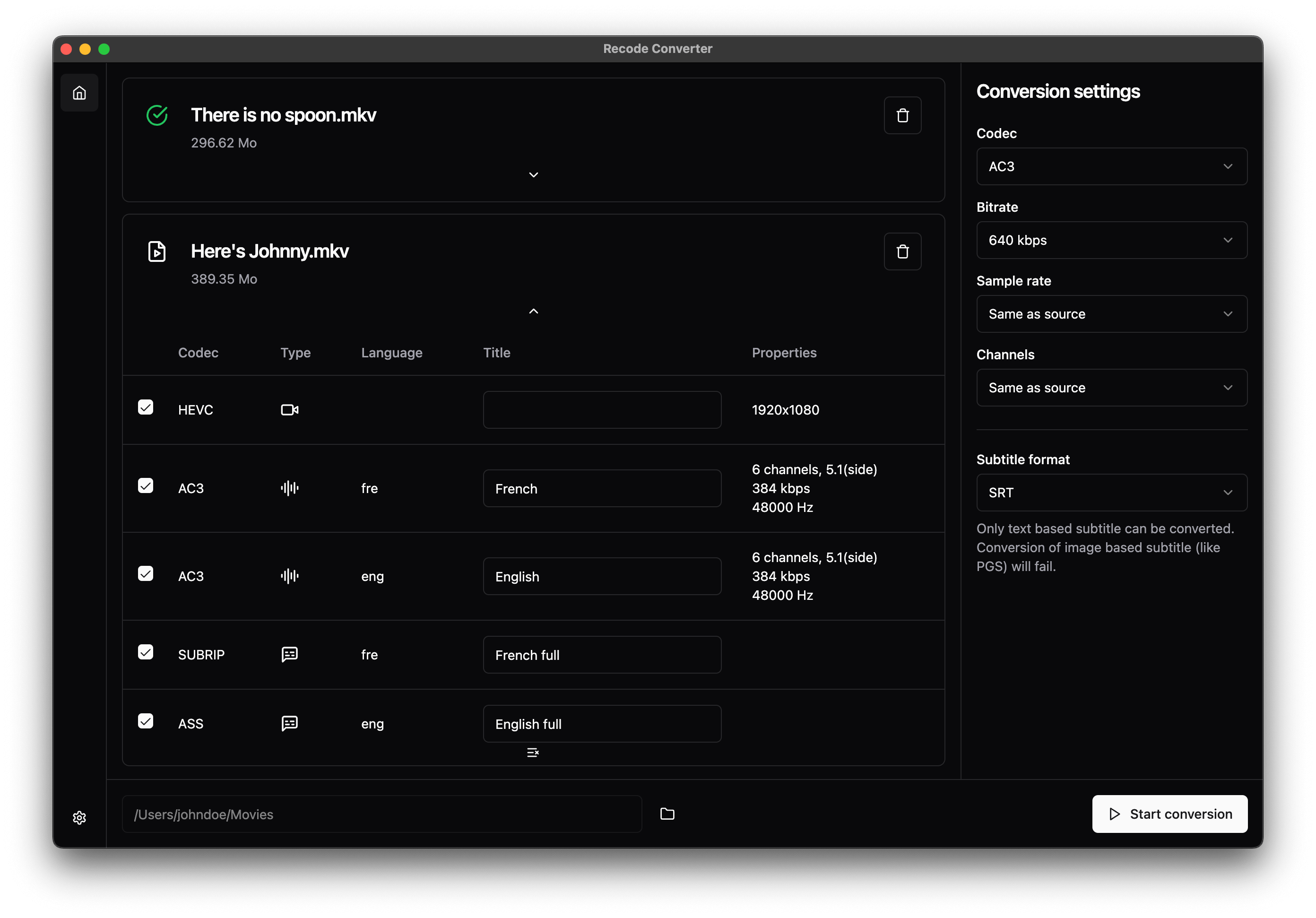
Recode Converter's dark-mode interface showing the audio codec conversion UI for video files.
Official upstream interface reference · Source ↗
Super ProductivityTo-do list and time tracker with project, tag, and board planning
Electron 43.4.1
Tested
Package
18.21.2-1sharedpair1
Runtime
electron-runtime-43
Archive
11.4 MiB
Installed
47.6 MiB

What was verified

A fresh Ubuntu 26.04 container completed first-run setup, created a project through the application’s own dialog, delivered a task into it over the superproductivity:// protocol handler from a second launch, found both in the profile’s IndexedDB, restarted, and confirmed both survived on Electron 43.

Repacked from the checksum-pinned official v18.21.2 Debian asset; the private Electron and Chromium tree and the electron-builder updater descriptor are dropped, and the Wayland idle helper is rebuilt from the Rust sources upstream ships in the same archive rather than vendored as a prebuilt binary.

Application-owned boundary

  • No native addon ships: the archive has no app.asar.unpacked tree, and the build asserts it.
  • electron-updater is absent and upstream’s autoUpdater block is commented out; APT owns updates.
  • No telemetry or crash reporting is present; every outbound host is an opt-in integration.
  • libsecret-1-0 is a Recommends rather than a Depends because the app never calls safeStorage or keytar.
  • Electron 43 was chosen on the declaration alone; nothing is ABI-bound, so 44 was not needed to test.

Publication

Built, tested, and available from the signed repository.
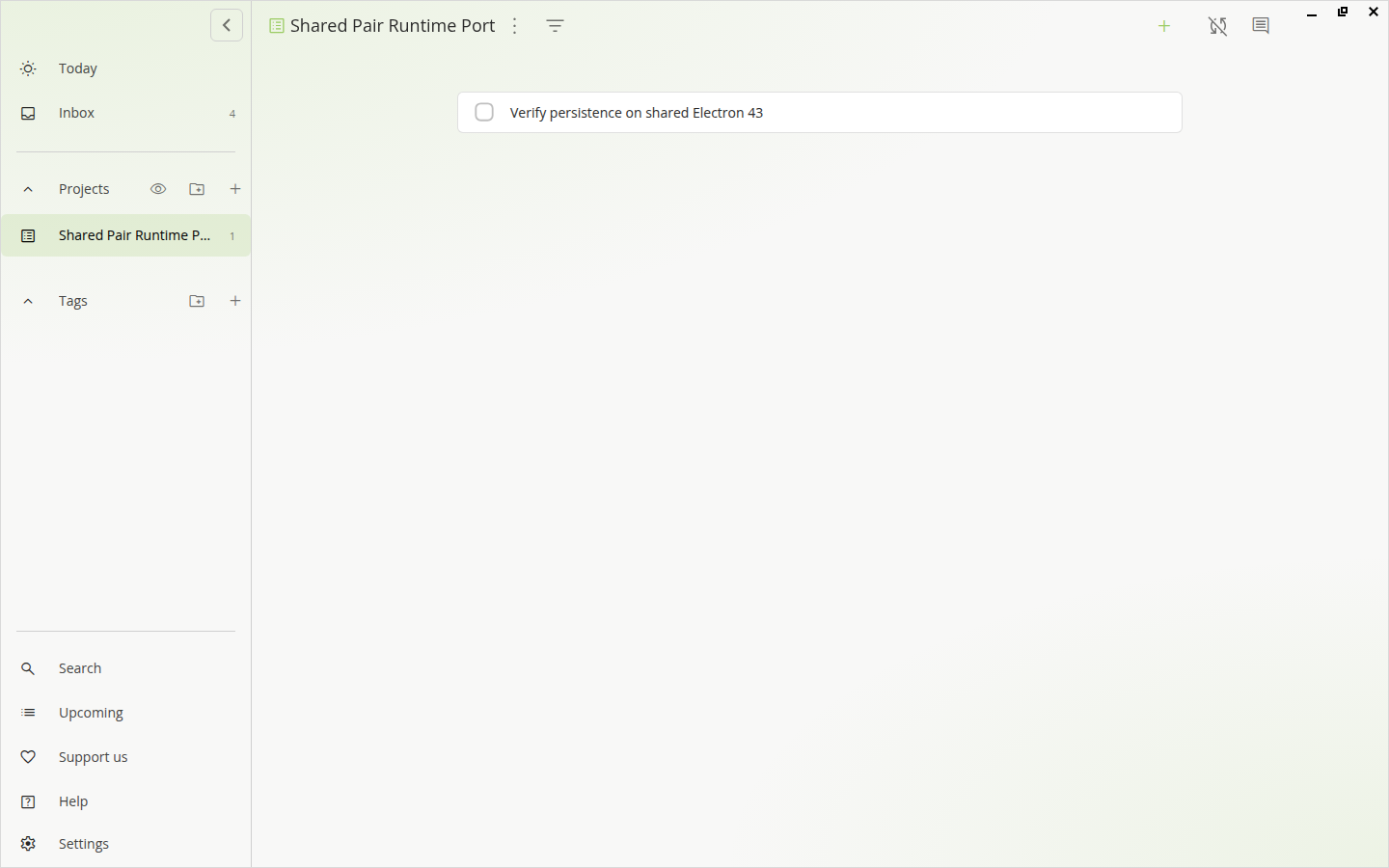
Super Productivity's light interface maximised to 1440 by 900: a left sidebar lists Today and Inbox above a Projects section whose single entry, Shared Pair Runtime Port, is selected and highlighted in green with a task count of one, then an empty Tags section and the Search, Upcoming, Support us, Help, and Settings links; the main pane is headed with the project name and holds one unchecked task, Verify persistence on shared Electron 43.
The packaged Super Productivity build on shared Electron 43, showing the project created through its own create-project dialog and the task delivered into it over the superproductivity:// protocol handler during the persistence test.
ZettlrMarkdown publication workbench with Zettelkasten links, citations, and Pandoc export
Electron 43.4.1
Tested
Package
4.7.0-1sharedpair1
Runtime
electron-runtime-43
Archive
12.9 MiB
Installed
72.6 MiB

What was verified

A fresh Ubuntu 26.04 container opened a fixture Markdown workspace, loaded the bundled dictionary and spell-checked through the Node-API Nodehun addon, exported the document to HTML through Ubuntu’s pandoc, restarted, and confirmed the update check stayed disabled on Electron 43.

Repacked from the checksum-pinned official v4.7.0 Debian asset; the 156 MiB bundled Pandoc is replaced by a symlink to Ubuntu’s pandoc package, and the ASAR is rebuilt with five count-asserted edits that remove the hourly release poller, the developer-extension download a shared runtime would trigger, and Pandoc resolution from the runtime’s resource root.

Application-owned boundary

  • The only native code is the Nodehun spell-check addon, which is Node-API and was proven to load on both Electron 43 and 44.
  • Install size falls from 545 MiB to 73 MiB and the download from 128 MiB to 13 MiB.
  • quarto is dropped because Ubuntu does not ship it; TeX packages are Suggests for the PDF profiles only.
  • No telemetry or crash reporting is present; LanguageTool defaults off and link previews fetch only hovered links.
  • Electron 43 is required by upstream’s ^43.1.0 declaration.

Publication

Built, tested, and available from the signed repository.
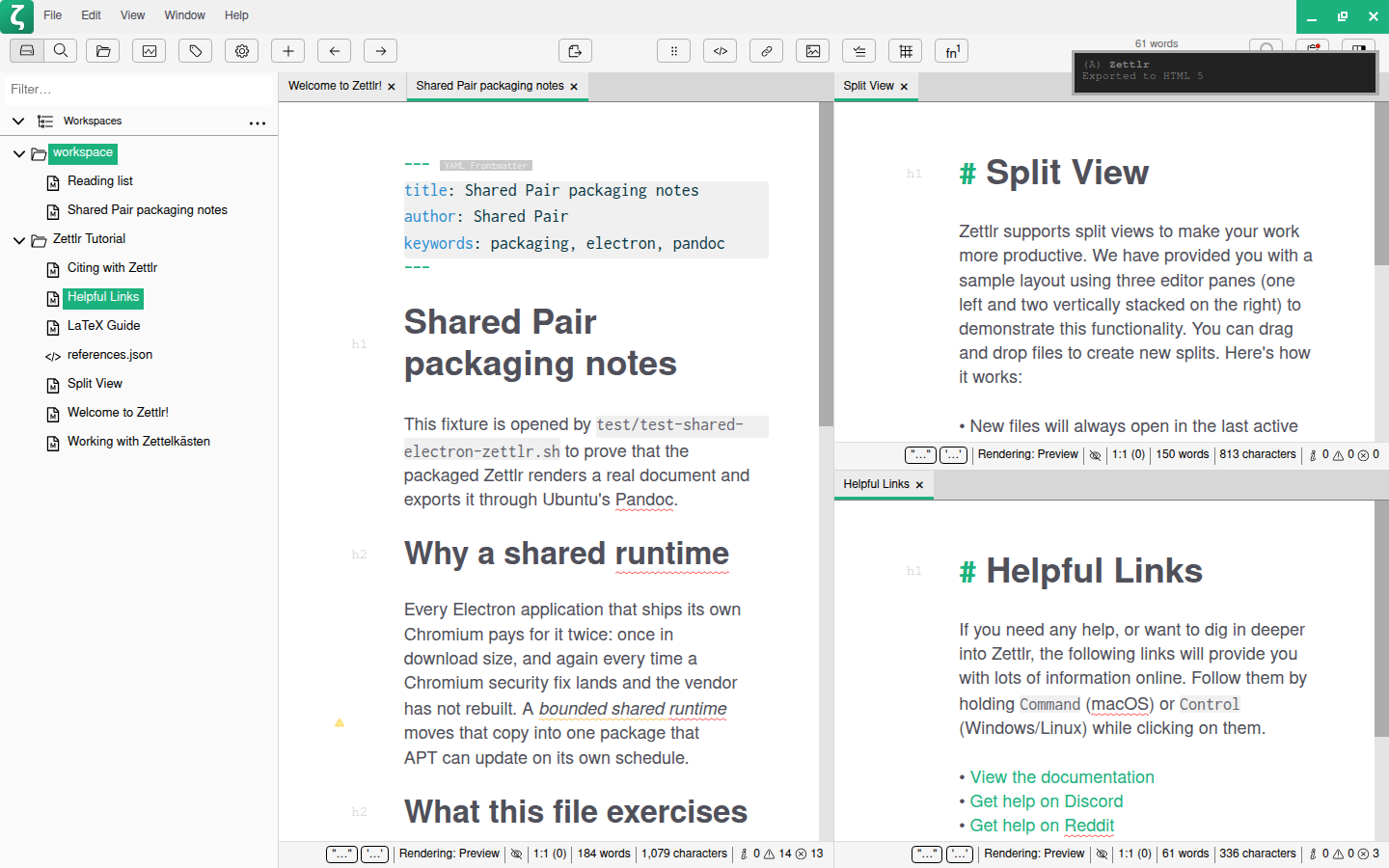
The Zettlr editor at 1440 by 900. A file manager on the left lists two workspaces, the test fixture folder holding "Reading list" and "Shared Pair packaging notes" and the Zettlr Tutorial folder. The centre pane shows the fixture document with its YAML frontmatter block, the heading "Shared Pair packaging notes", and the section "Why a shared runtime", with red spell-check underlines under several words. A split view on the right shows two tutorial documents, and a desktop notification in the top-right corner reads "Zettlr — Exported to HTML 5".
The packaged Zettlr build on shared Electron 43, with the fixture Markdown workspace open and the export-to-HTML notification raised by the run that produced the file through Ubuntu's Pandoc.
MailspringEmail client with unified search, templates, and signatures
Electron 44.0.0
Tested
Package
1.23.0-1sharedpair1
Runtime
electron-runtime-44
Archive
44.1 MiB
Installed
166.6 MiB

What was verified

A fresh Ubuntu 26.04 container completed an account-free first run, confirmed the native mail-sync engine created and migrated its SQLite database, exercised safeStorage through a live GNOME Keyring, changed three preferences and verified them on disk, then restarted and confirmed the schema and preferences survived.

Repacked from the checksum-pinned official v1.23.0 Debian asset; upstream builds against Electron 41.7.2, for which no shared runtime line exists, so the only native addon (better-sqlite3) is rebuilt at 12.11.1 against Electron 44 headers and the package depends on electron-runtime-44 instead of a matching-major line.

Application-owned boundary

  • Upstream declares Electron 41.7.2; no shared runtime matches it, so this targets electron-runtime-44 after Electron 43 was probed and behaved identically.
  • The bundled cyrus-sasl objects are replaced with Ubuntu's libsasl2-modules.
  • The release poller against updates.getmailspring.com is removed so APT owns updates.
  • libsecret-1-0 is a hard dependency here, unlike some other ports: the app quits with a fatal dialog if credential encryption is unavailable.
  • Sentry error reporting and Chromium crash reporting remain enabled by default; neither calls out at startup.

Publication

Built, tested, and available from the signed repository.
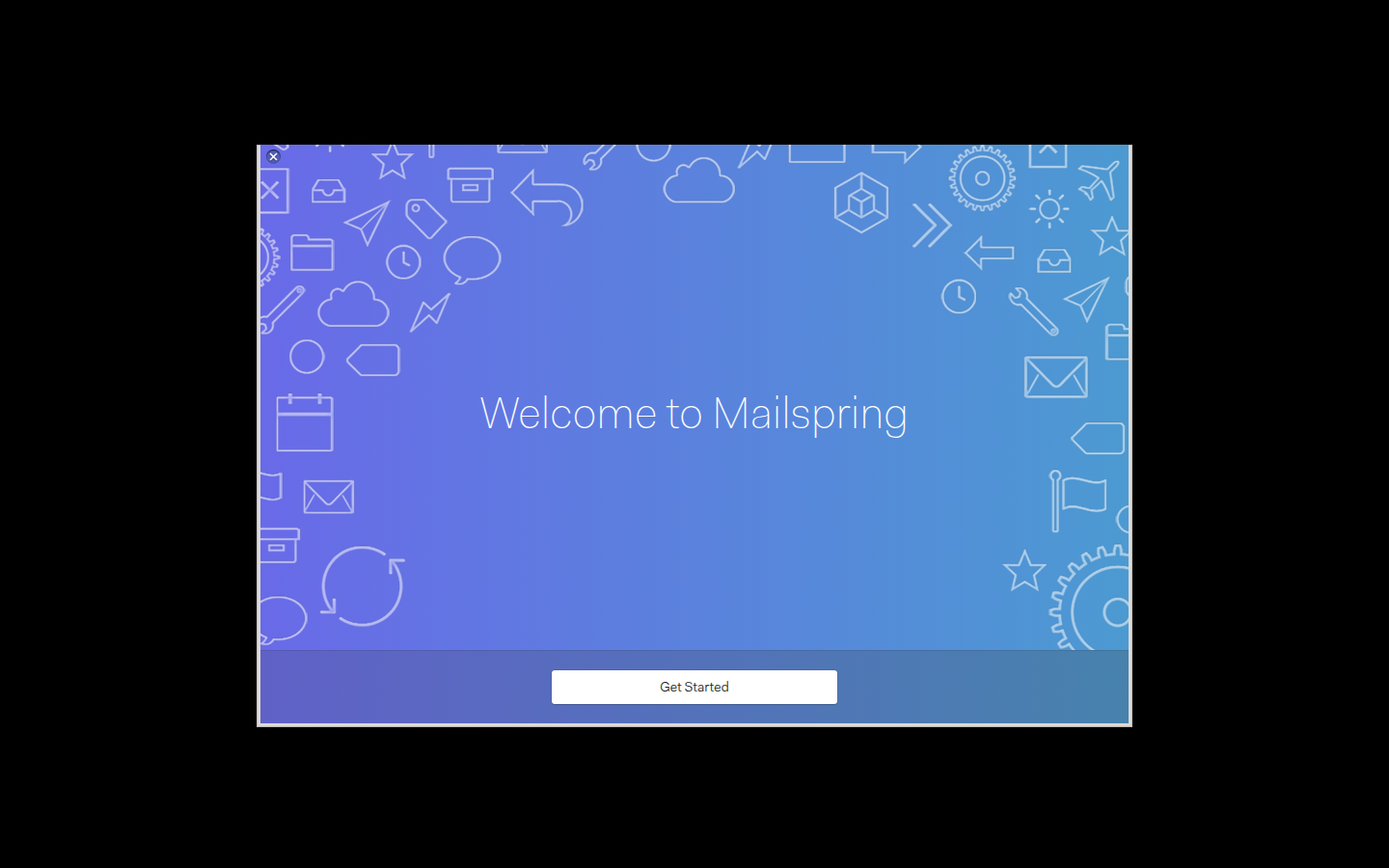
Mailspring's first-run onboarding window: a blue gradient panel patterned with outlined mail, calendar and cloud icons, a large "Welcome to Mailspring" heading, and a white "Get Started" button on a darker strip along the bottom.
The packaged Mailspring build on shared Electron 44, showing the account-free onboarding window it opens on a first run once its native sync engine has created the local mail database.
Heroic Games LauncherManages Epic Games Store, GOG, and Amazon Games libraries
Electron 43.4.1
Tested
Package
2.22.1-1sharedpair1
Runtime
electron-runtime-43
Archive
46.3 MiB
Installed
141.5 MiB

What was verified

A fresh Ubuntu 26.04 container completed account-free first-run configuration, changed real settings, and confirmed they survived a restart, without Wine installed or a store account.

Repacked from the checksum-pinned official v2.22.1 Debian asset; contains no native Node addon. All four vendored Linux store clients are verified byte-for-byte against the exact release asset their own upstream projects publish; the one binary that failed that check, an unprovenanced prebuilt helper, is rebuilt from its pinned source instead.

Application-owned boundary

  • legendary, gogdl, nile, comet, and two Wine-prefix shims are each verified byte-for-byte against their own project's tagged release.
  • vulkan-helper, a prebuilt blob committed to Heroic's repo with no release behind it, is rebuilt from its pinned MIT source instead of redistributed.
  • app.isPackaged is false under a shared runtime, which broke resource-path resolution and navigation guards; both are patched.
  • Wine is a Recommends, not a Depends: the launcher UI is fully usable without it, and it is only needed to run a Windows title.
  • Electron 44 was probed and works, but the package stays on electron-runtime-43 to match upstream's declared ^43.1.1.

Publication

Built, tested, and available from the signed repository.
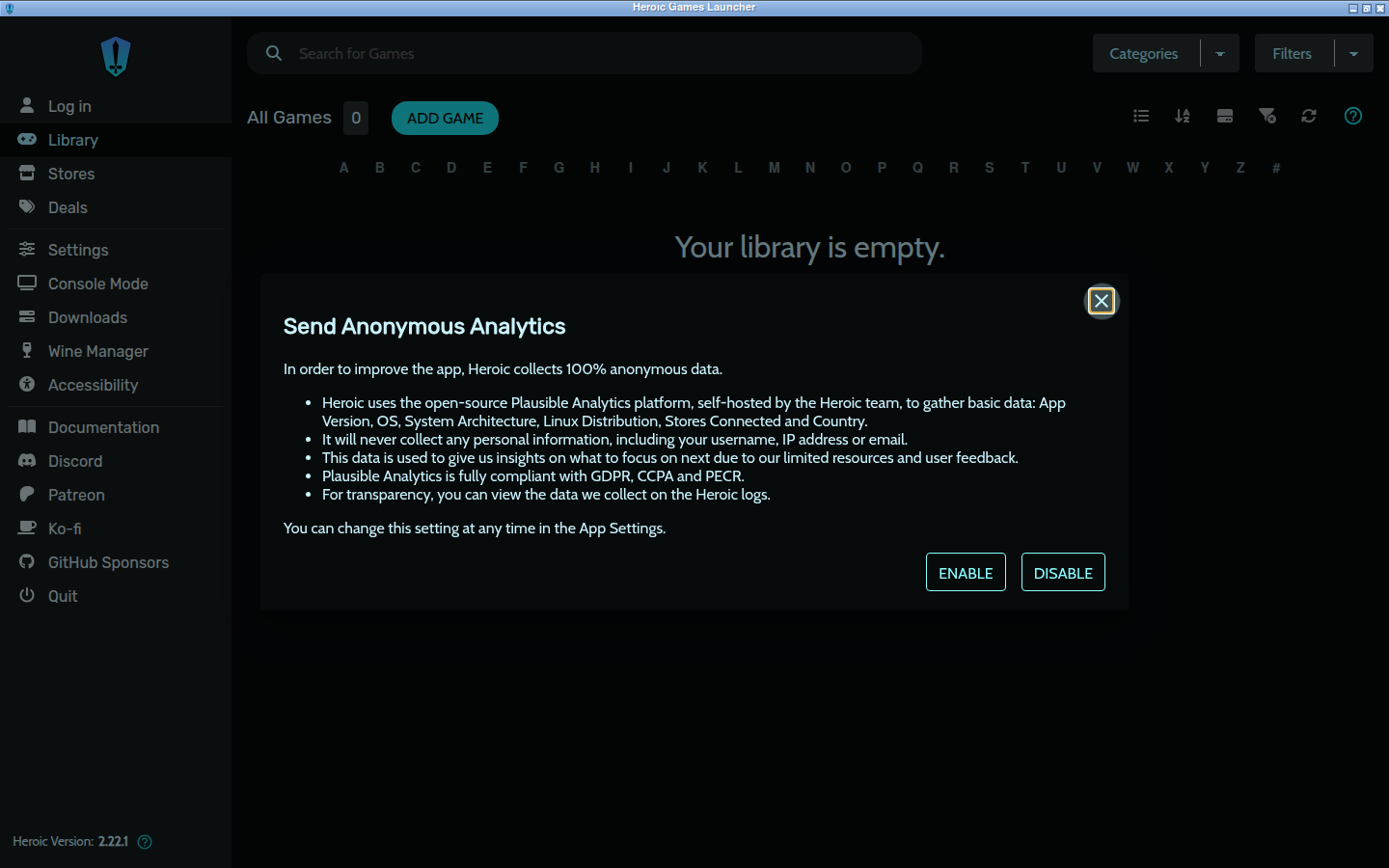
Heroic Games Launcher maximised in a dark window. A left sidebar lists Log in, Library, Stores, Deals, Settings, Console Mode, Downloads, Wine Manager and Accessibility, with Heroic Version 2.22.1 at the foot. The Library pane shows a game search box, an All Games heading with a count of 0, an Add Game button and an A-to-Z index above the message "Your library is empty." A dialog headed "Send Anonymous Analytics" explains what the self-hosted Plausible instance would collect and offers Enable and Disable buttons, neither of them yet chosen.
The packaged Heroic build on shared Electron 43, captured after a restart so the release-notes dialog stays suppressed by the setting the test had just persisted. The sidebar reads "Log in" and the library is empty because no store account was used, and the analytics dialog is still waiting for a choice, which is what opt-in-and-off looks like on a first run.
IPTVnatorIPTV playlist player with EPG and multi-format streaming
Electron 43.4.1
Tested
Package
0.23.0-1sharedpair1
Runtime
electron-runtime-43
Archive
19.9 MiB
Installed
167.5 MiB

What was verified

A fresh Ubuntu 26.04 container opened a fixture M3U playlist from the command line, listed its channels, and restored them from the local SQLite database after a restart, with no network reachable.

Repacked from the checksum-pinned official v0.23.0 Debian asset; the only native code is the Node-API better-sqlite3 addon. The optional embedded-MPV frame-copy engine is dropped entirely because upstream gates it on app.isPackaged, which no shared-runtime launch can satisfy.

Application-owned boundary

  • The embedded-MPV engine is omitted rather than shipped inert, removing libmpv2, libgbm1, and libegl1 from the dependency set.
  • electron-updater's two release-comparison paths are removed so APT owns updates.
  • app.isPackaged-derived worker and remote-control paths are redirected into the installed tree.
  • Upstream asserts its name and icon artwork as unregistered trademarks; this package redistributes the official build nominatively, not as a fork.
  • Electron 44 was probed and did not fail, but the package stays on electron-runtime-43 to match upstream's declared ^43.3.0.

Publication

Built, tested, and available from the signed repository.
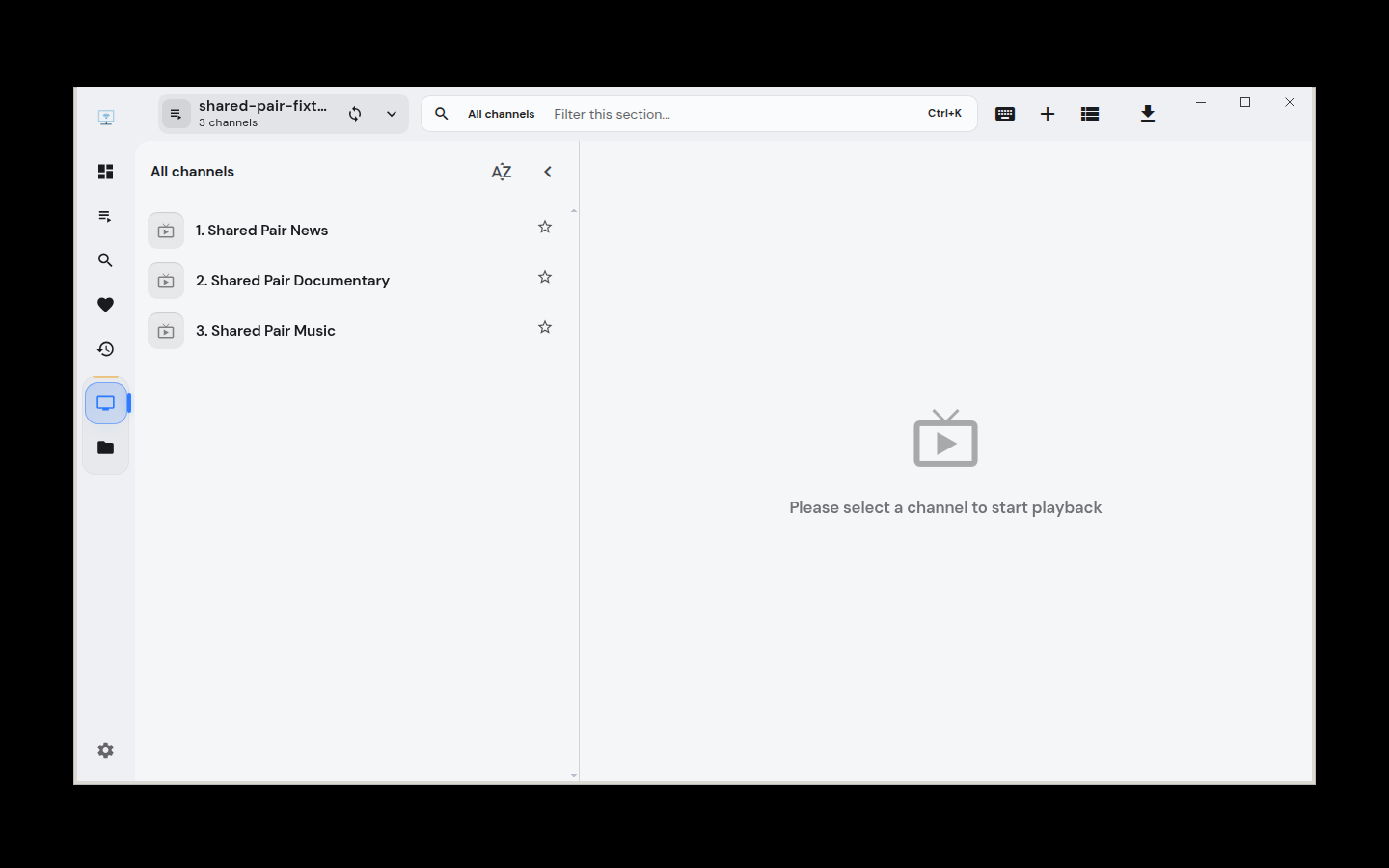
IPTVnator's window after opening a local fixture playlist. The header names the playlist shared-pair-fixture and reports 3 channels; the All channels list shows Shared Pair News, Shared Pair Documentary, and Shared Pair Music, each with a favourite star; the empty player pane on the right reads Please select a channel to start playback.
The packaged IPTVnator build on shared Electron 43, showing a local fixture M3U playlist parsed into its channel list during the account-free persistence test.
ueliKeyboard-driven application launcher and search
Electron 44.0.0
Tested
Package
9.29.0-1sharedpair1
Runtime
electron-runtime-44
Archive
49 MiB
Installed
202.1 MiB

What was verified

A fresh Ubuntu 26.04 container registered the launcher, opened it through its own toggle entry point, answered a calculator query through the built-in extension, and confirmed the enabled extension and settings survived a restart.

Repacked from the checksum-pinned official v9.29.0 Debian asset; upstream builds against Electron 41, so the only ABI-bound native addon (better-sqlite3) is rebuilt at 12.11.1 against Electron 44 headers, since no matching runtime line exists for the declared major.

Application-owned boundary

  • The shipped better-sqlite3 binding is V8-ABI at NODE_MODULE_VERSION 145 (Electron 41) and does not load under 42, 43, or 44; it is rebuilt at 12.11.1, inside upstream's own declared range, against Electron 44 headers.
  • sharp is Node-API and repacks untouched, but its bundled libvips statically links all 28 of its image and text codec libraries and carries a soname Ubuntu does not ship, so no substitution is possible.
  • Upstream's release tag declares Electron ^41.0.3, not the newer range visible on its main branch; no matching runtime line exists, so the runtime choice was free and lands on the newest available.
  • No updater and no telemetry; only application search and Ueli's own commands run by default, with the calculator, web-search, terminal, and workflow extensions opt-in.

Publication

Built, tested, and available from the signed repository.
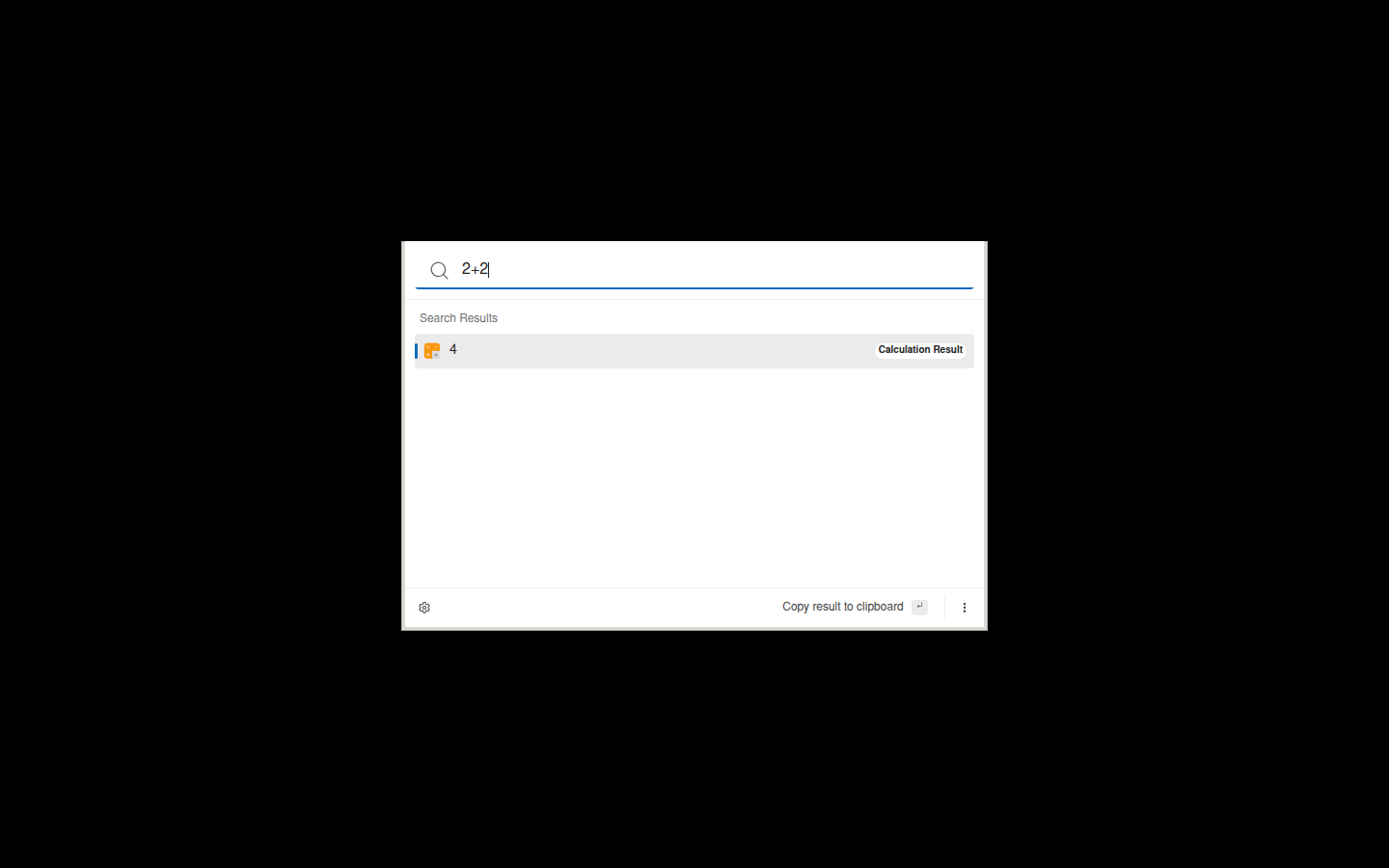
The Ueli launcher window centred on an empty desktop: a search box containing the query 2+2, a Search Results heading, and one result row showing the answer 4 with a Calculation Result label on the right, above a footer offering to copy the result to the clipboard.
The packaged Ueli build on shared Electron 44, answering 2+2 through the Calculator extension that the container test enabled and then confirmed still enabled after a restart.
Held5 applications built and tested but kept out of the public repository until a recorded blocker is resolved
Audex PlayerMedia player and downloader
Electron 42.9.3
Held
Package
1.2.1-1sharedpair1
Runtime
electron-runtime-42
Archive
254.1 MiB
Installed
722.5 MiB

What was verified

Media helpers and persistent GUI profile passed on shared Electron 42.

The package builds and its media/profile test passes, but it is not cleared for publication.

Application-owned boundary

  • Publication is blocked pending redistribution review.
  • The concern is its bundled Chrome/Widevine payload.
  • A successful build does not override redistribution requirements.

Publication

Held outside the public repository until the recorded blocker is resolved.
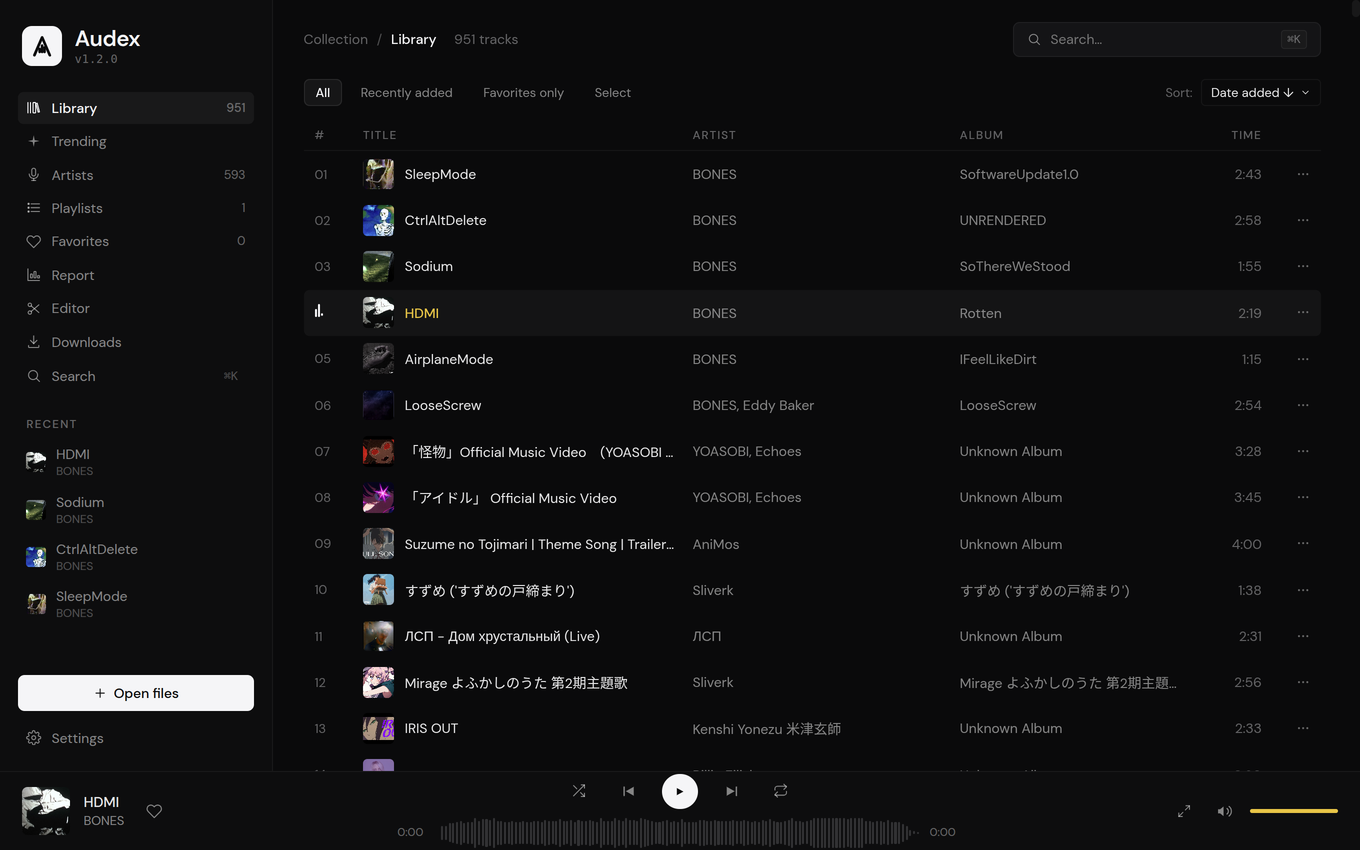
Audex Player dark-theme music library interface.
Official upstream interface reference · Source ↗
Thorium ReaderAccessible EPUB, PDF, DAISY, and audiobook reader
Electron 41.1.1 → 42.9.3 attempted
Held
Package
3.4.0
Runtime
electron-runtime-42
Archive
104.5 MiB
Installed
368.7 MiB

What was verified

Ubuntu 26.04 container startup passed; direct LCP module loading failed deterministically with NODE_MODULE_VERSION 145 versus 146.

The UI starts on Electron 42, but the externally injected LCP module is ABI 145 and the shared runtime requires ABI 146.

Application-owned boundary

  • The exact v3.4.0 tag does not contain the LCP module source or a reproducible build recipe.
  • Publishing without the plugin would silently remove protected EPUB, PDF, and audiobook support.
  • Reconsider when upstream publishes a compatible or reproducibly rebuildable plugin.
  • Official amd64 Debian artifact SHA-256: 9920e2d1bd61ffb17f12b7002abf76208bca30caed683bc2dcde0d25329fa550.

Publication

Held outside the public repository until the recorded blocker is resolved.
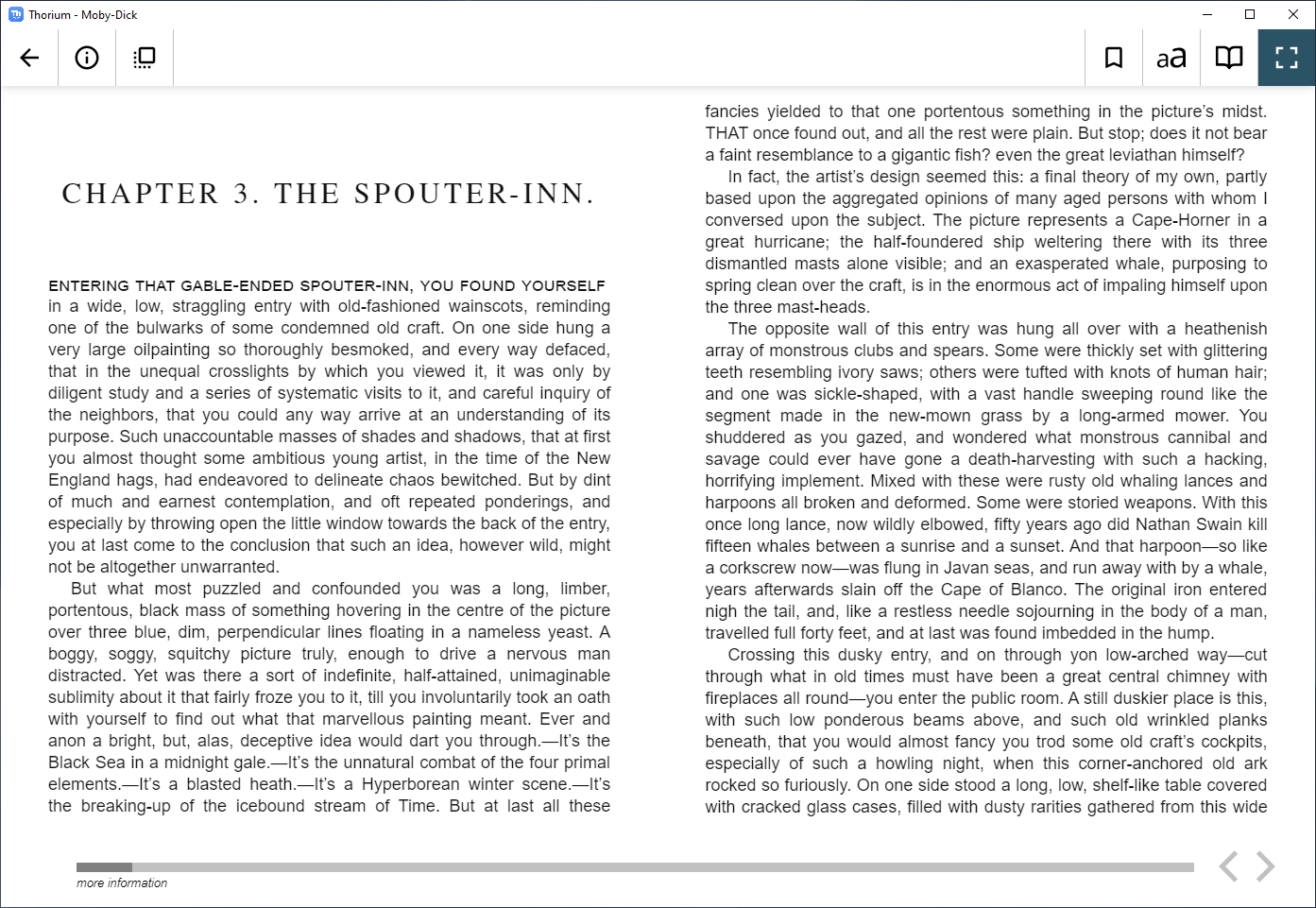
Thorium Reader's reader view showing an open EPUB with reading controls, as embedded in the project README.
Official upstream interface reference · Source ↗
Quba E-Invoice ViewerViewer for CII, UBL, ZUGFeRD, and Factur-X electronic invoices
Electron 44.0.0
Held
Package
1.5.1-1sharedpair1
Runtime
electron-runtime-44
Archive
17.2 MiB
Installed
163.1 MiB

What was verified

A fresh Ubuntu 26.04 container drove the packaged payload on Electron 44 and rendered a synthetic CII invoice completely, recovering its invoice number, parties, currency, and computed 400,00 net / 76,00 VAT / 476,00 gross totals.

Built from checksum-pinned v1.5.1 source with no native modules and the electron-updater wiring patched out, but its entire rendering engine is Saxonica’s closed-source, binary-only saxon-js.

Application-owned boundary

  • Held: saxon-js 2.4.0 is a 2.5 MB obfuscated blob under the Saxonica Public License, not a free-software licence.
  • Its clause 2 forbids reverse engineering, so there is no preferred form for modification to place in the Debian source package.
  • Its clause 4 bars copying the software to a site whose primary purpose is making it available to third parties — arguable for a public APT repository in both directions.
  • The compiled .sef.json stylesheets only Saxon can execute, so a free XSLT processor would be a rewrite of the rendering core, not a port.
  • Revisit if upstream drops Saxon-JS, Saxonica relicenses or grants written permission, or the project owner rules that a proprietary component may ship.

Publication

Held outside the public repository until the recorded blocker is resolved.
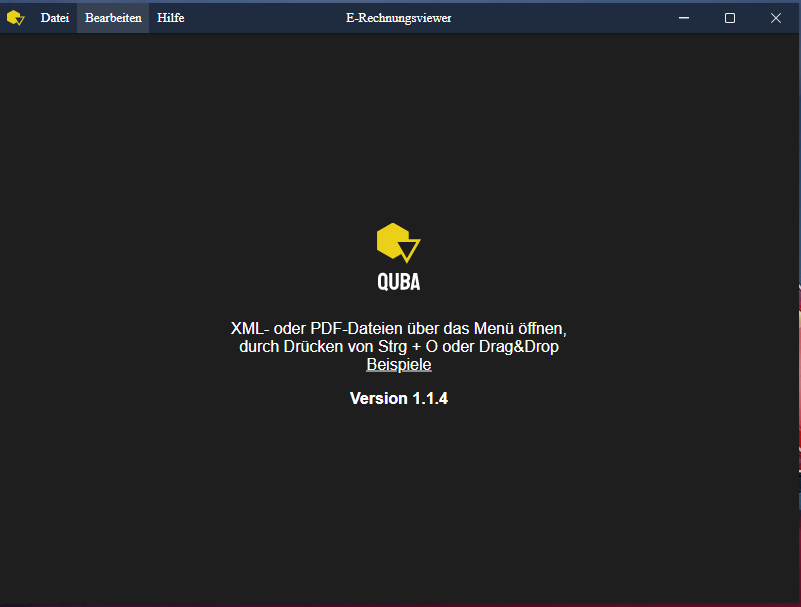
The QUBA E-Rechnungsviewer app window showing its empty state with menu bar and instructions to open XML/PDF invoice files.
Official upstream interface reference · Source ↗
Tabby TerminalTerminal emulator with SSH, serial, and local shell backends
Electron 38 required; 42–44 unsupported
Held
Package
1.0.235
Runtime
none
Archive
Not packaged
Installed
Not packaged

What was verified

No package was built and no acceptance test was run: a terminal emulator needs a real local PTY running a deterministic command, and that cannot pass with the audited artifact on any supported shared runtime.

The MIT licence permits redistribution and the official payload separates app.asar, its unpacked tree, and twelve builtin plugins from the private Electron cleanly — but the local-shell backend imports node-pty, whose shipped addons are fixed-ABI linux-x64-139 builds.

Application-owned boundary

  • Parked: the tagged source declares Electron 38, whose Node module ABI is 139; the supported shared runtimes are 42 through 44.
  • node-pty, fontmanager-redux, native-process-working-directory, serialport bindings, and glasstron all ship as fixed-ABI addons.
  • Copying the ABI-139 files would defer the failure to terminal creation; deleting them would guarantee it.
  • Rebuilding the addons for Electron 44 would produce a materially different, untested build across the main process, preload, plugins, SSH, serial, and shell-integration contracts.
  • Revisit when a stable Tabby release moves to a supported shared Electron major, or upstream documents and tests one.

Publication

Held outside the public repository until the recorded blocker is resolved.
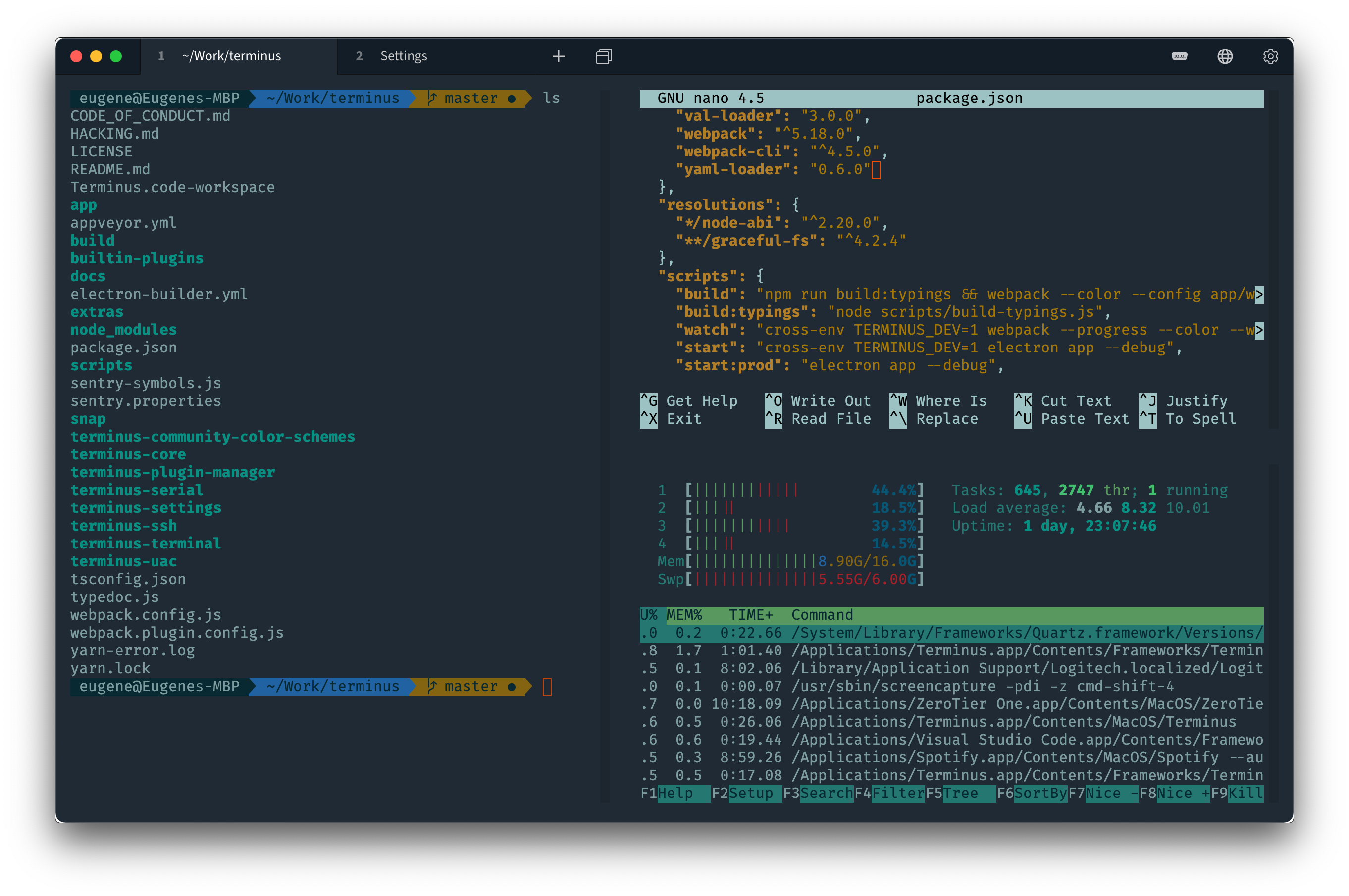
Tabby terminal split-pane view showing a shell session, an editor (nano), and system monitor widgets (CPU, memory, process list) in one window.
Official upstream interface reference · Source ↗
ColorpickerScreen colour picker with shading tools and a saved colour book
Electron 44.0.0 probed
Held
Package
2.3.0
Runtime
none
Archive
Not packaged
Installed
Not packaged

What was verified

On Electron 44 the colour workspace passed: a typed hex value propagated to the RGB fields and persisted to the on-disk colorsbook. The eyedropper half could not pass, so no package, launcher, or acceptance test was created.

Upstream’s pinned RobotJS fork rebuilds reproducibly for Electron 44 with a one-line C23 include fix and sampled three painted colours exactly under Xvfb, so the native module is not the obstacle.

Application-owned boundary

  • Parked: the Linux eyedropper needs a second native module that upstream’s own Linux release does not contain and that is bound to Electron 38’s ABI.
  • Underneath it, RobotJS calls XGetImage on the root window, which returns BadMatch under rootless Xwayland and terminates the process — the default session on Ubuntu 26.04.
  • Making it work would mean routing colour picking through the XDG desktop portal, which is upstream functionality that does not exist in any release.
  • A licensing question is also unresolved: the fork vendors snprintf.c under the Frontier Artistic License alongside its MIT declaration.
  • Revisit when upstream ships a Linux release whose eyedropper functions on Wayland; the RobotJS half of the problem is already solved.

Publication

Held outside the public repository until the recorded blocker is resolved.

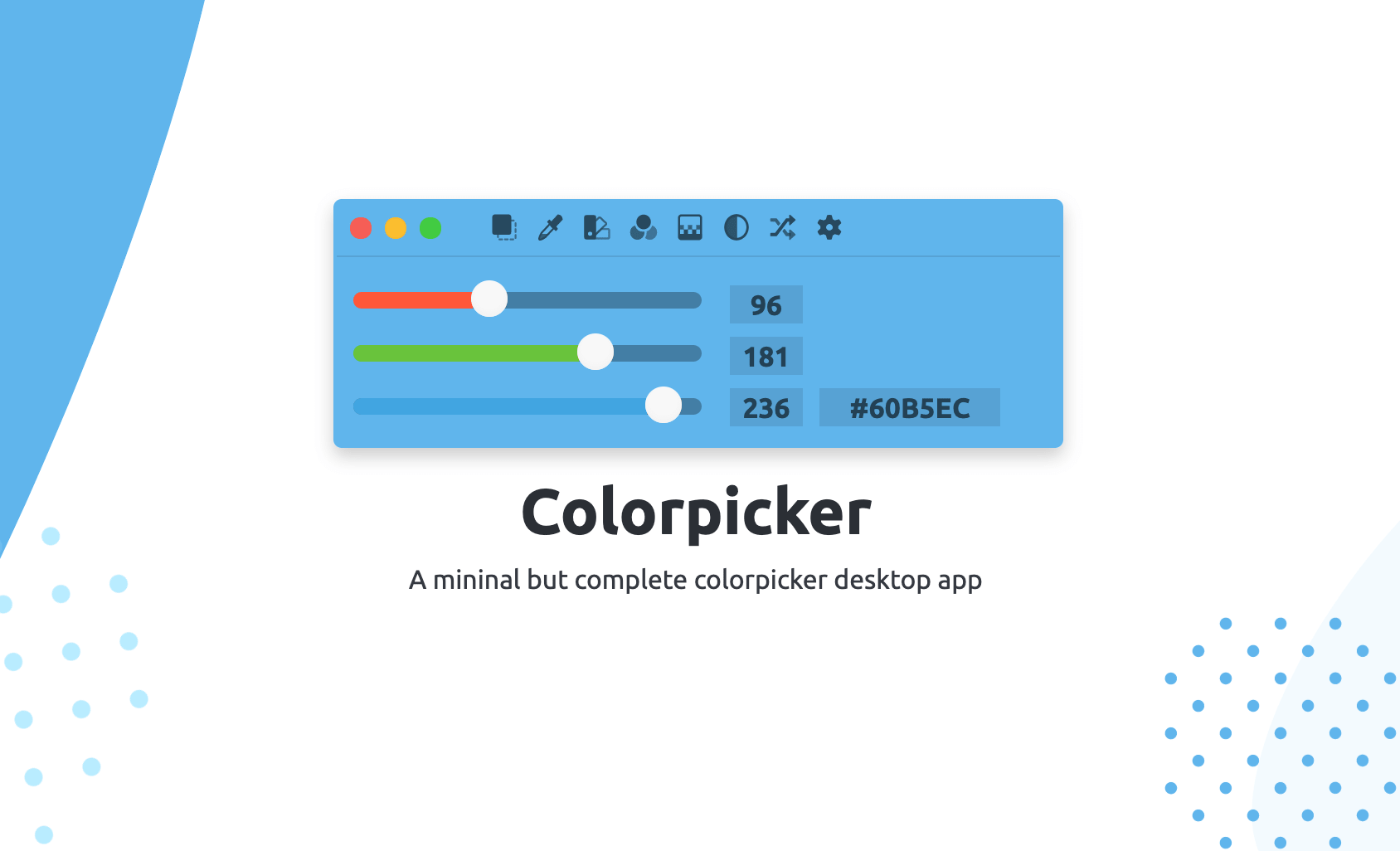
The Colorpicker Electron app's color picker/eyedropper interface.
Official upstream interface reference · Source ↗
Under consideration43 viable candidates from the first source audit

Showing all 43 candidates

Votes order investigations; they do not override licensing, security, compatibility, or testability review. Popularity is a 0–100 score within this set: 70% log-scaled GitHub stars, 20% forks, and 10% watchers, captured 31 Aug 2026.

AntaresFree and open source SQL client made to be simple and complete.Developer ToolsRepository ↗~30.0.8792,651 stars · 166 forks
Assessment DisaggregationUses pre- and post-test exam files from most exam systems to determine true learning.EducationRepository ↗^43.2.0219 stars · 1 forks
BdashSimple business intelligence application.Developer ToolsRepository ↗^40.6.0751,519 stars · 111 forks
Boost Changer control CPU turbo boost and the settings of the cpu speed on Linux.UtilitiesRepository ↗^40.8.048139 stars · 19 forks
Camunda ModelerDeveloper-friendly app for editing and executing BPMN process diagrams and DMN decisions.Developer ToolsRepository ↗^43.0.0821,703 stars · 542 forks
CBETA Reader 2 (Unofficial)CBETA Reader 2 is a Buddhist text reader app. It gets Buddhist text data from CBETA APIs.BooksRepository ↗^40.6.13546 stars · 4 forks
DebugtronDebug in-production Electron based app.Developer ToolsRepository ↗^39.1.0751,744 stars · 137 forks
DopamineElegant audio player which tries to make organizing and listening to music as simple and pretty as possible.MusicRepository ↗^38.0.0792,334 stars · 152 forks
DropPointMake drag-and-drop easier using DropPoint. Drag content without having to open side-by-side windows.ProductivityRepository ↗^43.2.0691,095 stars · 70 forks
Electron-clippySimple clipboard manager inspired by ditto.ProductivityRepository ↗^41.10.12821 stars · 2 forks
ElephiconGenerate ICO and ICNS files for your desktop apps.Developer ToolsRepository ↗^44.0.047159 stars · 14 forks
encrypt0rEncrypt and decrypt your files with a passphrase.UtilitiesRepository ↗39.8.53955 stars · 9 forks
ErinCross-platform app to change wallpaper automatically.UtilitiesRepository ↗^39.8.53025 stars · 3 forks
eSearchScreenshot OCR search or search from clipboard or paste images or search for picture or record screen.ProductivityRepository ↗43.4.0917,059 stars · 509 forks
Excel Parser ProcessorA Cross-Platform Desktop App for processing all rows of excel filesProductivityRepository ↗^39.0.055228 stars · 32 forks
ExpressLRS ConfiguratorApp to build & flash ExpressLRS firmware.UtilitiesRepository ↗^41.0.072847 stars · 178 forks
Helios LauncherCustom Launcher for Modded Minecraft.GamesRepository ↗^39.2.7781,028 stars · 2,080 forks
Image OptimizerOpen source tool for optimizing images and vector graphics.Photo & VideoRepository ↗^43.3.067917 stars · 63 forks
itchThe best way to play your itch.io gamesGamesRepository ↗^44.1.0832,813 stars · 259 forks
JasperA flexible and powerful issue reader for GitHubDeveloper ToolsRepository ↗^37.4.0731,328 stars · 86 forks
KnowteCross platform note-taking application.ProductivityRepository ↗^37.0.058321 stars · 35 forks
LaraDumpsIs a friendly app designed to boost your Laravel PHP coding and debugging experience.Developer ToolsRepository ↗^41.2.055266 stars · 34 forks
Laravel KitA desktop Laravel admin panel appDeveloper ToolsRepository ↗33.0.0741,316 stars · 133 forks
LeptonOpen-source snippet manager powered by GitHub Gist.ProductivityRepository ↗^42.5.09610,338 stars · 477 forks
mdpMarkdown preview using marked, highlight.js, mermaid, node-emoji and live reload.Developer ToolsRepository ↗^41.10.53745 stars · 5 forks
P3X OneNoteA Linux compatible version of OneNote.ProductivityRepository ↗^42.3.3782,075 stars · 110 forks
P3X Redis UIA very functional handy database GUI and works in your pocket on the responsive web or as a desktop app.Developer ToolsRepository ↗^42.5.167808 stars · 76 forks
PanWriterMarkdown editor with pandoc integration and preview.ProductivityRepository ↗^39.2.7721,295 stars · 65 forks
passkySimple and secure password manager.UtilitiesRepository ↗^40.8.04272 stars · 10 forks
PhotoScreenSaverWindows screen saver that displays a photo slideshowPhoto & VideoRepository ↗^30.0.24686 stars · 20 forks
PlayCodeDesktop client for Playcode Online Javascript EditorDeveloper ToolsRepository ↗^32.1.052146 stars · 58 forks
primitive.nextgenTool to redraw images using shapes (triangles, rectangles ...)Photo & VideoRepository ↗31.3.14076 stars · 5 forks
RenderTuneCombine audio + image file(s) into video files.MusicRepository ↗^33.2.13641 stars · 8 forks
RIDERemote IDE for Dyalog APL.Developer ToolsRepository ↗^34.5.057232 stars · 35 forks
SimplenoteAn easy way to keep notes, lists, ideas and more.ProductivityRepository ↗34.1.1915,268 stars · 587 forks
sleekTodo app based on todo.txt, free and open-source. sleek is available for Linux, Windows and MacOS.ProductivityRepository ↗^43.1.0772,027 stars · 137 forks
SqlectronA simple and lightweight SQL client desktop with cross database and platform supportDeveloper ToolsRepository ↗^42.0.0904,759 stars · 529 forks
stackerPolyglot flow testing toolDeveloper ToolsRepository ↗^39.8.104162 stars · 8 forks
SymphonyThe secure, cloud-based communications platform that connects markets and individuals.SocialRepository ↗41.3.05185 stars · 108 forks
TidGiPrivatcy, free deploy Tiddlywiki knowledge management Desktop Note taking app.ProductivityRepository ↗43.2.0762,002 stars · 116 forks
todometerA meter-based to-do list.ProductivityRepository ↗^43.3.0802,129 stars · 306 forks
Twinkle TrayManage brightness of multiple monitors from the system tray.UtilitiesRepository ↗^43.4.0918,956 stars · 319 forks
YTMDesktop AppA Desktop App for YouTube MusicMusicRepository ↗^40.4.0926,432 stars · 610 forks

Runtimes

Paired, not floating.
One shared runtime per Electron line.

Each application pairs with the exact Electron major it was built and tested against. All three runtime packages coexist on the same system without conflict.

Runtime decisions and obligations

R–01
Architecture

What belongs where

Share the generic Electron distribution. Keep application identity, code, native modules, private helpers, and mutable state with the application.

The shared side

A versioned runtime package owns Electron, Chromium, common locales and resources, and the setuid sandbox for one Electron major. Electron 42 and Electron 44 install beside one another rather than competing for a single global executable.

  • One immutable path per runtime major.
  • One sandbox owned and permissioned by the runtime package.
  • Applications declare bounded dependencies on the runtime they passed against.

The private side

Application resources remain app-owned. That includes ASAR content, desktop files, icons, native Node modules, product-specific helpers, and components whose redistribution or update policy differs from Electron itself.

  • LosslessCut retains its private FFmpeg.
  • MarkText retains ABI-specific native modules.
  • JupyterLab Desktop retains its offline Python and Jupyter environment.
  • Audex remains held because sharing Electron does not settle Chrome or Widevine redistribution.

Why the line matters

A smaller package is not enough. The boundary must preserve application behavior, make ownership inspectable, and allow a runtime security update without silently replacing app-private components. When an application requires a new Electron major, it moves only after its own test passes.

R–02
Build method

Can we build it twice?

The current packages are repeatable build inputs with clean-container behavioral tests; bit-for-bit reproduction, published SBOMs, and signed provenance remain release requirements rather than completed claims.

What is already controlled

Package versions and runtime dependency bounds are explicit. The test suite installs local Debian artifacts into fresh Ubuntu 26.04 containers and exercises application behavior as an unprivileged user.

  • Electron 42.9.3 and 44.0.0 are separate, co-installable artifacts.
  • Every listed application names the runtime major it was tested against.
  • Tests inspect package contents as well as launching or exercising the application.

What the tests prove

Behavioral tests establish that the split packages install and perform named operations. Examples include draw.io export, Joplin profile persistence, Jupyter server startup, and Netron model opening. They do not by themselves prove that two independent builders produced identical bytes.

Publication requirements

Repository promotion should carry enough material to trace a package back to its inputs and builder. These items remain part of the release checklist.

  • Record and publish source and input hashes.
  • Generate an SBOM for each runtime and application package.
  • Publish builder identity and signed provenance.
  • Attempt an independent rebuild and report whether outputs match.
  • Preserve test results with the exact package versions they describe.
R–03
Security

One runtime, one responsibility

Runtime sharing reduces duplicated Chromium copies only if each runtime line has an owner, bounded dependants, a full retest path, a rollback package, and an explicit retirement rule.

Patch once, test broadly

A runtime update changes a dependency shared by several applications. The unit of security work is therefore the runtime plus every package bound to that line—not the runtime artifact alone.

  • Track upstream Electron and Chromium fixes.
  • Rebuild the runtime without changing its major-version path.
  • Run the complete dependent-application test set.
  • Publish failures and holds alongside passes.

Keep rollback possible

Repository metadata and the previous known-good runtime must remain recoverable during promotion. An application should not be forced onto an untested Electron major merely because a newer runtime exists. Exact lower and upper dependency bounds make that constraint visible to APT.

Retire, do not accumulate

Co-installable majors are a compatibility tool, not permission to preserve obsolete Chromium indefinitely. A runtime line leaves when its applications have moved to a supported line or when it can no longer be maintained safely. Packages that cannot move must be reported honestly and may need removal.

Security

One runtime. One clear responsibility.

Sharing a browser runtime is worthwhile only if updates become faster and easier to inspect. Security work belongs in public view, not in the footer.

01

Before release

Name primary and backup maintainers, open a private reporting channel, set patch deadlines, and test emergency rollback.

02

With every package

Publish input hashes, the builder identity, SBOM, provenance, test results, and signed repository metadata.

03

When something breaks

Publish advisories separately from routine news and preserve the history even when a package must be pulled.

Runtime-impact testing and retirement rules are documented in R–03 above; this section owns reporting, release evidence, and incident response.